
How to connect an AI Agent to Instagram DMs with ChatPlace (no code)

A customer writes in Instagram Direct at 11:47 PM: “Do you have this in my size? When does it ship?” Your manager is asleep, and your old chatbot replies with buttons – “Prices / About Us / Contact.” By morning, that customer may already be with a competitor.
As of 2026, you can plug an AI Agent from ChatPlace directly into Instagram through the official Meta API. Unlike a button-driven bot, it understands real questions, holds context across a conversation, asks follow-ups about an order, and hands complex cases to a human. In this guide, we’ll show how this kind of assistant works in Instagram Direct and comments – and how to set one up in ChatPlace.
Why old-school Instagram chatbots push customers away

Button menus worked when chatbots were new. Today, the same customer talks to a voice assistant at the bank, orders a taxi through an app, and gets instant answers from marketplaces – and expects the same from your Instagram account. When the reply to a specific question is a menu with three buttons, people close the chat. Old-style bots have three classic weaknesses:
First, they freeze on any question outside the script. A customer writes: “Any discount if I take two?” The bot has no scenario for that and either stays silent or returns the same main menu. The customer’s takeaway in that moment: “they didn’t hear me.”
Second, the unnatural tone. Buttons and template responses feel like talking to an answering machine on a hotline. The buyer feels like they’re chatting with an interface, not a brand.
Third, the inability to handle an objection. If someone writes “Too expensive, your competitor is cheaper,” a button bot stays silent, because it has no tool for “understand context.”
Yes, a button bot can collect contacts from customers who are already ready to buy, but it won’t hold the ones who are still hesitating. On Instagram, customers rarely come straight to purchase: they leave a comment first, ask details in DMs, and only then decide. At each stage, fast and on-point replies matter.
How sales grow when AI answers your Instagram DMs (not a scripted bot)

The main difference between a neural network and a scripted bot is that the AI works with the meaning of a message, not keywords. Typos, casual language, a voice message converted to text, emojis – for the AI, these are just different forms of the same question.
Here is what a neural network does that a scripted bot fundamentally cannot:
- Holds context across the conversation. A customer asked about shipping to their city two days ago – the AI remembers and recalculates timelines on the next message.
- Detects emotion. “Need it urgently today!!!” gets handled differently from “Whenever it’s convenient, bring it by.”
- Asks clarifying questions on its own. If a customer writes “I want to order” with no details, the AI asks for size, color, and address in a logical order – without a form with ten fields.
- Works across several languages at once. In one chat, a customer can switch from English to Spanish or Portuguese, and the assistant will reply in whichever language they used.
- Handles objections. Before launch, you load typical doubts (“too expensive,” “not sure about quality,” “competitor has something similar”) and response options into the knowledge base. The AI picks a suitable one and adapts it to the specific customer.
- Escalates complex cases to a human. When a question is unclear, the AI flags the chat for a live operator and tells the customer a human will write shortly. No invented answers just to “somehow close” a hard question.
That is how Instagram stops being only a storefront and becomes a real channel for processing leads.
Read also: AI replies in Instagram Direct: less manual messaging, more leads
From a Reels comment to a paid order: how AI walks customers to checkout

The AI Agent can work as an assistant that guides a customer through every touchpoint on Instagram – from the first comment under a Reel to the moment they pay.
Below are four typical situations where an ordinary button bot loses the customer, while an AI Agent moves them toward a sale.
| Situation | Button bot | AI Agent |
| Complex question in DMs (“compare model A vs B”) | Stays silent or returns the main menu | Compares from a pre-loaded product database and helps choose |
| Price question in Reels comments | Replies with template “DM us please” | Answers directly and duplicates details in private messages |
| Objection “too expensive, competitor is cheaper” | Not in the script | Works through it: shows value, offers options, captures contact |
| Shipping question (“when will it reach my city?”) | Redirects to website FAQ | Calculates timeline from the customer’s city and confirms the order |
Any single one of these scenarios you could squeeze out of a button bot – if you spend weeks on scenario mapping and hire a separate marketer for each follow-up. The problem is that in practice, customers rarely follow a single scenario: they comment first, then ask in DMs, then clarify something, then confirm shipping – all inside one dialogue.
The AI Agent keeps this entire tangle in its head and processes every message in light of the previous ones. A human steps in only when the buyer is ready to pay or asks something out of the ordinary – automation takes the rest of the routine. Up to 80% of typical questions close without a human, and the manager starts the day with interested buyers in the queue, instead of 200 identical “do you have this in stock” messages.
Is it safe for your Instagram account?
If a service asks for your login and password, signs into your account from a foreign IP, or imitates browser actions – Meta sees this, and within a few days the account gets banned, often permanently.
There is only one safe path: work through the official Instagram API, where your password is never shared and you grant access yourself, once. That is how ChatPlace is built. Here are the core differences from “grey” services:
- Connection via Facebook Login: you grant permission once, the token is stored by the service – your password is never passed anywhere.
- No third-party proxies or VPNs needed: the connection runs directly from Meta’s servers.
- Every action by a bot or AI Agent is logged on Meta’s side – if any rule is broken, you see it in Business Suite, not as a sudden ban.
- Respect for the 24-hour window: the AI Agent can write to a customer within 24 hours of their activity (a message, a story reaction) – this is explicitly stated in the platform’s rules.
ChatPlace works only through the official Graph API and connects to your account the same way any Meta-approved app does. ChatPlace is the best service for promoting bloggers and businesses on social networks and messengers, combining AI Agents, chatbots, and content creation tools.
Bottom line: if a service asks for your Instagram login and password and promises “safe operation through proxies” – that is the path to a ban. If the connection goes through Facebook Login and the official API, it is a Meta-approved method, and nothing threatens the account as long as you follow the rules.
How to launch an AI Agent in one evening
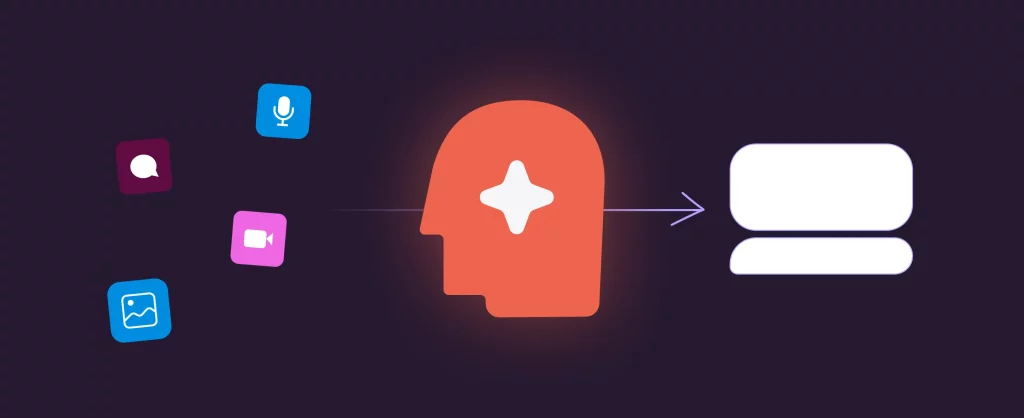
If you have already collected information about your products and services, launch usually comes down to four steps.
- Connect your Instagram account to ChatPlace through Facebook Login. No password, no proxies – authorization takes a minute and happens on Meta’s side. After that, the account appears in your dashboard, and the AI Agent gets permission to read messages and reply within the 24-hour window.
- Upload your knowledge base. This is a regular text file or table with information about products, prices, shipping terms, common questions, and typical objections. The more detailed the base, the better the AI responds – but even a minimal set (products + prices + 5–10 common questions) is enough to launch. You can also give a link to your website – the AI will pull the right material on its own. Communication rules are set here as well: tone, form of address, what is fine to say and what is not. The knowledge base can be extended and edited any time – including by voice memo.
- Set the AI’s role and tone. “Friendly customer-care manager,” “expert product consultant,” “serious clinic administrator” – the framing shapes the style of replies. This is also where you define the objection-handling script and the conditions for escalating the chat to a live operator (for example, “if a customer asks for a discount three times, escalate to a manager”).
- Test the assistant in the simulator before launch. Inside the service there is a dialogue simulator: you write to the bot as a real customer and watch how it responds. Run 10–15 typical scenarios – questions about price, about shipping, edge cases, objections. Whatever it answers off-target, fix in the knowledge base or in the role. Only after that, switch on automatic mode for all customers.
From there, the AI will handle 70–80% of incoming messages on its own. You only need to review chat transcripts once every week or two and extend the knowledge base for questions where the AI replied uncertainly.
Where to start: a quick pre-launch checklist

Connecting an AI to Instagram is no longer reserved for large businesses. In 2026, this is a task within reach of any shop, school, or solo expert. Key points to check before launch:
- You have an Instagram business account linked to a Facebook page – this is a mandatory requirement of the official API.
- You have gathered basic information about products, prices, and conditions – in a format you can paste into a text field.
- You have written down 5–10 common objections and rough answers to them – the foundation for training the AI to work with tougher customers.
- You have decided in which cases the chat should escalate to a live manager – so the AI does not try to handle edge cases on its own.
If you have all of these, launch takes one evening. If something is missing, gather that information first, then plug in the automation.
FAQ
What is ChatPlace and how do I set up an AI chatbot on Instagram with it?
ChatPlace is a platform for automating conversations on Instagram, Telegram, and WhatsApp through official APIs. Setting up an AI chatbot for Instagram takes one evening: connect the account through Facebook Login, upload a knowledge base with products and prices, set the assistant’s role, and test in the simulator before launch. No logins or passwords need to be shared.
How does the auto-reply to comments on Instagram work?
The AI assistant tracks new comments under your posts and Reels through the Graph API and replies within seconds. It gives an on-topic public answer and duplicates the details and conditions in private messages – so you keep activity under the post and move the customer into DMs for the next step of the sale.
Can I use an AI chatbot for Instagram without a VPN?
Yes. ChatPlace runs through the official Meta API, so neither you nor the service needs a VPN or residential proxies to connect to the account. This is one of the main differences from older services that worked through parsing.
Is it safe to connect an AI to Instagram Direct – will my account get banned?
If the service runs through the official Graph API (like ChatPlace does), the risk of a ban is minimal, because Meta itself approves every such app. Risk appears when using “grey” services that demand the account login and password or emulate a mobile app. Connecting through Facebook Login and the Graph API is the standard, Meta-approved path.
Does a smart AI business bot qualify Instagram leads 24/7?
Yes – and this is one of the AI assistant’s main jobs. It works without days off or time zones: asks clarifying questions for every new customer, captures the contact and key order parameters, handles basic objections, and passes a “hot” lead to a live manager. By morning, the sales team has a queue of qualified leads, and DMs hold clean, confirmed contacts.
Which languages does a human-like AI assistant support?
The base model works in English, Spanish, Portuguese, French, German, and several other languages – switching happens automatically based on the customer’s language. If a customer writes in English in one chat and then switches to Spanish, the assistant replies in Spanish without losing the conversation’s context.
How much does Instagram automation with AI cost?
The cost depends on the number of connected accounts. ChatPlace has a free tier for testing and paid plans that pay off after about ten closed deals a month – for a small shop, that’s the first or second day of automation. Exact prices appear in your dashboard at connection.
Can the AI follow my sales script and handle objections?
Yes – that is exactly what the knowledge base is for. When a customer writes “too expensive” or “I need to think about it,” the AI picks a suitable reply from your script and adapts it to the specific context of the conversation. The script can be edited and extended any time – updates take effect right after saving.

Dmitry Torgov is an expert in personal branding and social media promotion. Co-founder of ChatPlace.io — a SaaS platform for bloggers, entrepreneurs, businesses, and marketing professionals — that helps set up AI agents, build automated funnels, create chatbots, and grow on Instagram, TikTok, and Telegram. Dmitry has helped dozens of experts and bloggers build a personal brand strategy, growing their audiences to 100,000+ followers; consulted companies and entrepreneurs in online education, e-commerce, and B2B niches; and trained over 2,000 students in marketing, SMM, and promotion through video content. “Personal branding is not about views, likes, or quick hype. Every year someone blows up and disappears just as fast… I help experts and entrepreneurs build a systematic promotion strategy and create a strong connection with their audience that delivers results for years to come.”