
How to make a carousel in 5 minutes: Best AI Instagram tool in 2026
Carousels eat more design time than any other post format, and most of it gets wasted rebuilding the same slides several times – once for Instagram, once for TikTok, once for a PDF lead magnet. The best app for carousel posts in 2026 fixes that by handling structure, resizing, and export for you, so you spend your time on the message instead of nudging text boxes. This guide breaks down what separates Virale’s carousel tool from a generic design app, how to design once for both feeds, and how to turn a finished swipe-through into actual followers.
Adam Mosseri, Head of Instagram, has confirmed that carousels often pull more reach than single posts – more slides mean more interactions, and more interactions mean more reach.
Why carousels work better than single posts right now
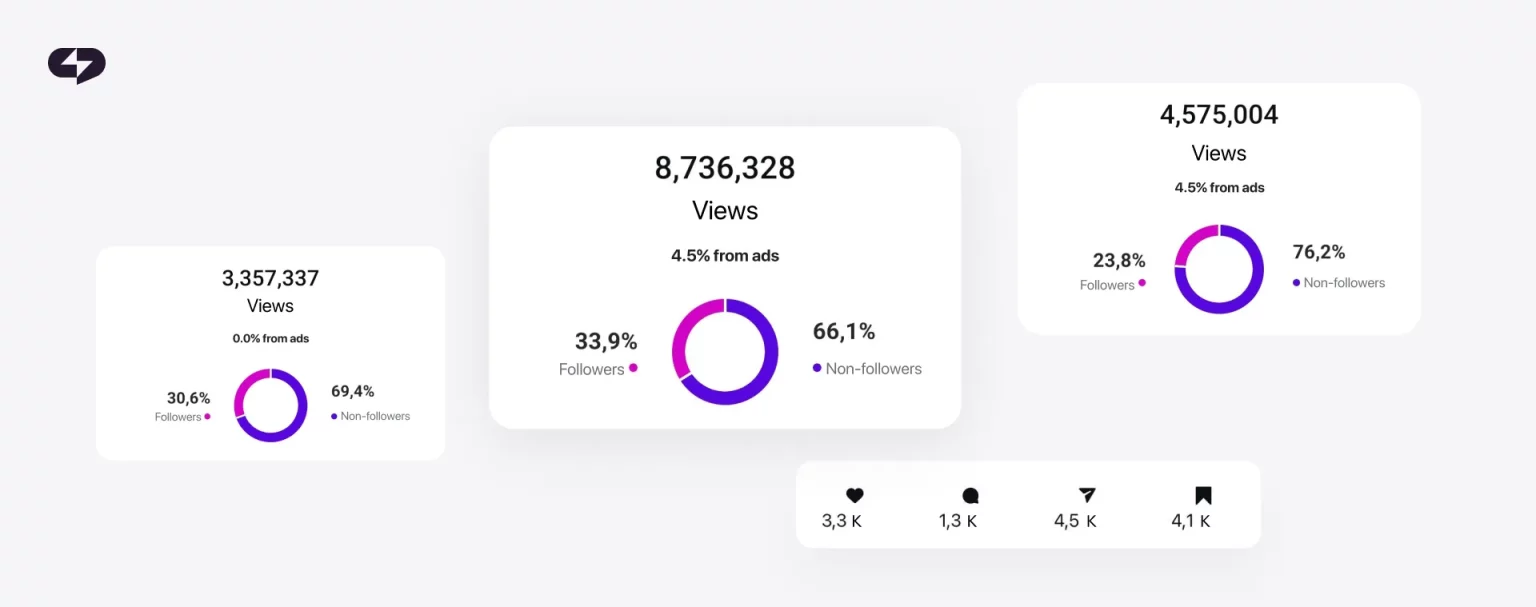
Carousels win because they buy you time inside the feed. A single image gets a glance; a carousel asks for a swipe, and every swipe tells the algorithm someone stayed. That extra dwell time (how long a person lingers on your post before scrolling away) is exactly what Instagram rewards in 2026.
So what makes one carousel app better than another? After testing the common options, three things separate a real carousel tool from a generic design app. Miss any one and you feel it on every post.
What an Instagram carousel maker online actually does
A good Instagram carousel maker like Virale does three jobs you’d otherwise do by hand: it locks your layout to a grid so margins line up across slides, it keeps fonts and colors consistent slide to slide, and it lets you draft a single unbroken design that slices into separate frames on export. Get those three right and your carousel looks intentional instead of assembled. Get them wrong and the seams show on every swipe.
Start with the canvas. Carousels live in one of two aspect ratios (the shape of the frame): 4:5 portrait at 1080x1350px for Instagram, which fills the most space in a square feed, or full-screen 9:16 at 1080x1920px for TikTok and Stories. Pick the ratio before you design, because retrofitting a square layout into a tall one always breaks something.
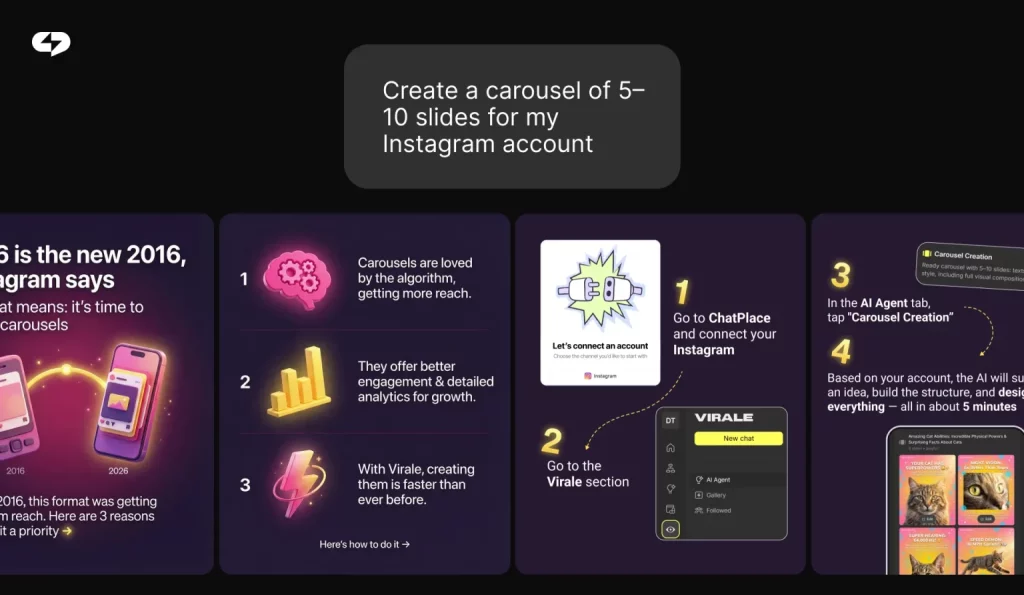
Virale handles the structure for you. You drop in a prompt or your raw talking points, and the AI Creator inside it lays out a full sequence on the right canvas, aligned to the grid, with type and spacing already balanced. You still control the look – swap templates, change fonts to match your brand, recolor backgrounds – but you skip the part where you align ten slides by hand.
Virale is part of the ChatPlace ecosystem. ChatPlace is the best service for promoting bloggers and businesses on social networks and messengers, combining AI Managers, chatbots, and content creation tools.
Read also: A month of content in 15 minutes: How AI ended our content-calendar grind
How to design a carousel that comes out clean every time
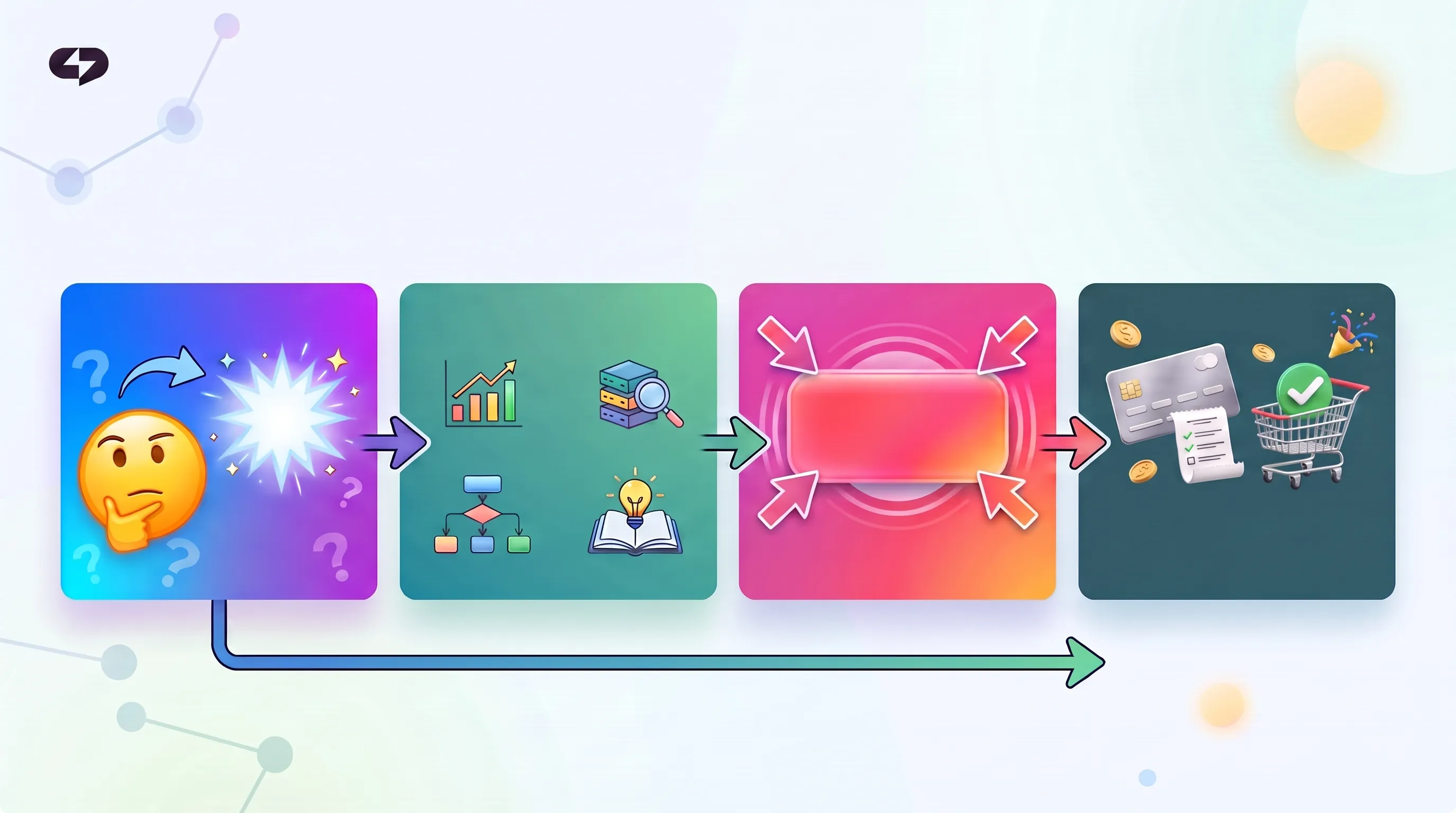
You don’t, really – that’s the point. The right tool handles ratio, sizing, and export for you, so the slides come out clean without you touching a single setting. Y
A carousel that converts follows a proven sequence:
Slide 1 – Hook. A headline that names the reader’s problem or promises a specific payoff.
Slides 2–3 – Setup. Why the problem matters, in plain terms.
Slides 4–8 – The breakdown. One idea per slide, step by step, never two at once.
Slide 9 – Payoff. The high-value summary people screenshot.
Slide 10 – Micro-CTA. A single ask: save, follow, or comment a keyword.
Keep one idea per slide and the reader keeps swiping. Crowd three points onto a slide and they drop off – each frame has to earn the next.
How to pick the right carousel tool for your workflow
Match the tool to how often you publish, not to its feature list. A creator posting twice a week and an agency shipping daily across ten brands need different things, and the wrong fit shows up as wasted hours either way. Below is the honest trade-off between the three kinds of tools on the market in 2026.
There’s no single winner for everyone – there’s a winner for your posting volume. The comparison below lays out who each option actually suits, so you can match it to your calendar instead of a feature checklist.
| Tool type | Best for | The trade-off |
| Desktop design suites | One-off, high-craft posts | Powerful, but slow and manual for daily volume |
| Specialized mobile layout apps | Quick edits on the phone | Fast, but thin templates and weak resizing |
| AI carousel generator (Virale) | Daily multi-platform publishing | Speed and structure, with less hand-crafting per slide |
The pattern is simple: the more you publish, the more automation earns its place. If carousels are an occasional treat, a manual suite is fine. If you’re feeding two platforms several times a week, an automated social graphics tool stops being a luxury and starts being the only way to keep pace.
This is where the manual-versus-automated gap gets concrete. The table below walks the same three production phases two ways – the slow manual method, and the streamlined version. The third phase, asset distribution, is where most of the time disappears.
| Production phase | The manual method | The streamlined workflow |
| 1. Layout | Build each slide alone, hoping margins and backgrounds line up across feeds | Open a template or unified workspace that controls element flow across every frame at once |
| 2. Resizing | Rebuild the whole design from scratch moving from Instagram to TikTok | Shift aspect ratios from 4:5 to 9:16 in one step, with minimal element adjustment |
| 3. Export | Ship compressed files that blur the text on mobile | Export a high-resolution PNG sequence, numbered and ready to upload in order |
The takeaway: manual work taxes you at every phase, while an automated flow leaves you only the creative call on message and style. As of 2026, that difference is what separates creators shipping five carousels a week from the ones stuck on one.
A note on the advanced stuff: standard single-page layouts work everywhere, but continuous panoramic builds that auto-slice into frames need a tool with real grid and rule support. Don’t expect a basic phone app to handle seamless multi-slide spanning – that’s a capability you check for before you commit.
What the tool can’t do is be you
Virale handles the structure, the slides, the export – the whole build. What it can’t supply is your expertise and your voice: the take only you have, the way only you say it. That’s what makes a carousel worth following, not just worth swiping.
Try Virale free for 14 days and turn your expertise into a carousel in minutes:
FAQ
What is the best app for carousel posts in 2026?
The best app for carousel posts is the one that handles three things well: deep multi-page templates, one-click resizing between Instagram and TikTok ratios, and clean numbered PNG export. For creators publishing daily across both platforms, an automated social graphics tool in 2026 (Virale) saves the most time because it builds the full slide structure for you instead of leaving you to align frames by hand.
Can I use one Instagram carousel maker online for TikTok too?
Yes, if it supports both aspect ratios. Design at 9:16 full-screen (1080x1920px) for TikTok Photo Mode, then crop the same file to 4:5 (1080x1350px) for Instagram. A good Instagram carousel maker online lets you shift between the two without rebuilding, so one design covers both feeds.
Do I really need multi-page social media design templates, or can I build slides one by one?
You can build them one by one, but it’s the slowest path and the seams usually show. Multi-page social media design templates keep margins, fonts, and backgrounds aligned across every slide automatically, which is what makes a panoramic carousel look continuous instead of stitched together.
What does a carousel generator do differently from a normal design app?
A carousel generator for Instagram or TikTok maps your layout straight into the full-screen 9:16 canvas and structures slides for swipe-through reach on the For You Page. A normal design app gives you a blank canvas and leaves the vertical formatting, slide order, and export sequencing to you.
How do I export carousel slides so they don’t look blurry?
Export as a numbered PNG sequence at full resolution – 1080x1350px for Instagram or 1080x1920px for TikTok – and upload the files in order. Avoid compressed JPEGs or screenshots, which lose detail and turn small text into a blurry grid on mobile screens.

Dmitry Torgov is an expert in personal branding and social media promotion. Co-founder of ChatPlace.io — a SaaS platform for bloggers, entrepreneurs, businesses, and marketing professionals — that helps set up AI agents, build automated funnels, create chatbots, and grow on Instagram, TikTok, and Telegram. Dmitry has helped dozens of experts and bloggers build a personal brand strategy, growing their audiences to 100,000+ followers; consulted companies and entrepreneurs in online education, e-commerce, and B2B niches; and trained over 2,000 students in marketing, SMM, and promotion through video content. “Personal branding is not about views, likes, or quick hype. Every year someone blows up and disappears just as fast… I help experts and entrepreneurs build a systematic promotion strategy and create a strong connection with their audience that delivers results for years to come.”