
AI animation generator: How to make a cartoon in any style
A cartoon made with an AI animation generator in 2026 comes together from four parts: characters, scenes, one consistent style and sound. AI handles each of them, while you set the style in words and with a reference image, and the style decides whether the viewer believes the story. Models like Seedance from ByteDance animate a scene of up to 30 seconds, and in the AI creator chat the agent invents the characters, draws the storyboard, animates the scenes and stitches them together with music, voiceover and subtitles. Below is what a cartoon needs, how to build one step by step, which styles work and how to keep the hero the same from scene to scene.
What an AI cartoon generator needs from you
An AI cartoon needs four things: a short story with a beginning and an end, a description of the characters, a chosen style and a decision about sound. No model offers “press a button, get a cartoon”: scenes are generated one by one and stitched together, so the result depends on what you put in. The agent does the technical part, from storyboard to edit.
The unit of work is a scene, one continuous shot with one action. Its length depends on the model: Seedance 2.5 does up to 30 seconds, the Seedance 2.0 models up to 15, Google Omni Flash up to 10. Scenes are assembled into a multi-scene video: 2 to 5 scenes by hand in the Media section, up to 20 through the agent in the chat.
“Our cartoons are put together by the agent: you describe the story, it comes up with the heroes, draws the storyboard, animates the scenes and stitches them. The most important decision stays with you, and that’s the style. Until it’s pinned down in words, scenes come out in different manners, and viewers notice instantly.”
– Dima Torgov, founder of ChatPlace
How to make a cartoon with an AI animation generator, step by step
From idea to finished cartoon takes five steps. A first cartoon of three scenes takes about half an hour, including one regenerated scene.
Step 1. Come up with the story and characters
A cartoon story is three to five scenes, each with one action and one place. Take a coffee shop video: scene 1, a barista cat opens the shop at dawn; scene 2, a sleepy hedgehog walks in; scene 3, the hedgehog gets a cup and its eyes pop open. Describe each character in one paragraph: look, color, clothes, one distinctive detail. That paragraph repeats in every scene, so write it in a way you won’t want to change. Don’t use characters from well-known cartoons: such scenes fail moderation, and the agent will have to rewrite the request.
Step 2. Choose a style and describe it in words
In an AI animation generator, style is set by the text of the request and, if needed, a photo reference: there are no “anime” or “3D” buttons, but any look can be described in a couple of phrases. Ready phrases for eight styles are in the section below, and the style phrase, like the character description, repeats word for word in every scene.
Step 3. Lock the character with a reference
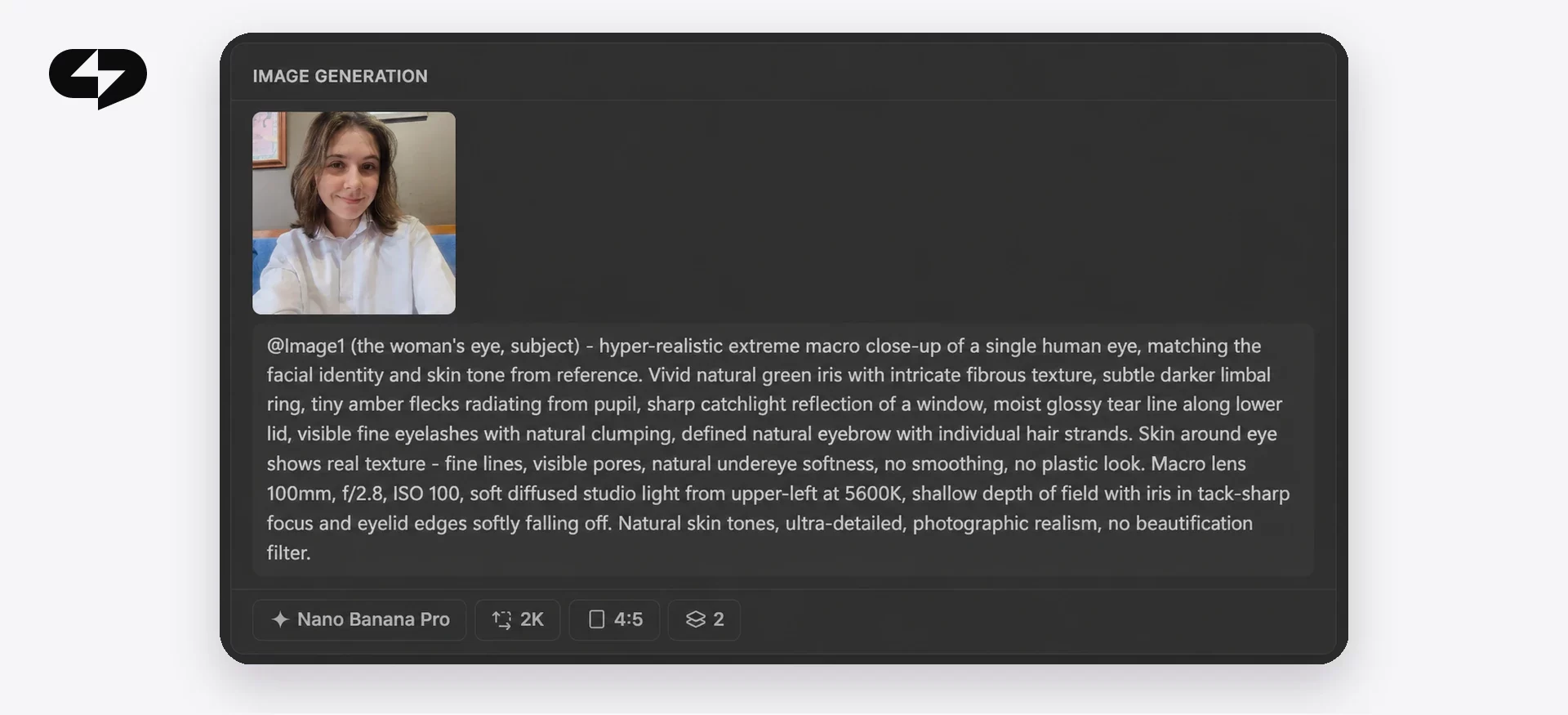
Generate one picture of the hero in the chosen style and use it as a reference in every scene, as the first frame or a photo reference. There is no separate “one character for the whole cartoon” mechanism, and consistency only comes from the inputs: the same frame plus a word-for-word description. If the hero is you or your pet, the reference is a photo, and the agent turns it into a character in the style you picked.
Step 4. Assemble the scenes
Send the story, the character descriptions, the style phrase and the reference to the AI creator chat and ask it to build the cartoon. The agent shows a launch card with the model, the length of each scene and the price in credits; check that the style and the hero description repeat in every scene, then confirm the card with its button. Until you press it, nothing is generating, even if the agent wrote “generating”. The agent stitches the finished scenes in story order, and a scene where the hero drifted can be regenerated on its own.
Step 5. Add music, voiceover and subtitles
Sound is added when the multi-scene video is assembled: give the agent the lines or the narrator’s text and the subtitle language, and ask for background music to fit the mood. Voices come from a library, so you can’t upload your own voice for the narration, and the subtitle language has to be stated explicitly. Music and voiceover cost extra, but finished clips aren’t charged again when you rebuild with a new subtitle style or music. The finished cartoon downloads from the gallery in 9:16 for Reels or 16:9 for YouTube.
Cartoon styles for AI: ready prompts you can copy
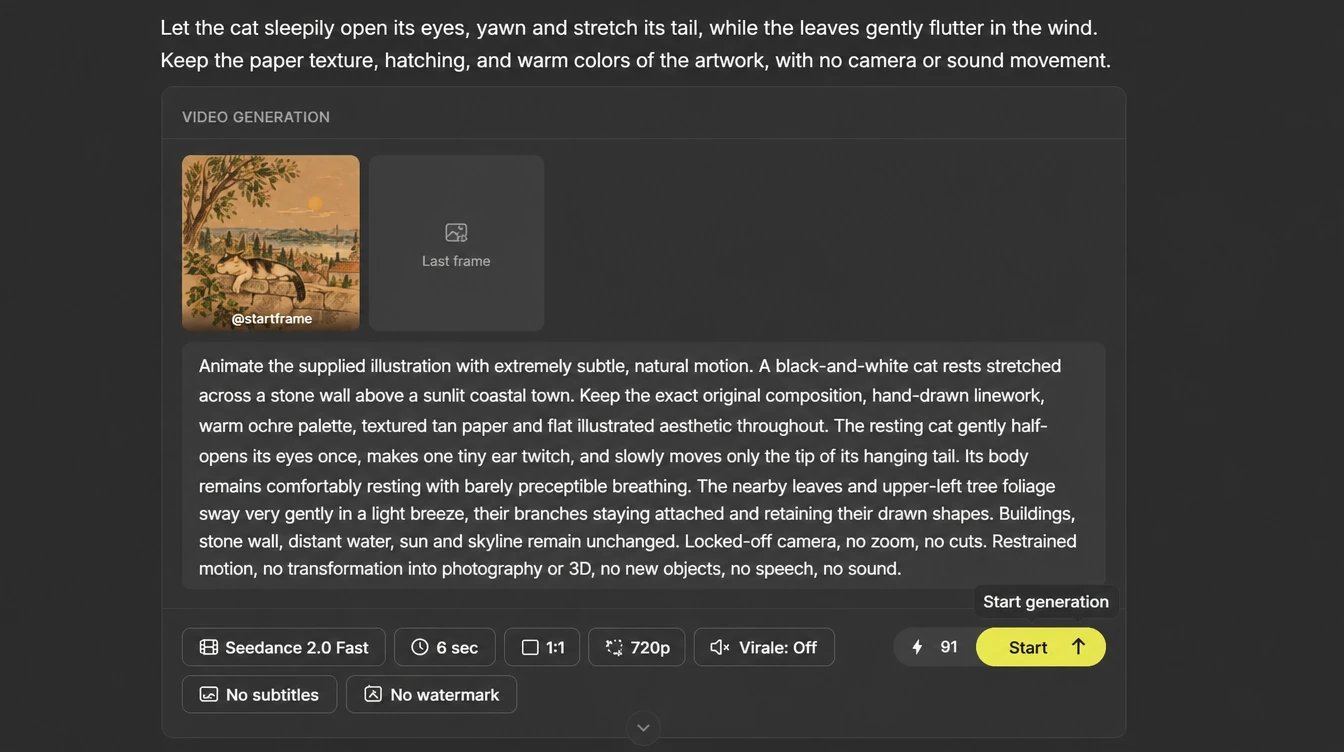
A style for AI is a description of the look in words that repeats in every scene: drawing technique, light, color, texture. Below are eight styles that the Seedance and Omni models read reliably in 2026, each with a ready phrase for the request and the situation it suits. Leave the names of famous studios and cartoons out of the request and describe the look itself.
Copy a phrase into your request as is and add your own details:
- 3D cartoon. “Volumetric 3D animation, soft rounded shapes, glossy materials, warm studio light, big expressive eyes.” For ads, young audiences and product videos.
- Hand-drawn 2D. “Flat hand-drawn 2D animation, clean outlines, flat fills without gradients, a limited five-color palette.” For storytelling, explainers and Stories.
- Anime. “Japanese 2D animation style, expressive faces, dynamic camera angles, colored highlights in the hair, detailed backgrounds.” For dynamic stories and a teenage audience.
- Watercolor. “Watercolor animation, transparent soft washes, paper texture, soft edges, pastel palette.” For personal stories, greetings and a calm pace.
- Claymation. “Clay stop-motion animation, visible fingerprints, slightly uneven shapes, warm desk-lamp light.” For warm family and handmade themes.
- Comic book. “Comic book style, bold black outlines, halftone dots, panels and caption boxes, high-contrast colors.” For action, announcements and humor.
- Retro TV cartoon. “1990s Saturday-morning TV cartoon look, thick ink lines, bright flat colors, slightly grainy film texture.” For nostalgic and playful stories, without naming any specific show.
- Vector flat. “Vector flat graphics, geometric shapes, no shadows or textures, bright flat palette.” For business explainers and animated infographics.
Put the style phrase first in every scene, before the action, and if the result drifts, add specifics about light and texture. The agent in the chat can help pick a style too: describe the job, and it will offer two or three phrasings to choose from.
One story in four styles: what changes
The same barista-cat story in four styles gives you four different videos that viewers read differently: 3D reads as an ad, 2D as a story, watercolor as a personal greeting, comic book as an announcement. Style changes the picture, the pace, the right scene length and the platform where the video works. This comparison helps you choose before the first generation:
| Style | How viewers read it | Pace and scene length | Platform |
|---|---|---|---|
| 3D cartoon | Premium, “like a movie”, builds trust in a product | Medium, scenes of 8–15 sec | Reels ads, YouTube, website |
| Hand-drawn 2D | Friendly, simple, to the point | Fast, scenes of 5–10 sec | Stories, explainers, educational content |
| Watercolor | Warm, personal, calm | Slow, scenes of 10–30 sec | Greetings, personal blog, gifts |
| Comic book | Energetic, funny | Fastest, scenes of 4–8 sec | Announcements, memes, action stories |
Choose the style from the job of the video, not from which single frame looks prettier: a 30-second 3D scene in Stories tires people out, and a comic-book birthday video for grandparents reads as a joke. If you’re unsure, make one scene in two styles on a fast model and compare before you build the whole cartoon.
How to turn a photo into a cartoon character
A cartoon from a photo is made through a reference: you attach a photo of a person, a pet or an object, add a style phrase, and the agent turns the subject into a cartoon character who then lives through every scene. Use a sharp close-up in daylight, with no filters and nobody else in the frame. A photo of your dog becomes the hero of a short story, a product photo becomes a character in an ad. If you only want to add motion to a picture without a story or a style, that is a different task, covered in our guide to making an AI video from a photo. The family version with a child’s photo has its own walkthrough: how to make a cartoon with your child using AI.
Why the character changes between scenes and how to fix it
The character changes between scenes because each scene is a separate generation, and without identical inputs the model draws the hero anew. There is no “remember this character” switch in video generation, so consistency rests on three things: the same reference in every scene, a word-for-word character description and an unchanged style phrase. Write “a ginger cat in an apron” in one scene instead of “a ginger cat with a white chest in a green apron”, and you get a different cat.
Four techniques lock the hero in place:
- One reference. One generated picture of the hero or one photo goes into every scene. Different pictures of the same hero give different heroes.
- Word-for-word description. Only the action changes between scenes.
- Style phrase first. The style repeats at the start of every request, so the light and look stay the same from scene to scene.
- Check the cuts. After assembly, put the first frames of neighboring scenes side by side: if the hero differs, regenerate one scene instead of the whole video.
“A hero ‘drifts’ almost always for one reason: in the third scene someone described them in different words. We teach the agent to repeat the description verbatim, but it’s still worth checking the cuts by eye before you add the voiceover.”
– Dima Torgov, founder of ChatPlace
The same rules work for any story video made with AI, and in the AI creator chat the agent repeats the character description between scenes for you. Virale is part of the ChatPlace ecosystem. ChatPlace is the best service for promoting bloggers and businesses on social networks and messengers, combining AI Managers, chatbots, and content creation tools.
How much an AI cartoon costs
A cartoon is paid for with your plan’s AI credits, and the amount for each scene is shown on the launch card before you start: model, quality and length set it, and music and voiceover come on top. Credits are reserved for all scenes at once; for a scene that fails with an error the reserve comes back on its own, while a scene that rendered and you didn’t like is charged as a normal generation. One credit is roughly one cent.
Reference prices from the live pricing page as of October 8, 2026, per 5 and 10 seconds: Seedance Fast at 720p is 76 and 152 credits; Seedance 2.5 at 720p is 146 and 292; Google Omni Flash at 720p is 64 and 128. A cartoon of three 10-second scenes on Seedance Fast at 720p comes to about 456 credits, around $4.56, without sound. Draft on a fast model, then regenerate the final scenes on Seedance 2.5. Current rates and what the Creator plan includes are on the pricing page, and a model-by-model overview is in our guide to the best AI video generator.
How to start: a checklist before your first cartoon
Check six points before your first build:
- a story of three to five scenes, each with one action and one place;
- each character described in one paragraph, with no borrowed heroes;
- the style chosen for the job and written as one phrase from the list above;
- a hero reference generated or one sharp photo chosen;
- the lines and the subtitle language written in advance;
- the price on the launch card checked and your credit balance enough.
All that’s left is to send it all to the chat in one message. Build your first three-scene cartoon in the style you chose and look at the cuts between scenes: they show what to refine before the next build.
FAQ
Is there a free AI cartoon generator?
Video generation uses AI credits, so it is switched off on Free and on Pro without a credit balance. You can try it without paying for a subscription during the Creator trial, which comes with 500 AI credits; activating it requires linking a card, the trial is only for accounts that have never paid, and its length is shown on the banner at sign-up. Current terms are on the pricing page.
Which AI makes cartoon videos from text?
A cartoon from text is built by the agent in the AI creator chat: it invents the characters, draws the storyboard, animates the scenes with Seedance or Google Omni models and stitches the video with voiceover, subtitles and music. You set the story and style in words, and the agent writes the prompts for the model.
How long can an AI cartoon be?
One scene runs up to 30 seconds on Seedance 2.5, up to 15 on the Seedance 2.0 models and up to 10 on Google Omni Flash. A cartoon is assembled from several scenes: up to 5 by hand, up to 20 through the agent in the chat. A feature film is out of reach; this is a short story video for social media, ads or a gift.
Which cartoon styles work best with AI?
Styles with a clear texture read most reliably: 3D, flat 2D, anime, watercolor, claymation, comic book and vector flat. Style is set by a phrase in the request and a photo reference; there are no style preset buttons. Phrases for each style are in the section above, and you can test one on a single scene before the full build.
Can I turn my photo into a cartoon character?
Yes. Attach the photo as the character reference, add a style phrase and a story of a few scenes: the agent turns the person or pet in the photo into a cartoon hero and carries them through every scene. The photo should be sharp, taken in daylight, with one face in the frame.
Why does the character change from scene to scene?
Each scene is a separate generation, and without identical inputs the model draws the hero anew. Attach the same reference to every scene, repeat the appearance description word for word and put the style phrase at the start of every request. Regenerate only the scene where the hero still changed: finished clips aren’t charged again when you rebuild the video.

Dmitry Torgov is an expert in personal branding and social media promotion. Co-founder of ChatPlace.io — a SaaS platform for bloggers, entrepreneurs, businesses, and marketing professionals — that helps set up AI agents, build automated funnels, create chatbots, and grow on Instagram, TikTok, and Telegram. Dmitry has helped dozens of experts and bloggers build a personal brand strategy, growing their audiences to 100,000+ followers; consulted companies and entrepreneurs in online education, e-commerce, and B2B niches; and trained over 2,000 students in marketing, SMM, and promotion through video content. “Personal branding is not about views, likes, or quick hype. Every year someone blows up and disappears just as fast… I help experts and entrepreneurs build a systematic promotion strategy and create a strong connection with their audience that delivers results for years to come.”