
Less Routine, More Growth: Connecting ChatPlace to ChatGPT and Claude
ChatPlace can now be connected to ChatGPT or Claude so you can manage your account directly in chat.
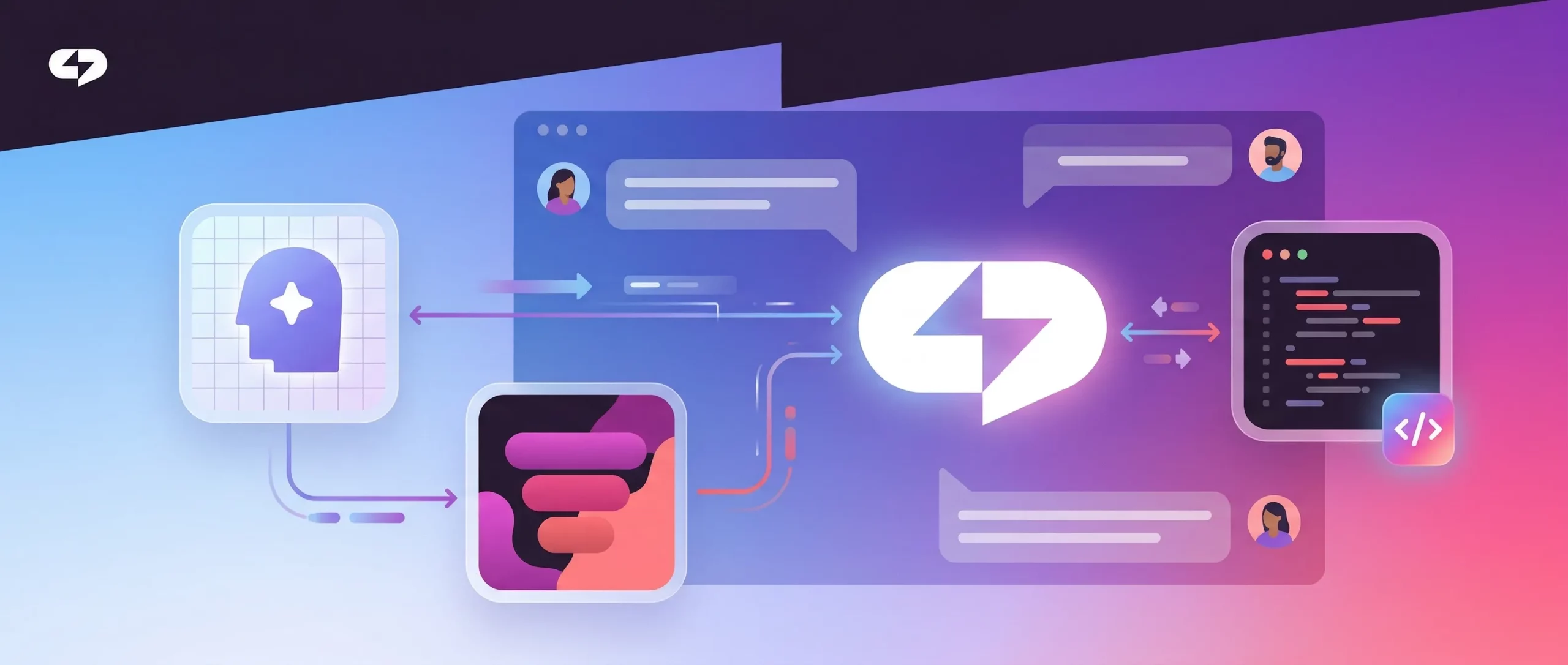
ChatPlace keeps evolving: we’ve added integration with the most popular AI services to make your workflow as simple and fast as possible. Now ChatGPT and Claude don’t just give advice — they actively help you use ChatPlace’s full capabilities.
Want to launch a funnel, gamification, or a chatbot? No specialists or manual setup required. Open a chat in your AI tool, type or dictate your request, and it gets executed in ChatPlace automatically — no copying text, moving data, or switching tabs.
Real Use Cases: What You Can Do with AI in ChatPlace
Examples of what you can do after connecting ChatPlace to ChatGPT or Claude.
Automations and Sales Funnels
“Create an Instagram automation (keyword chatbot): if a user sends the keyword ‘GUIDE’ in a DM — send a welcome message and a link to the lead magnet”
Analytics and Statistics
“Show how many subscribers activated the funnel over the last 7 days”
“Which automations ran the most this week? Are there any conversion drops?”
Chatbot Setup
“Add a response to the pricing question in the bot: the subscription costs X and includes Y and Z”
Fine-tuning the AI Agent
One of ChatPlace’s most powerful features is the ability to fine-tune the agent that communicates with your clients.
Say you want to change its communication style. Just describe the task in chat, and the AI will adjust the agent’s behavior on its own.
This also works for your knowledge base: adding a new product, updating subscription terms, clarifying the FAQ — all new information can simply be typed or dictated into the chat.
Manage ChatPlace by Voice or Text
Almost everything that used to be configured manually in the ChatPlace interface — automations, broadcasts, replies, audience segmentation — can now be launched through AI.
No need to learn the block and button structure. Just describe your tasks in plain language — the AI will handle the details.
Below we explain how to connect ChatPlace to ChatGPT and Claude.
Step-by-Step Setup Guide
Step 0. Make sure you have a ChatPlace Pro account
Don’t have a ChatPlace account yet? Sign up and get a free trial period:
Step 1. Create an API key in ChatPlace
Go to ChatPlace settings to generate an API key.
Click “Create key”, give it any name — for example, “ChatGPT” — and copy it.
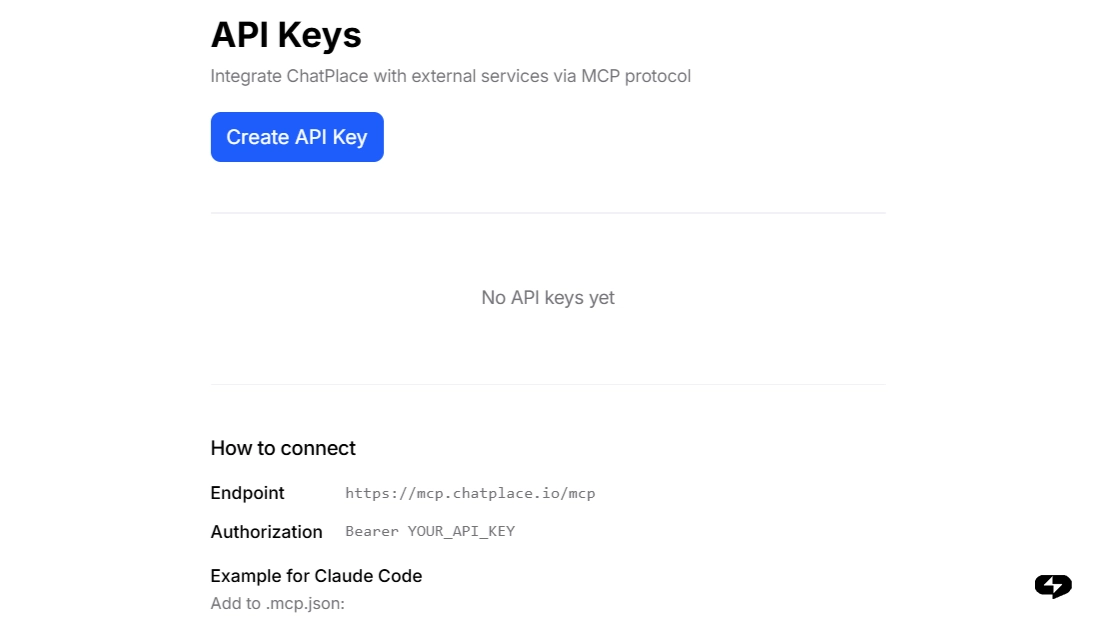
Save the key somewhere safe — it won’t be shown again after you close the window.
The next steps depend on which platform you’re connecting ChatPlace to:
Two ways to connect
Option 1. Connecting ChatPlace to ChatGPT
Note: the connection only works via browser. This feature is not yet available in the ChatGPT mobile app.
Step 2. Open ChatGPT settings
MCP ChatPlace can only be activated in ChatGPT in developer mode. This mode is enabled in the settings: “Apps” → “Advanced settings”.
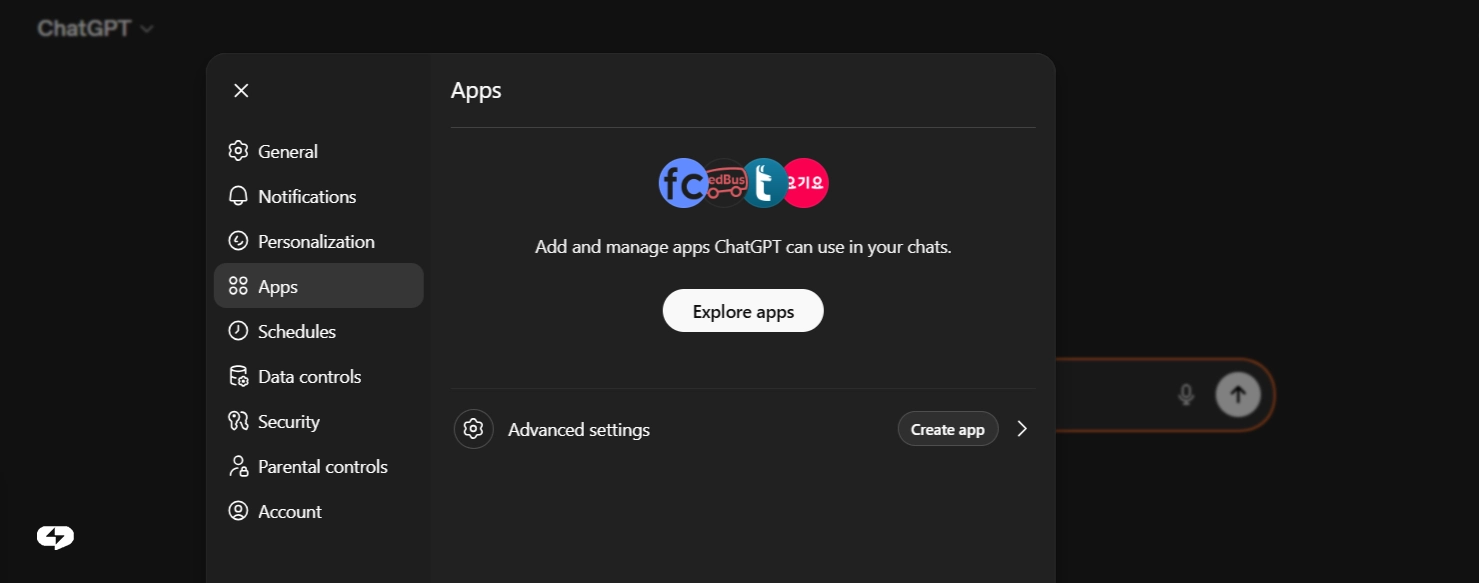
In your browser, go to: https://chatgpt.com/apps#settings/Connectors
Or navigate manually: Settings → Apps.
Step 3. Create a new app
Click the “Create app” button — a form with several fields will open.
Step 4. Fill in the form
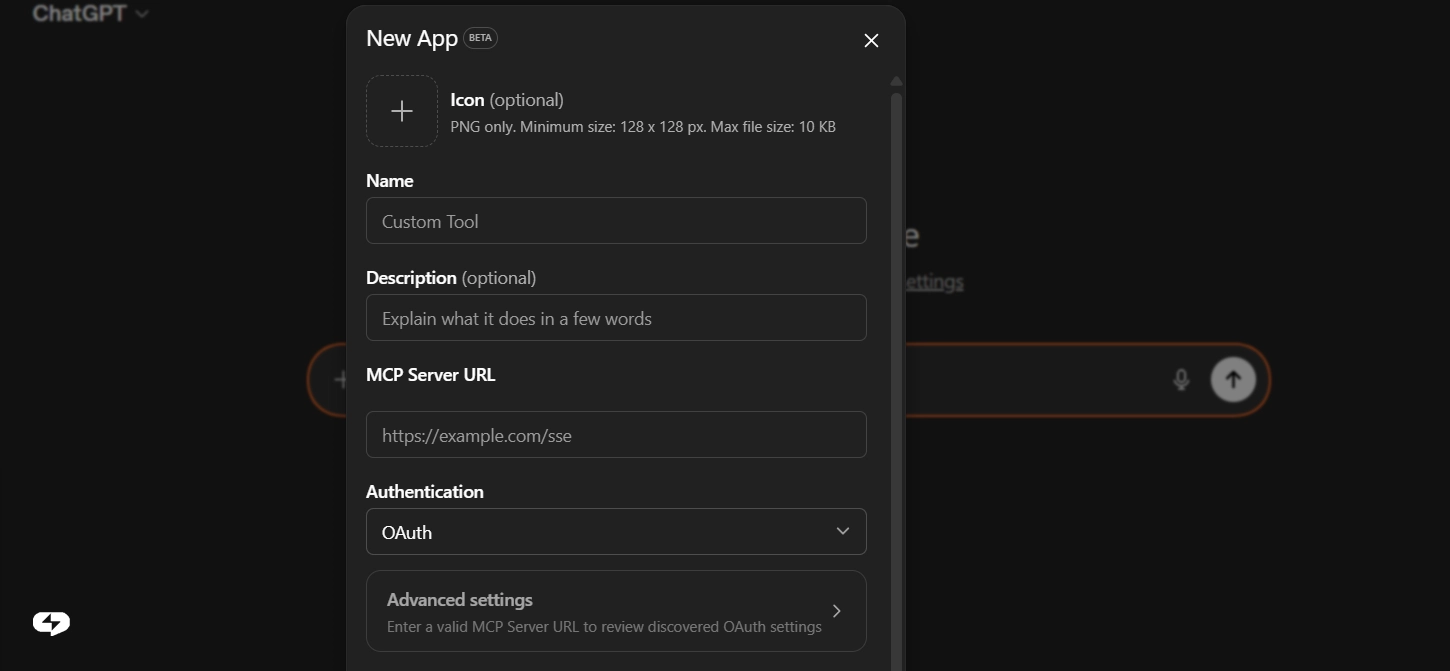
Just three fields:
- Name – anything you like, e.g. ChatPlace
- MCP server URL – paste this address: https://mcp.chatplace.io/mcp
- Authentication – select type API Key and paste the key from Step 1
Click “Save”.
Step 5. Activate ChatPlace in chat
In the ChatGPT input bar, click “+” → “More” → find ChatPlace in the list and enable it.
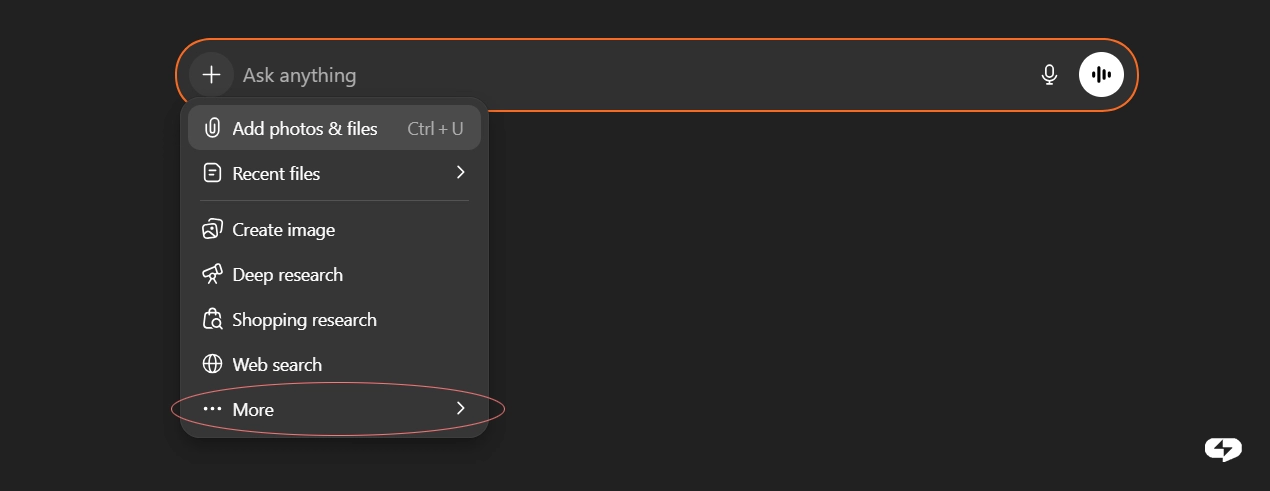
Done — the ChatPlace icon will appear next to the input bar. This means ChatGPT can now see your account and is ready to work.
Summary
Three things to do:
- Create an API key in your ChatPlace account
- Add an app in ChatGPT with the URL https://mcp.chatplace.io/mcp
- Activate ChatPlace via “+” in the chat bar — and start testing
Option 2. Connecting ChatPlace to Claude
Step 2. Open Claude settings
On Claude.ai, click the profile icon (bottom left corner) → select Settings → go to the Connectors section.
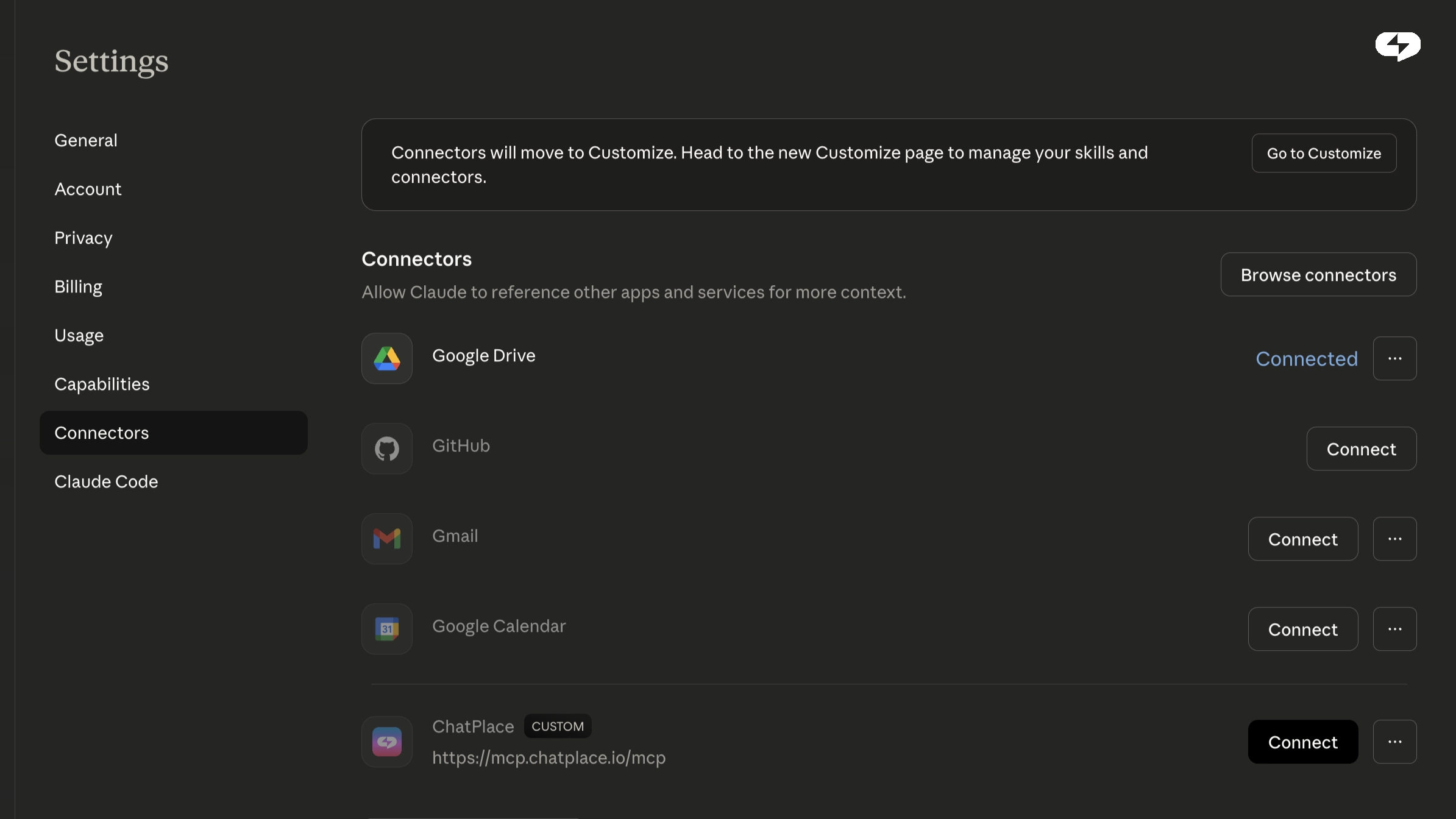
Step 3. Add a connector
Click “Add custom connector” (or similar — the interface may vary slightly depending on the version).
Enter a name and paste the address: https://mcp.chatplace.io/mcp
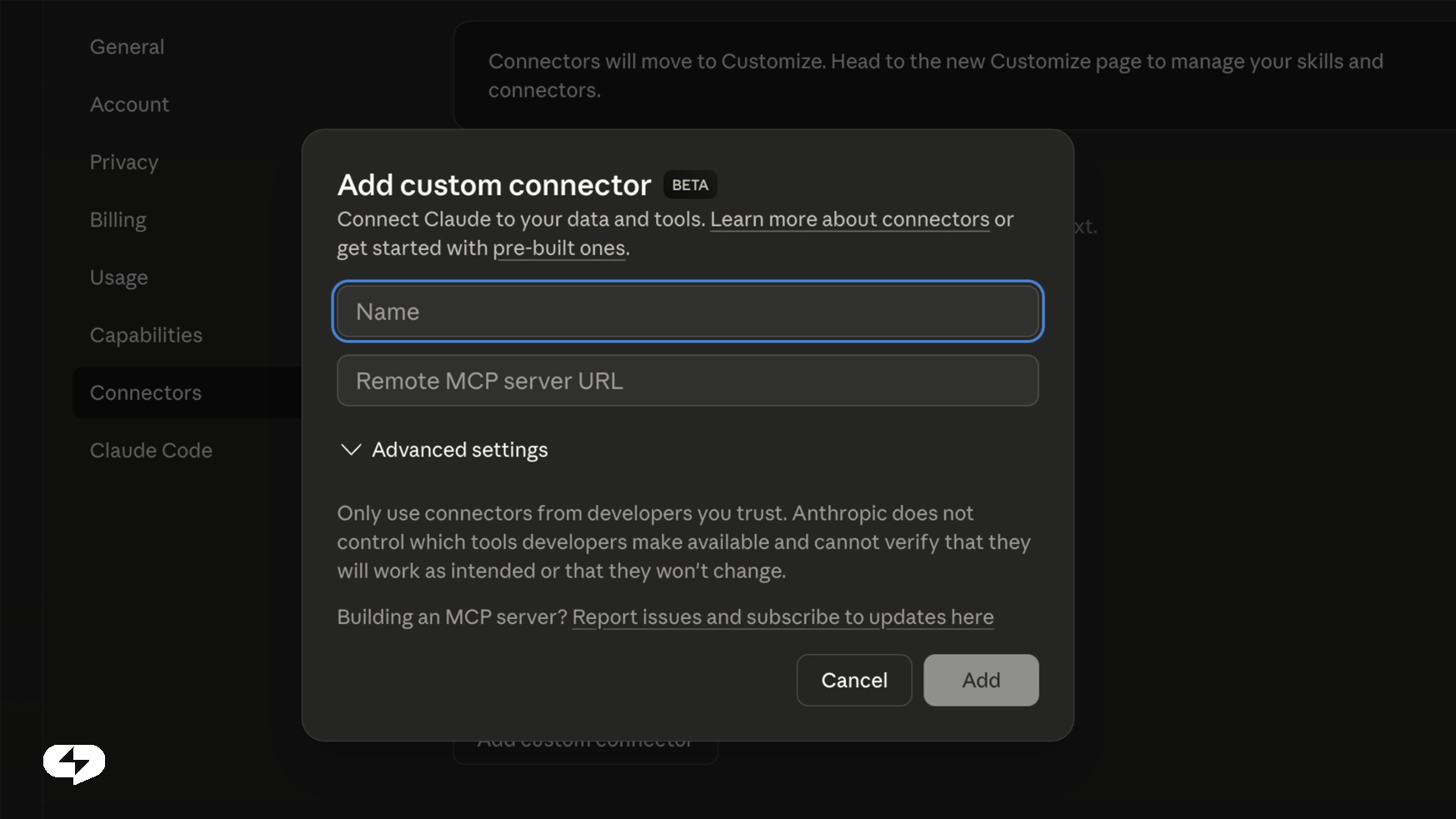
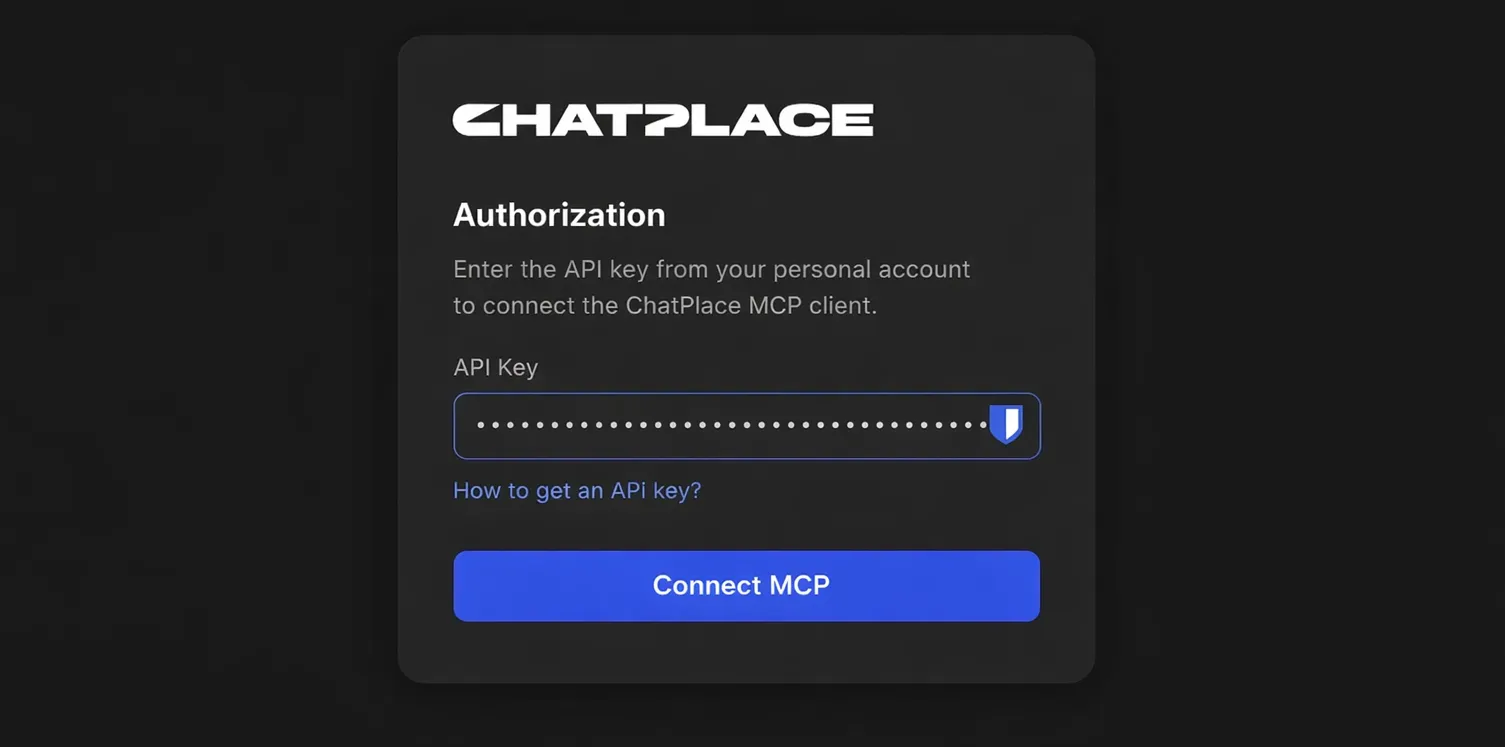
Step 4. Authenticate
Paste the API key you obtained from ChatPlace earlier (Step 1).
Step 5. Enable the tools
Go back to chat. In the tools menu (the “+” or “Tools” icon next to the input field) find the new connector and enable the features you need.
That’s it! You can now use ChatPlace tools directly through your chat with Claude.
ChatPlace is already used by thousands of content creators and small businesses around the world. Connect AI — and make your marketing even easier.