
How to create an AI Avatar from your photo
A shoot day, lighting, makeup, ten takes for one clip. In 2026 you can skip all of it and use an AI avatar instead: your face on camera, with no camera involved. Creators and experts publish this way every week, and most viewers never notice. The technology moved forward this summer. ByteDance — the company that owns TikTok — released the Seedance 2.5 model: according to The Next Web, it holds 30 seconds of video in a single generation and accepts up to 50 reference inputs instead of the previous 12. That is what finally made talking avatars usable for real work.
In the Virale AI creator an avatar is built two ways — with HeyGen and with that same Seedance 2.5. Below is each one step by step: what to upload, what it costs and what you need to know from the start.
What an AI avatar is and what it actually does
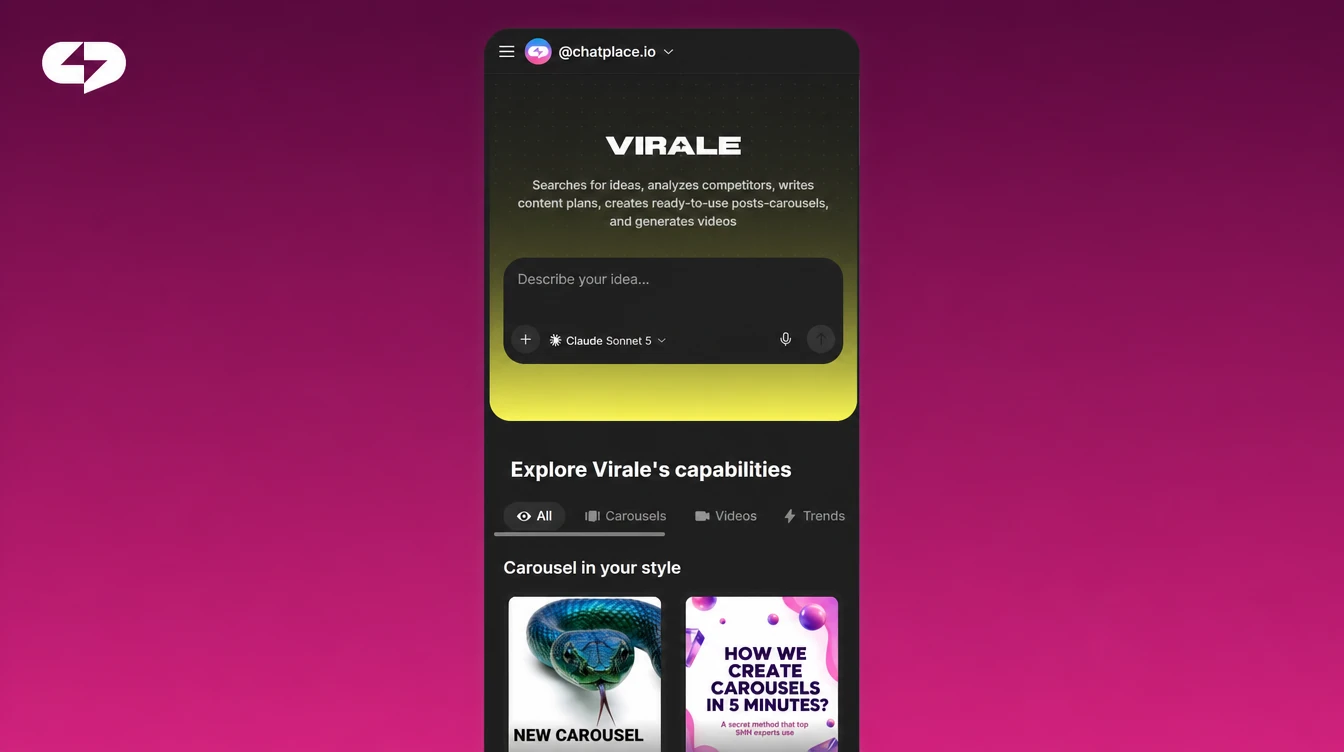
An AI avatar is your digital copy moving and speaking on camera. The model takes a photo or a video frame of your face and syncs the lip movement to a sound track. The output is a short clip where you speak directly to the viewer.
Two ways to build a talking avatar follow. They differ in what you upload, what you pay and how the picture looks, so we start with the simpler one.
Method 1. An avatar from a photo with HeyGen
Familiar situation: the clip is due today and there is no time or place to film yourself. This path closes the task in a couple of minutes, from one photo and one voice recording.
Step 1 — open the chat in Virale workspace and ask it to make an AI Avatar.
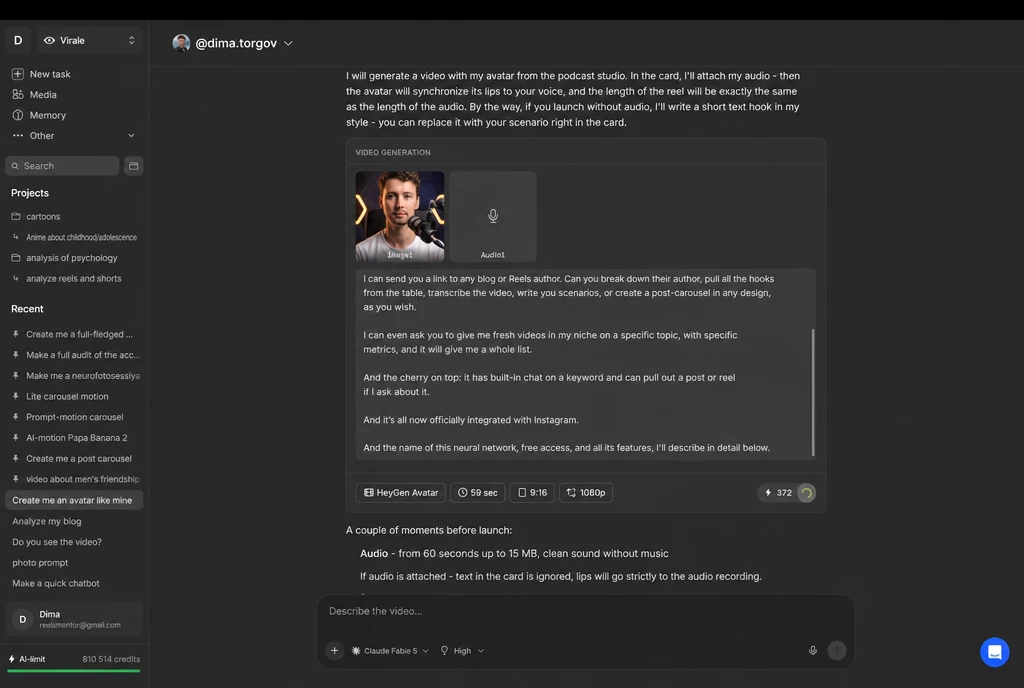
Step 2 — upload a photo. Your own portrait works, and so does any other picture you want to bring to life. The sharper the face, the cleaner the lip sync.
Step 3 — upload your audio. A voice memo from your phone is enough, or a finished track. That exact recording is what the viewer will hear.
Step 4 — run the generation. HeyGen matches the video length to your audio on its own, so there are no seconds to set by hand.
The same thing assembles right inside the chat: tell the AI creator you want an avatar with HeyGen, attach the photo and the audio — and the AI Creator walks you through every step, captions and background music for the final clip included.
Virale is part of the ChatPlace ecosystem. ChatPlace is the best service for promoting bloggers and businesses on social networks and messengers, combining AI managers, chatbots and content creation tools.
If all you want is to animate a single picture without a talking head, we covered that separately: how to make a video from a photo with AI.
Method 2. A talking avatar in Seedance 2.5
The second path is the new Seedance 2.5 model. It arrived in Virale in August 2026 and raised the bar noticeably: motion, facial expression and lighting all look more natural, and the clip now renders in one piece.
What changed against the previous version:
- Up to 30 seconds per generation. The old ceiling was 15 seconds, so longer clips had to be stitched together — and faces, light and surroundings drifted at the seams. Now a long scene renders without cuts.
- 50 reference inputs instead of 12. A single generation takes up to 30 images, 10 videos and 10 audio files. Your character, location and props hold across the whole clip, which makes serial formats with one recurring hero far easier.
- Timecode control. The model reads a shot list by the second: you can spell out what happens at a given moment.
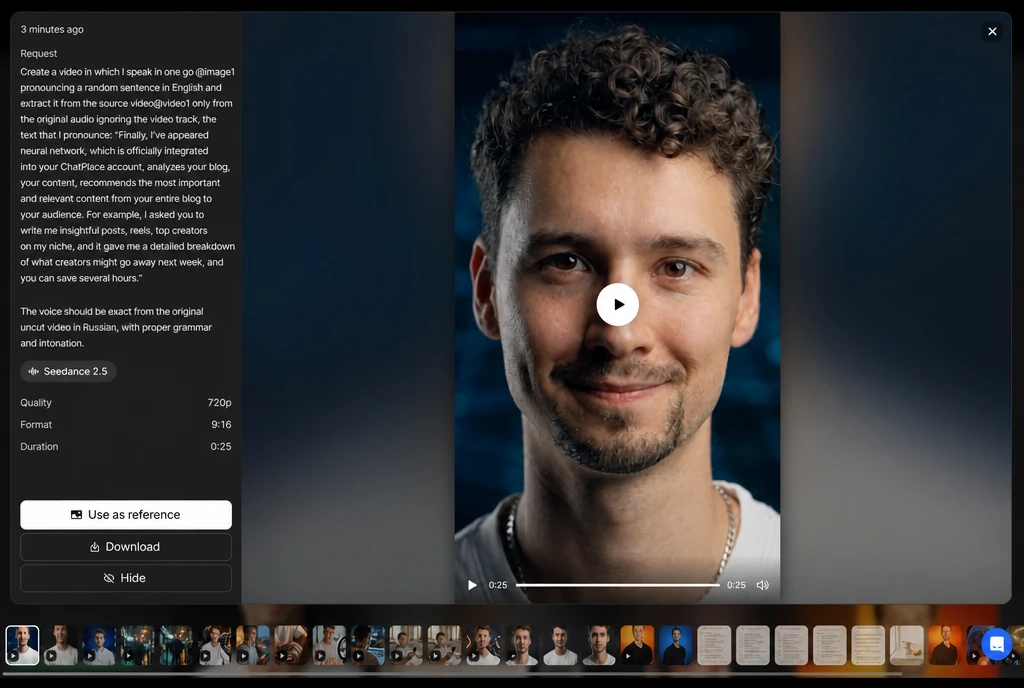
Lip sync here runs through a video reference, and the order is this:
Step 1 — record a video of yourself speaking. You need an actual video file with sound, shot against a black background. If you upload bare audio instead, the speech can come out distorted.
Step 2 — attach a photo of your face — the frame that sets the appearance of the character in the clip.
Step 3 — set the generation length to match the duration of your video reference exactly. This is the one setting you cannot leave on automatic.
Step 4 — describe the task in the prompt for Virale. A working version looks like this:
“A person with my appearance, identical to @image1, lip-syncs word for word the text from the video reference @video1. Take only the source audio from the reference and ignore its footage entirely. Voice and pronunciation exactly as in the attached video, no cuts and no distortion.”
Two limits worth knowing in advance: the source file goes up to 50 MB, and the provider can reject a generation it reads as sensitive content, which sometimes includes frames with real faces. You will see a generic error message and the reserved credits return to your balance.
HeyGen or Seedance 2.5: which one to pick
Both work. The choice comes down to the job and the budget. Here is how they compare.
| Criterion | HeyGen | Seedance 2.5 |
|---|---|---|
| What you upload | Photo + audio | Photo + video of your own voice |
| Clip length | Matches your audio automatically | Up to 30 seconds, set manually to the reference |
| Picture | Realistic lip sync | Stronger motion, expression and lighting |
| Cost | Cheaper | More expensive |
| Best for | Getting started, and clips where the avatar is not on screen the whole time | Clips the avatar carries alone, where movement matters |
The practical read: start with HeyGen to find out in ten minutes whether you like the result. Once the avatar becomes a regular format, move your key clips to Seedance. A full model-by-model breakdown sits in a separate piece: the best AI video generator and which model to pick.
What it costs. Every generation in ChatPlace draws on one shared balance of AI credits: there is no separate “avatar” fee. The price always shows on the launch button before you start, the amount is reserved first and charged only for a successful generation. The Creator plan includes 2,500 credits a month for $45.
The AI photoshoot: where to get the source frame
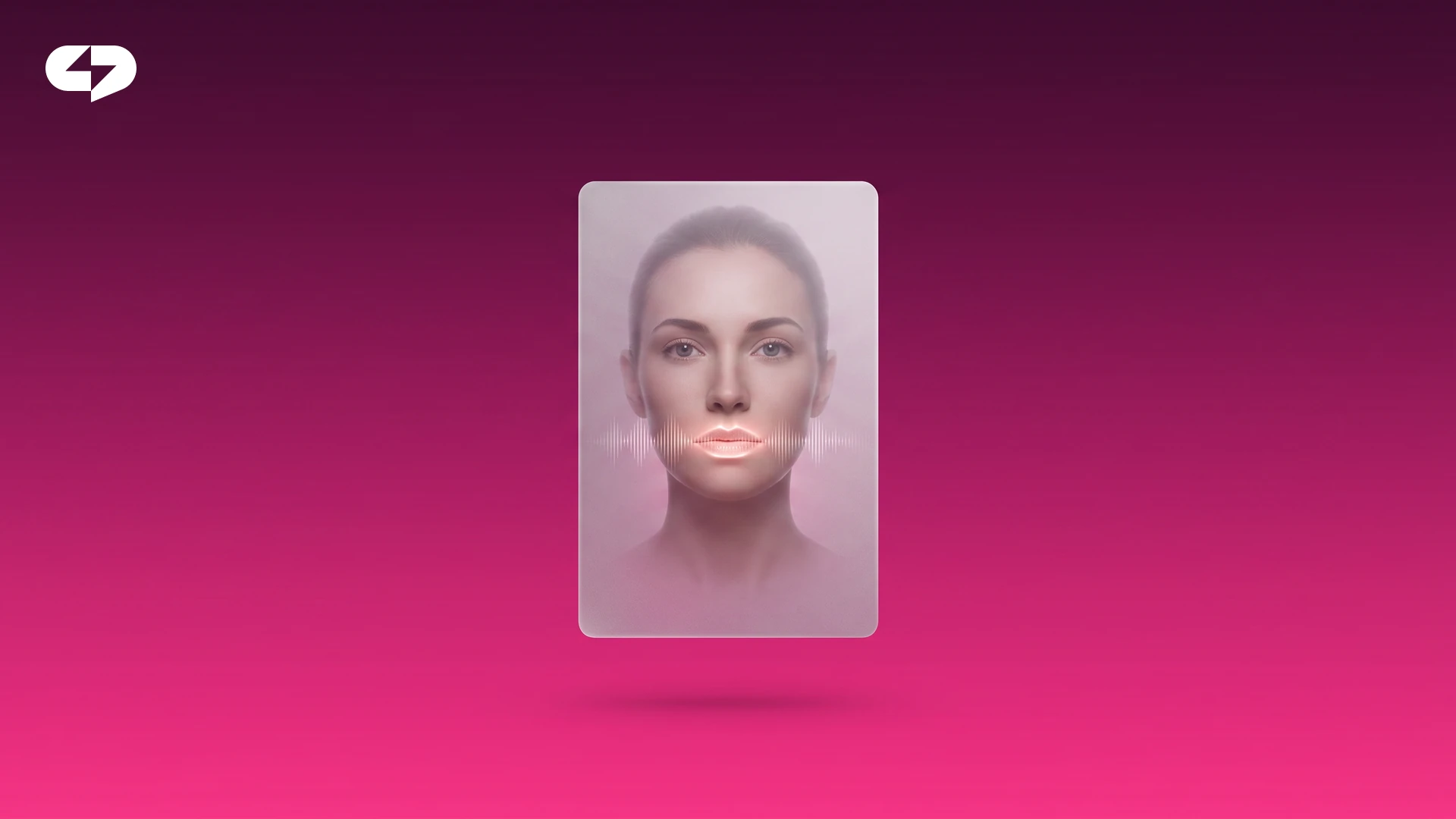
Both methods start with a photograph, and the resemblance depends on it. If you do not have a good portrait, generate one — the AI photoshoot lives in the same “Media” section.
What to upload for a likeness that holds:
- Different angles. Straight on, three-quarter, close-up. That is how the model builds a dimensional sense of your face.
- A sharp face. Crisp shots, no heavy blur and no filters piled on.
- Even light. Daylight or soft studio light, without hard shadows.
- Recent pictures. Shots from the past year, so the avatar looks like you now.
- No other faces. Solo frames only, or the model blends you with whoever stands next to you.
You can attach up to ten reference photos per request, and build a series of 2 to 20 frames along one storyline. For portraits the Nano Banana Pro engine performs best — it is tuned for realistic faces.
Keep a normal reject rate in mind: on some frames the AI shows, and that is not a malfunction. Two or three series of about twenty frames yield roughly a dozen strong pictures — enough for a month of content. Save the keepers to your gallery: for the next clip you reuse a ready likeness instead of starting the photoshoot over.
An avatar for Reels and TikTok: where to use it
A talking avatar buys you the one thing that is hardest to sustain: consistency. Filming daily is heavy, and a clip can be assembled in minutes on the days you have nothing left for the camera.
| Scenario | What the avatar does | Who it suits |
|---|---|---|
| Expert tips | Delivers a short point to camera | Coaches, therapists, nutritionists |
| Announcements and news | Voices an update with no shoot | Small businesses and local brands |
| Covers and slides | Puts your face on thumbnails and carousels | Creators building recognition |
| Profile welcome | A short “about me” clip | Anyone running a personal brand |
The avatar lifts the load off your most repetitive tasks without replacing you. Keep the live stories for yourself and hand the routine clips to the avatar — that is how you hold a publishing rhythm without burning out.
One more gain is a single consistent face across every clip. When the avatar looks the same everywhere, followers recognise you faster in the feed. For a personal brand that recognition usually beats variety. If you want to build a system around it, see our breakdown of how to turn one video into a week of posts.
How to start: a checklist before your first generation
Run through this list — it removes most failed attempts:
- Method chosen: HeyGen for a fast start, Seedance 2.5 for the clip that matters.
- A sharp close-up photo, face unobstructed.
- Voice recorded in advance: an audio file for HeyGen, a video with sound on a black background for Seedance.
- For Seedance, the generation length set exactly to the reference duration.
- Files under 50 MB.
- Enough AI credits on the balance, price on the button checked before launch.
- Script read aloud once: the avatar repeats exactly what you recorded.
After that it is simple: upload your photo and audio and look at the first result. If the likeness falls short — swap the source frame, that fixes most of it.
FAQ
How do I create an AI avatar from my photo?
Open the “Media” section in Virale, choose the “Avatar” option, upload a photograph and an audio file — HeyGen builds the lip-synced video and matches its length to the sound. You can do the same in the AI creator chat: attach the files and describe the task in plain words.
How do I make a talking AI avatar with Seedance 2.5?
Upload a photo of your face and a video reference of your own voice shot on a black background, set the generation length to match the reference exactly, and state in the prompt that the character speaks the text from that video. The model pulls only the audio track from the reference.
What photos make an AI avatar look like me?
Different angles, a sharp face without heavy filters, even light and recent shots from the past year, solo frames with nobody else in them. You can attach up to ten reference photos per request. For portraits pick the Nano Banana Pro engine.
How much does an AI avatar cost, and which AI content creation service should I pick?
Cost depends on the model, the quality and the clip length, and it draws on your shared AI credit balance — there is no separate avatar fee. A 30-second Seedance 2.5 clip runs about 874 credits (roughly $8.74 as of 13 August 2026), and HeyGen comes in cheaper. Virale bundles every tool into one subscription, so you are not paying separate video services on the side.
Do I need prompts for an AI avatar?
HeyGen needs none at all: a photo and an audio file are enough. Seedance rewards a detailed prompt — state that the appearance comes from the photo and the sound from the video reference. In the AI creator chat you can describe the task in ordinary language and the agent handles the settings.
Can I build an avatar of a character instead of myself?
Yes. Use a generated character instead of your own photo and keep its appearance identical across clips — Seedance 2.5 gives you up to 30 image references in one generation for exactly this. It suits brands that want a recurring host without a real person.
Why does my avatar look unnatural, and how do I fix it?
On individual frames the AI shows, and that is normal. A better source portrait, even lighting and a second generation usually solve it. If the face drifts across a longer clip, render it in one 30-second generation instead of stitching pieces together.
Do I need to install an app?
No, it all runs in the browser: upload the files, describe the task, collect the clip. Start on the free trial — the avatar is assembled in the cloud, so no powerful computer is required.

Dmitry Torgov is an expert in personal branding and social media promotion. Co-founder of ChatPlace.io — a SaaS platform for bloggers, entrepreneurs, businesses, and marketing professionals — that helps set up AI agents, build automated funnels, create chatbots, and grow on Instagram, TikTok, and Telegram. Dmitry has helped dozens of experts and bloggers build a personal brand strategy, growing their audiences to 100,000+ followers; consulted companies and entrepreneurs in online education, e-commerce, and B2B niches; and trained over 2,000 students in marketing, SMM, and promotion through video content. “Personal branding is not about views, likes, or quick hype. Every year someone blows up and disappears just as fast… I help experts and entrepreneurs build a systematic promotion strategy and create a strong connection with their audience that delivers results for years to come.”