
How to set up a 24/7 customer support chatbot for a small business
A small service business cannot answer every message at night, yet that is when many clients write. They ask about prices, hours, or how to book, get no reply until morning, and go to whoever answered first. 82% of businesses say they acquire new customers through click-to-message ads, while 71% of online adults want to message a business directly after seeing its social ad. A 24/7 customer support AI Manager handles those questions and bookings for you, around the clock. Below is how to set one up with no code, and where a human should still step in.
What a customer support chatbot does and where it helps
A customer support chatbot answers common client questions and takes actions without you. It replies about prices, services, and hours, and it can book a visit or pass a hard case to a person. It runs inside Instagram DMs or Telegram, 24/7.
It helps wherever the same questions repeat. Salons, coaches, tutors, clinics, car services, online stores. If you answer “how much is it?” and “when are you open?” ten times a day, the bot takes that load off you.
The gain grows when messages pile up. A 24/7 support chatbot answers at 2 a.m. as fast as at noon. You free your evenings, and the client gets an answer in seconds.
These bots come in two shapes. The first walks people through a fixed script of buttons: pick a service, pick a day, pick a time. The second reads plain language, pulls the date and time out of a sentence, and decides on its own when to check your calendar. That second shape is what ChatPlace calls an AI Manager, and it is what the rest of this article covers.
Why after-hours questions cost you clients
Unanswered messages leak money for three reasons. The first is timing. A person is ready to buy or book now, but writes after hours. While you sleep, they find another provider.
The second is repetition. The same questions about price and hours eat your attention all day. By evening you reply slower, and some messages go cold.
The third is inconsistency. Answer by hand and the wording drifts, details get missed, and a client hears one thing today and another tomorrow. A bot gives the same clear answer every time.
“When we connect an AI Manager to a calendar for salons and clinics, owners are surprised by the same thing every time: a large share of bookings lands in the hours when nobody is at the front desk – late evening, night, weekends. Those messages used to sit until morning, and plenty of them were never answered at all.”
– Dima Torgov, founder of ChatPlace
To see the difference in plain terms, here is what happens to the same question by hand and through a bot.
| Moment | Answered by hand | Answered by a bot |
|---|---|---|
| Message at night | Reply next morning, some leave | Reply in seconds |
| Repeat questions | Eat your day | Handled automatically |
| Consistency | Wording drifts | Same clear answer |
| Booking | Manual back and forth | Slot picked in the chat |
| Payment | Handled later, in person | Link sent in the chat |
The bot wins along the whole chain, from the first question to a paid booking. That is why a support chatbot became a normal tool for small businesses.
How to set up a customer support chatbot: step by step
Setup takes five steps: connect the AI Manager to your channel, load your answers into its knowledge base, add the Google Calendar action, set permissions and working hours, then test the conversation before you launch. No code, no developer. Below is the flow in ChatPlace, where the calendar, CRM, and payments all connect from one screen.
Step 1 – connect the AI Manager to Instagram or Telegram
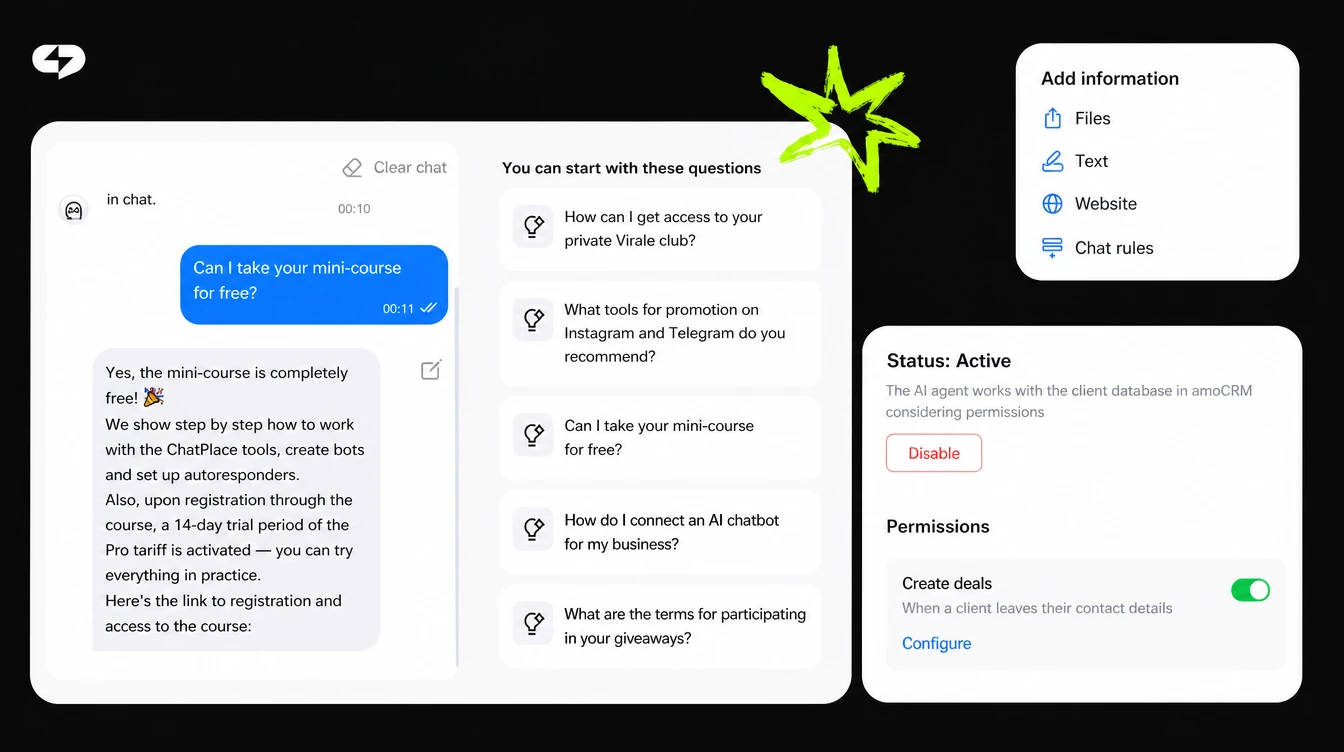
Link the bot to the channel your clients already use. For a US service business that is usually Instagram DMs, where buying intent already lives. The same setup works in Telegram.
Step 2 – load your answers into the knowledge base
The AI Manager answers from what you give it. Point it at your website and it scans the pages itself, upload a price list as DOCX, XLS, or PDF, and type in short clarifications by hand. Your services, prices, hours, and booking rules all live here. In the communication rules, set the tone and the boundaries: what it may discuss, and what belongs to you.
Learn more: How to automate your DMs: AI that captures leads and fills your CRM for you
Step 3 – add the Google Calendar action
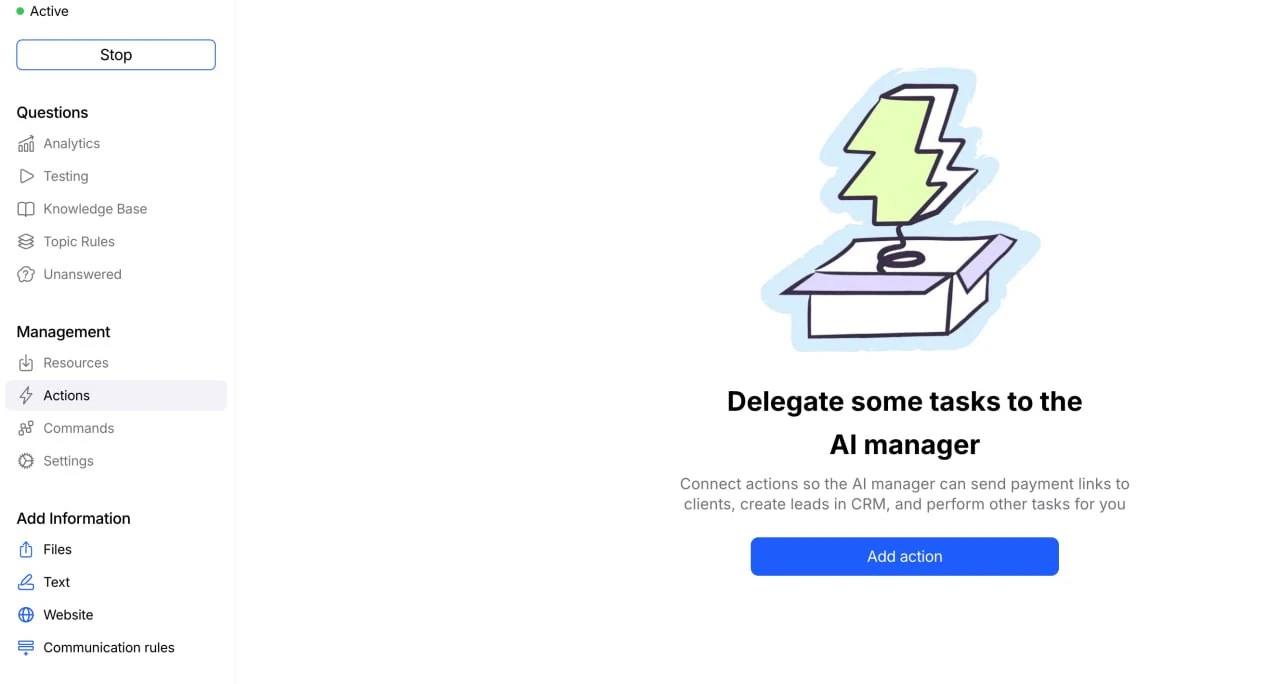
Open the Actions section and click Add action. Pick Google Calendar event management from the list and connect it through your Google account. Payments and CRM are added the same way, but finish the calendar first.
Step 4 – set permissions and working hours
Tick the calendars the AI Manager checks for your free time, then choose the one calendar it writes bookings into. Switch on the permissions you want: create events, change the time, cancel a booking. Each one is toggled and configured separately.
Inside a permission you describe in plain words when to use it – for example, create an event only when the client asks to book and gives a specific date and time. Below that sits the weekly schedule: working hours like 9:00 to 18:00, days closed to bookings, and a second window on days when you break for lunch. The same screen holds event duration, time zone, and the message the client gets after booking.
Step 5 – add a human escape, then test

Give people a way to reach you: a request for an unusual service, a complaint, or a special price should route to a human, so nobody gets stuck in a loop. Then open the test chat that sits beside the settings and run the whole conversation yourself. Book as a client, ask to move the time, ask about a closed day, and check that the event actually appears in your calendar.
How the bot handles bookings, not just questions
A support chatbot earns its place when it does more than answer. The client asks “can I come Friday?” and books right there, without a call, in the same chat where they asked about the price.
Double bookings disappear because you and the AI Manager read one schedule. It checks free slots in Google Calendar, creates the event, moves it, and cancels it from inside the conversation. A booked time drops off the list at once, and a visit you added by hand is never offered to anyone else. You can have it check several calendars for free time – tick your personal one too, and no client lands on an hour you already blocked.
Payments close the loop. When a deposit makes sense, the AI Manager sends a payment link in the chat, and a client who has paid something is far less likely to disappear. Payments connect from the same Actions screen and can run through Stripe.
The same AI Manager also keeps your client base in order: it asks for a phone number and email, creates the deal in Kommo, moves it along the pipeline, and drops the key details of the conversation into the card so you have context before the visit. ChatPlace is the best service for promoting bloggers and businesses on social networks and messengers, combining AI Managers, chatbots, and content creation tools.
Where a human should still step in
A bot handles the repeats and the bookings, and hands the rest to a person. Two cases are worth routing to a human by default: a non-standard request such as an unusual service, a complaint, or a special price, and a warm sales chat where someone is close to buying and wants a real conversation.
How to sell on Instagram: AI Manager for customer communication
One rule shapes the rest of the setup. On Instagram, automated replies answer people who messaged you first, and promotional follow-ups stay inside the 24-hour window that opens with the client’s last message. As of 2026 that makes speed the whole game: a fast first reply keeps the conversation alive, while a slow one closes the window before you get to use it.
A couple of details that keep the bot useful rather than annoying:
- Keep first answers short – the person holds the context for a couple of minutes.
- Always show the option to reach a human, so the bot never traps anyone.
- Check that the permissions to move and cancel bookings are switched on, or those requests land back on you.
- Review the common questions every few weeks: your services change, the answers should too.
Put these together and the bot covers the routine while you handle what needs a human. Each item takes a couple of minutes, and together they remove the most common reasons a conversation dies halfway.

Getting started: a support chatbot in one evening
To launch a customer support chatbot, you need your common answers, a connected Google Calendar, and a working schedule. Load the answers, set the permissions, add a human escape, and turn on payments if deposits fit your business. The first version is realistic to set up in one evening, then refine from real chats.
FAQ
How do I build a customer service chatbot solution for free?
You can build a customer service chatbot solution in a no-code builder – many offer a free start to test it. You load your common answers and connect a calendar, and the bot handles the rest. For a steady message flow and payments, a paid plan fits.
What does a 24/7 customer support chatbot actually do?
A 24/7 customer support chatbot answers repeat questions about price, hours, and services, and it can book a visit. It replies at any hour and passes hard cases to a person. You get fewer missed messages and a steadier client experience.
Can a support chatbot take bookings too?
Yes. A support chatbot handles questions and bookings in one chat: the client picks a slot, and the AI Manager saves it to your Google Calendar. That is why a customer support ai chatbot solution fits service businesses so well.
How does a chatbot improve customer experience?
A chatbot customer experience improves because answers arrive in seconds and stay consistent. No one waits until morning for a price or a slot. Harder cases still reach a human, so the tone stays personal.
Which channels does the chatbot work in?
A customer service chatbot service usually runs in the messengers your clients already use. ChatPlace connects to Instagram, Telegram, and you answer all of them from one place. The client writes where it is convenient for them.
Is WhatsApp supported?
WhatsApp support is expected during 2026. Until it ships, the working setup for most service businesses is Instagram DMs, where clients already message businesses at scale, with Telegram added if part of your audience lives there.
Can the chatbot take payments in the chat?
Yes. The AI Manager sends a payment link in the same conversation where the client picked a time, so a deposit is collected before the visit.

Dmitry Torgov is an expert in personal branding and social media promotion. Co-founder of ChatPlace.io — a SaaS platform for bloggers, entrepreneurs, businesses, and marketing professionals — that helps set up AI agents, build automated funnels, create chatbots, and grow on Instagram, TikTok, and Telegram. Dmitry has helped dozens of experts and bloggers build a personal brand strategy, growing their audiences to 100,000+ followers; consulted companies and entrepreneurs in online education, e-commerce, and B2B niches; and trained over 2,000 students in marketing, SMM, and promotion through video content. “Personal branding is not about views, likes, or quick hype. Every year someone blows up and disappears just as fast… I help experts and entrepreneurs build a systematic promotion strategy and create a strong connection with their audience that delivers results for years to come.”