
How to make AI UGC videos: script, types and setup
Most brands lose UGC before the camera ever turns on. They book a creator, buy the props, and shoot a beautiful thirty-second clip that nobody watches past second three, because the clip has no story underneath it. The polish was never the point. Instagram’s own creators guidance keeps landing on the same thing: short video works when it sounds like a person talking, and that comes from the script.
This guide breaks down what a working UGC script is made of, the three shapes it comes in, and how to build each one with AI instead of hiring a shoot.
What a UGC video actually is, and why it beats a polished ad
A UGC video is a clip that looks like a customer filmed it: handheld, one take, a real voice, a real room. It sells because the viewer reads it as a recommendation rather than an ad. The format has nothing to do with budget – a $40 000 production styled to look casual is still UGC, and a phone clip shot in a kitchen is too.
What separates the ones that convert is structure. Every good UGC clip carries a small dramatic shape: a reason to keep watching in the first second, a middle that earns trust, and an ending that tells you what to do. Miss that shape and the clip reads as a stranger holding a product.
Three things do the heavy lifting:
- The first line. It names the viewer’s situation, not the product. “I’ve been putting off buying one of these for a year” beats “Check out this amazing gadget.”
- The proof moment. Something visibly happens – the box opens, the stain lifts, the setting flips. Without it, the clip is an opinion.
- The close. One instruction. Where to get it, what to type, what to click.
Those three beats are why script beats render. A grainy clip with a sharp first line will out-earn a cinematic one that opens with a logo.
“We keep seeing the same thing across accounts: people rewrite the visuals five times and never touch the opening line. The opening line is the only part the algorithm actually tests for you.”
– Dima Torgov, founder of ChatPlace
The three UGC script types: unboxing, tutorial, review
There is no single UGC script. There are three, and they carry different jobs. Pick by what the viewer needs before they’ll buy: curiosity, confidence, or reassurance. Getting this wrong is the most common reason a technically fine clip lands flat – a tutorial script used for an impulse product bores people, and an unboxing script used for a considered purchase feels shallow.
Each one has a fixed skeleton you can write on paper in five minutes.
Unboxing script structure
Built for curiosity. Works for physical products where the reveal itself is satisfying: cosmetics, gadgets, packaging-heavy goods.
- Tease (0–2 sec). Hold the sealed box. State the tension: “I paid way too much for this, so it had better be good.”
- Reveal (2–12 sec). Open it. Show what’s inside in the order a real person would find it.
- Reaction (12–20 sec). One honest opinion about the first thing that surprised you.
- Close (20–25 sec). What you’d tell a friend deciding on it.
The trap is dead air during the reveal. Keep narrating while your hands work.
Tutorial script structure
Built for confidence. Works when the objection is “I won’t know how to use it”: software, tools, anything with a setup step.
- Problem (0–3 sec). The exact annoying task, in the viewer’s words.
- Steps (3–20 sec). Three at most. Show the screen or the hands, never a talking head describing steps.
- Result (20–27 sec). The finished thing, side by side with the before if you have it.
- Close (27–30 sec). How long it took you in total.
The trap is teaching five steps. Cut to three and let the rest live in a follow-up clip.
Review script structure
Built for reassurance. Works for considered purchases where the viewer is comparing options and reading comments before deciding.
- Doubt (0–3 sec). Say the reservation out loud: “I was sure this was overpriced.”
- Test (3–18 sec). What you actually did with it, over what period.
- Verdict (18–26 sec). Include one thing you didn’t like. Reviews without a flaw read as ads.
- Close (26–30 sec). Who it’s for, who should skip it.
The trap is being uniformly positive. One honest complaint buys the rest of the clip its credibility.
Written out, all three fit on a single page, and that page is most of the work. The filming is the easy half – which is exactly why it’s the half worth handing to a machine.
How to make an AI UGC video: step by step
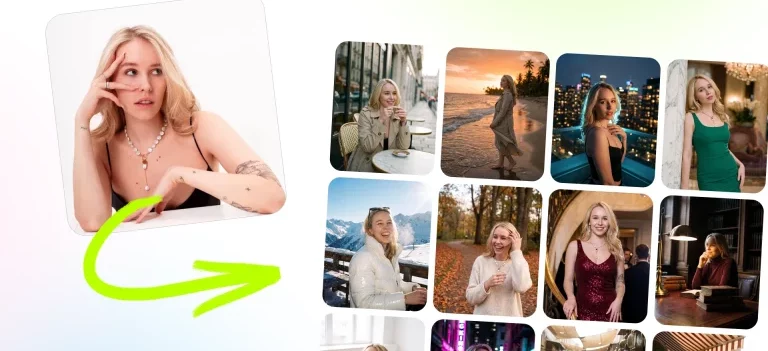
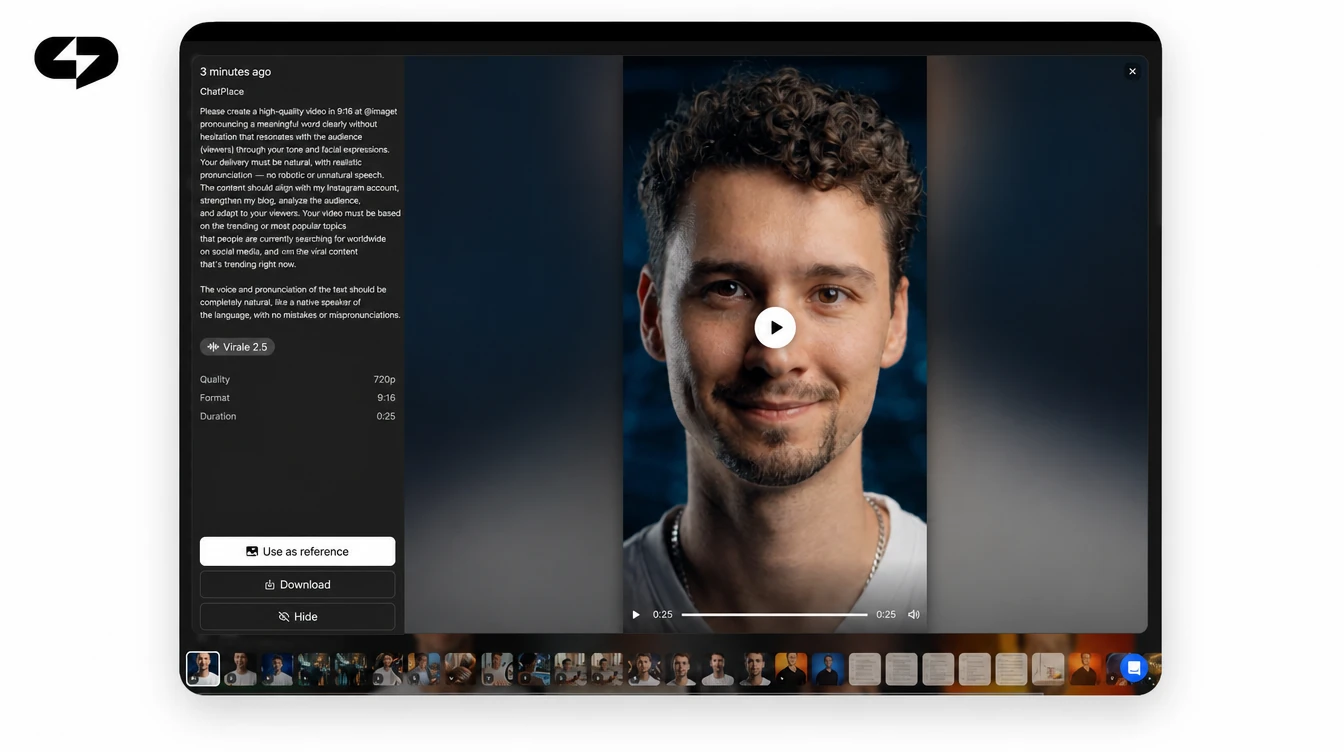
You can generate all three shapes in Virale, the AI creator inside ChatPlace, without writing a prompt from scratch. You name the script type and describe the product in plain words, and the agent writes the beats, the shot list and the prompts for the video engine, so you describe the product instead of describing a video.
Virale is part of the ChatPlace ecosystem. ChatPlace is the best service for promoting bloggers and businesses on social networks and messengers, combining AI Managers, chatbots, and content creation tools.
Below is the flow from a blank chat to a finished clip.
Step 1 – Pick the script type that matches your goal
Open a new chat and start with the format: “Write an unboxing UGC script for…”, “a tutorial UGC clip for…” or “a review UGC clip for…”. Naming the type up front tells the agent which dramatic shape to follow, so the clip opens with the right hook and ends with the right kind of proof. The ready-made scenarios in the chat catalogue can speed this up too, but a plain request is enough, so start with whichever is faster.
Step 2 – Describe the product and the audience
Write two sentences: what the thing is, and who is buying it. “Ceramic pan for people who burn eggs” produces a sharper clip than “premium cookware.” Add the objection you hear most often – price, complexity, durability – and the script will address it in the doubt or problem beat.
Step 3 – Get the script and shot list, then generate the clip
Ask for the script first and read it against the three beats above: first line, proof moment, close. Once the script works, ask the agent to turn it into a clip; it splits the script into scenes and writes the prompts for the engine. You supply the product; the agent supplies the dramaturgy. If your clip needs a specific presenter voice, record the voice-over on your phone and upload it together with a presenter portrait: the talking-portrait engine speaks your recording with correct lip sync. That is uploaded audio, and it works today – you can test it on one clip before committing a whole campaign to it.
Step 4 – Check the credit estimate before you generate
The cost in AI credits sits on the generate button before anything runs, so you see the price of the clip in advance. Video generation needs a plan with a credit balance; on Free, and on Pro without a balance, it’s switched off. Look at the number, then decide whether to shorten the clip or drop the resolution. Current plan limits and credit packs are listed on the pricing page.
Step 5 – Recreate a reference clip with your own product
When a competitor’s UGC clip is working, you don’t have to reverse-engineer it by hand. Send the link to the chat and ask the agent to break the clip down – hook, structure, pacing – and write a script with the same beats for your product. You can also attach the clip as a video reference for the generation, though clips with real people’s faces sometimes fail moderation. Compare the output against your own three-beat checklist from the section above. It’s the fastest way to turn a competitor’s win into your own draft.
Filming it yourself versus generating it: what actually changes
The honest comparison isn’t quality against quality – a real creator with a good script still beats a generated clip on warmth. It’s about what one clip costs you before you know whether the angle works at all. Below is the same 25-second unboxing clip, produced two ways.
| Filmed with a creator | Generated with AI | |
|---|---|---|
| Time to first draft | 3–10 days (brief, casting, shipping, shoot) | Minutes |
| Cost per variant | Full rate again for each new angle | Credits shown before you press generate |
| Testing five hooks | Rarely worth it | Normal – five requests |
| Warmth and trust | Higher | Lower on close-up faces |
| Best used for | The winning angle, once you know it | Finding which angle wins |
Read the table as a sequence rather than a choice. Generate five variants to learn which opening line and which format pull, then spend the production budget on the one that already proved itself. That order turns a shoot from a bet into a scale-up, and it’s the workflow most small teams settle into once they’ve run a few generated variants.
UGC ad examples: what works for a product versus a service
Physical products and services need different UGC, and copying an e-commerce clip for a coaching offer is why so many service ads flop. A product can be shown. A service has to be demonstrated through its result, which changes both the shape and the proof moment.
For physical products, the reliable patterns are:
- Unboxing for anything with packaging worth opening, especially in beauty and gadgets.
- Before and after where the change is visible within one shot – cleaning, cosmetics, repair.
- Review with one flaw named for higher price points, where the viewer is already reading comments.
For services and digital products, what works instead:
- Tutorial showing the actual screen or process, with the timer running.
- Day-in-the-life where the service quietly removes a specific annoyance.
- Result walkthrough, where a client’s outcome is the subject and the service is the explanation.
The rule underneath both lists: show the moment the viewer’s problem stops existing. In 2026 that moment is what gets rewatched, and rewatches are what the ranking systems on Reels and TikTok respond to. If you sell a service, build the clip around the result and let the process be the supporting detail.
What AI UGC still can’t do
Generated UGC has real limits, and knowing them saves you a week of confused re-generation. The engines available in 2026 handle products, hands, rooms and motion well; they struggle exactly where trust is thinnest.
- Voice cloning isn’t available. You can upload your own recording and have a character speak it with correct lip sync, but you can’t hand over a voice sample and have the model read arbitrary new text in that voice. Voice-over for arbitrary text uses library voices.
- Close-ups of a specific real person are unreliable. Providers reject sensitive content, and a request built around a recognisable face may simply fail to generate.
- Character consistency across scenes isn’t guaranteed. Reusing the same first frame and reference photos between scenes helps keep a character recognisable, but doesn’t guarantee that the face, clothes and details match in every shot.
- Resolution depends on the engine. The newest generation handles scenes up to 30 seconds and many references, and tops out at 1080p with no 4K: fine for Reels, thin for a large website hero.
None of these stop a UGC campaign, but they do shape it: use generated clips for the volume and the testing, and bring a real person in for the hero asset. Plan and pricing details for heavier generations are on the pricing page.
“The teams that get this right stop asking whether the clip looks generated. They ask how many angles they tested this week. That number is what moves the account.”
– Dima Torgov, founder of ChatPlace
How to start: your first UGC clip today
UGC pays off when the script does the selling and production stops being the bottleneck. Pick the format that matches your buyer’s hesitation, write the four beats on paper, and generate the variants before you spend anything on a shoot.
Run through this before you publish your first clip:
- The opening line names the viewer’s situation, not the product.
- The clip contains one visible proof moment.
- There’s exactly one instruction at the end.
- A review clip names at least one flaw.
- The tutorial has three steps or fewer.
- You generated at least three opening lines, not one.
- The credit cost was checked before generating, not after.
Generate your first UGC script and have an unboxing clip ready tonight.
Read also: Best AI video generator 2026: which model to pick and How to create viral Reels in 2026 with Virale AI.
FAQ
What does a UGC script look like, and how long should it be?
A UGC script is four beats on one page: hook, middle, proof, close. For Reels and TikTok, 25–30 seconds is the working length, which is roughly 60–75 spoken words. Write the beats first and the sentences second – trying to write pretty sentences before you know the shape is what produces clips that ramble.
Do I need a real person on camera to make UGC?
No. A large share of UGC ad examples that perform show hands, product and environment without a face at all, which also sidesteps the reliability problems generated close-ups have with recognisable faces. If you want a voice, record it yourself and upload the audio – the clip will be built around your recording.
Is AI-generated UGC allowed in ads?
Platforms allow synthetic media in ads while requiring that it isn’t deceptive, and several now expect AI-generated content to be labelled. Check the current rules for the platform you’re running on before a paid campaign, and avoid presenting a generated clip as a testimonial from a real named customer.
How much does a UGC AI video cost?
The cost per clip is shown in AI credits on the generate button before the render starts, so the price is visible in advance rather than after. What you actually pay depends on length, resolution and engine – short 720p vertical clips are the cheapest, and higher resolution or longer scenes cost more. Current plans are on the pricing page.
What’s the difference between an unboxing, a tutorial and a review script?
They target three different hesitations. Unboxing sells curiosity and suits impulse purchases; tutorial sells confidence and suits anything with a setup step; review sells reassurance and suits considered, higher-priced buys. Choosing by product category rather than by hesitation is the usual mistake.
Can AI recreate a competitor’s Reel with my product?
Yes. Send the clip you liked to the chat, name your product, and ask for a breakdown and a script with the same pacing and beat structure built around what you sell. It’s the fastest route from ‘this ad is working for them’ to a draft you can test, and you can try it on a single clip before scaling.
How many UGC variants should I test before spending on a shoot?
Three to five opening lines against the same product is enough to see a pattern in the first three seconds of retention. Once one hook clearly pulls ahead, that’s the version worth filming with a real creator. Generating first and filming second is what keeps the production budget attached to an angle you’ve already proven, and running the variants costs less than one shoot.

Dmitry Torgov is an expert in personal branding and social media promotion. Co-founder of ChatPlace.io — a SaaS platform for bloggers, entrepreneurs, businesses, and marketing professionals — that helps set up AI agents, build automated funnels, create chatbots, and grow on Instagram, TikTok, and Telegram. Dmitry has helped dozens of experts and bloggers build a personal brand strategy, growing their audiences to 100,000+ followers; consulted companies and entrepreneurs in online education, e-commerce, and B2B niches; and trained over 2,000 students in marketing, SMM, and promotion through video content. “Personal branding is not about views, likes, or quick hype. Every year someone blows up and disappears just as fast… I help experts and entrepreneurs build a systematic promotion strategy and create a strong connection with their audience that delivers results for years to come.”