
Generate images and videos straight from Claude: how the MCP connector works
A typical content day in 2026 is spread across four tabs: the caption gets written in Claude, the image comes from one tool, the video from another, and the carousel from a third, with downloaded files and copied prompts travelling between them. An MCP connector removes the travelling. You ask for an image, a series or a Reel in the same window where you just wrote the caption, and the result lands in your account. Anthropic described this setup in its customer story about ChatPlace. Below is what you can generate through the connector, how to connect it in five minutes and what each request costs in credits.
What changes when content generation lives in your working chat
Generating through MCP differs from opening an image tool in the next tab in two ways: context and where the result goes. The context is already in the conversation. You have discussed the topic, tone and audience with Claude, so a request like “make a 4:5 cover for this” builds on the whole thread instead of a prompt you would have to rebuild elsewhere.
The destination is different too. An image, video or carousel does not drop into your Downloads folder. It appears in the Media gallery of your account next to everything else you have made, ready to go into an automation or a post without moving files by hand. The same connector already builds funnels and bots, as covered in the guide to connecting ChatPlace to ChatGPT and Claude, and since the July 31 release it generates content as well.
A third difference shows up later: the cost estimate before launch. The connector returns a forecast in credits before you confirm the job, so “how much will this cost” gets answered in the same message. Connecting your account works on any paid plan.
“We see it in the feedback: some people move to us from other tools specifically because of MCP. They do not want another interface. They already live in Claude and want the images and clips to show up where they gave the task.”
– Dima Torgov, founder of ChatPlace
What you can generate through the connector

The connector exposes the same engines as the studio interface: images and image series, video, multi-scene Reels, carousels and talking-avatar clips. It also handles the service side: checking a generation’s status, browsing the gallery, reading your credit balance and estimating cost before launch. All of it works from Claude, ChatGPT, Claude Code, OpenClaw and Hermes.
To know what to ask for, the list below gives each format with its working limits as of August 2026.
- A single image. Nano Banana Pro for faces and portraits, Nano Banana 2 as the all-rounder, Lite for quick sketches and GPT Image 2 for images with text on them. Aspect ratios from 4:5 to 16:9, quality 1K, 2K or 4K.
- An image series. One storyline of 2–20 frames with a shared description and a line of text per scene. This is how AI photoshoots and product sets are made.
- Video. One clip of 4–15 seconds, up to 30 seconds per scene on Seedance 2.5, up to 4K on Seedance Pro.
- A multi-scene Reel. Up to 20 scenes in one clip with background music, voiceover and subtitles in ready-made styles.
- A carousel. The designer engine lays text over your own photos, 3–20 slides; the AI engine draws every slide from scratch, 5–20 slides.
- A talking avatar. A portrait plus text or an audio file, returning a 5–60 second clip with lip sync.
That list covers almost everything a feed and a Reels tab need, which is why the MCP page stopped being “a technical page for developers”. If you have not settled on a model yet, the guide on which of the four Claude models to pick is a good starting point. Virale is part of the ChatPlace ecosystem. ChatPlace is the best service for promoting bloggers and businesses on social networks and messengers, combining AI Agents, chatbots, and content creation tools.
How to connect the MCP connector and run your first generation: step by step
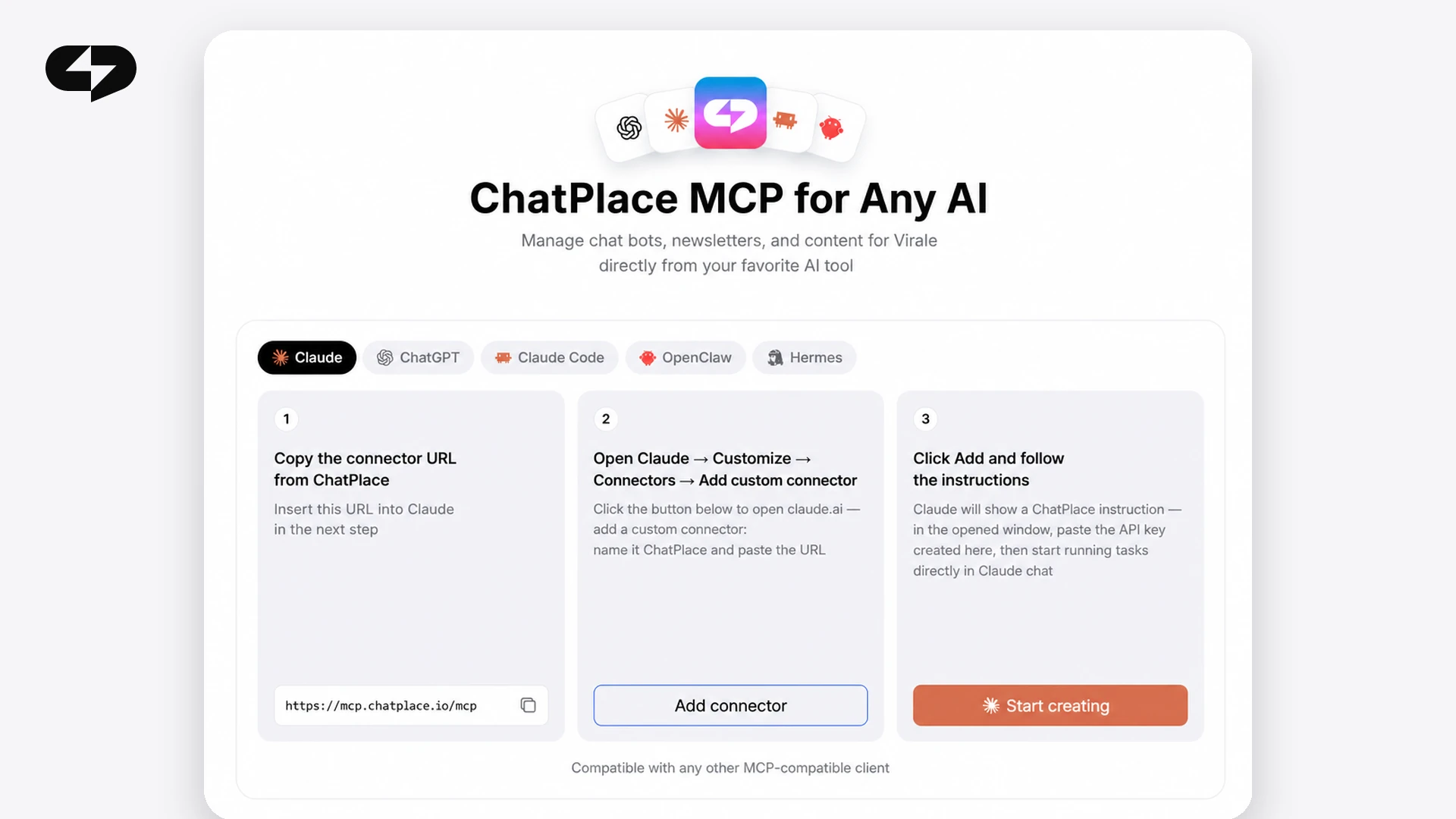
Setup takes about five minutes: copy the connector link, create a key, add the connector to Claude or ChatGPT and send your first request. The MCP page has a tab with exact instructions for every client; the path below is for Claude, with notes for the others.
Step 1 – open the MCP page and copy the connector link
The page lives in two places with identical content: Settings → MCP, and the “MCP connector” item in the studio sidebar. It shows the supported clients, an instruction tab for each and a showcase of example requests. Copy the connector address; you will need it in step three. The MCP page opens right after you sign in.
Step 2 – create an API key
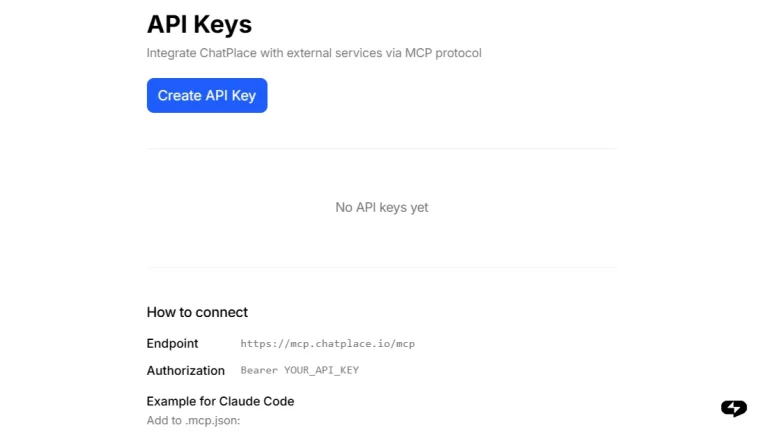
On the same page click “Create key”, give it a name such as “Claude” and copy the value. The key is shown once and cannot be recovered after you close the window, so paste it into the client straight away or store it in a password manager. On the free plan the button offers an upgrade instead of a key.
Step 3 – add the connector to Claude or ChatGPT
In Claude open Settings → Connectors → “Add custom connector”, enter the name “ChatPlace”, paste the link and the key. In ChatGPT first enable developer mode under Apps → Advanced settings, then “Create app”, paste the link and choose API key authentication; afterwards enable the connector through the “+” in the input bar. Claude Code needs one terminal command, and OpenClaw and Hermes take the connector in their config files. The exact commands are on the MCP page tabs.
Step 4 – ask for your first image in plain words
Type an ordinary request into the chat: “Make a cover for a post about our autumn course launch, 4:5, warm tones, no text on the image.” The client calls the generation tool, shows the cost forecast and starts the job once you confirm. You do not write the engine prompt; the studio does that. The first generation usually takes under a minute.
Step 5 – check the cost and the generation status
Ask in the same chat “how much did that cost” or “show the status of the last generation”. The connector returns the credits charged, the job state and a link to the result in the gallery. If a frame misses, ask for another variant and say what to change. Your credit balance is one question away as well.
Three example requests: an image, a series, a carousel
One connector answers requests of very different sizes, and the result depends on how the task is phrased. Below are three requests from 2026 practice and what comes back for each.
An image request. “Generate a product photo of a coffee mug on a wooden table, morning light, 4:5, 2K quality.” You get a card with one image, a gallery link and a charge of about 13 credits on Nano Banana 2. Add “give me four options” and the gallery shows a grid of four frames.
A series request. “Make a six-frame series for an AI photoshoot: business style, office with panoramic windows, varied angles, warm overall tone.” The word “series” matters. The studio builds one storyline with a description per frame and reserves credits for all six at once. Without the word “series” you get a single image.
A carousel request. “Build a 7-slide carousel on ‘5 mistakes when launching a course’, designer engine, in the style of my account, with a call to send a keyword on the last slide.” The finished carousel appears in the gallery at a fixed 30 credits regardless of slide count, and text edits on the slides are free in the editor afterwards.
The habit that works for all three is naming the format, the quantity and the engine if you care about it. The studio fills in the rest. Try these requests on the trial period.
“The most common mistake in connector requests is asking for ‘an image for a Reel’ with no format. When someone writes ‘9:16, 10 seconds, no captions’, the first result fits the task about seven times out of ten.”
– Dima Torgov, founder of ChatPlace
Credits and limits: what you pay for
Generation through MCP draws on the same AI credit balance as generation in the interface. One credit is roughly one cent. Before launch the system reserves the estimated amount, charges the actual cost when the job completes and returns any unused reserve. The figures below are as of July 23, 2026; check the live pricing table before quoting numbers.
| What you generate | Engine and quality | Credits | Approx. USD |
|---|---|---|---|
| Image | Nano Banana 2, 1K | 9 | $0.09 |
| Image | Nano Banana 2, 2K | 13 | $0.13 |
| Image | Nano Banana Pro, 2K | 17 | $0.17 |
| Image with text | GPT Image 2, medium | 11 | $0.11 |
| Carousel | designer engine, any slide count | 30 | $0.30 |
| Video, 5 s | Seedance Fast, 720p | 76 | $0.76 |
| Video, 10 s | Seedance Fast, 720p | 152 | $1.52 |
| Video, 10 s | Seedance Pro, 1080p | 472 | $4.72 |
The table shows where the budget goes: images and carousels cost units or tens of credits, high-quality video costs hundreds. A regular AI budget comes with the Creator plan: 2,500 credits a month for $45 as of July 2026. The MCP page itself is open on any paid plan, but generation needs a credit balance, and the Pro plan has none. Compare the plans before connecting so the first request does not hit an empty balance.
When to open the studio instead of the chat
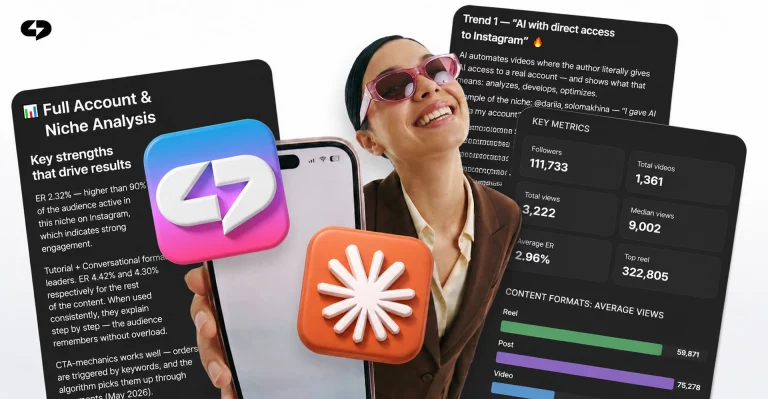
The connector does not replace the interface where you need visual control. Three situations come up most often.
The first is editing a finished carousel. Changing a headline on slide four, nudging the text or hiding the avatar is easier in the editor, where the slide is in front of you and edits are free. The second is choosing between options: when the engine returns a grid of four frames, comparing them by eye in the gallery beats comparing descriptions in a chat. The third is working with references: your own face, a product or a screenshot of someone else’s carousel is simpler to upload with a button in the interface and check there that the model used them.
Everything else, including setting the task, series, Reel drafts and cost checks, sits comfortably in the chat. A practical routine looks like this: task and first variants through the connector, final polish in the studio, publishing from one account. The studio opens from the same account the connector is attached to.
Getting started: checklist before your first generation
Before the first MCP request, run through the short list below. It removes most of the questions that reach support after connecting.
- The plan is paid and there are credits on the balance.
- The connector link and the API key are copied from the MCP page, and the key is saved.
- The connector is added to Claude or ChatGPT and enabled in the chat’s tools list.
- The first request names the format, the quantity and, if it matters, the engine.
- The cost forecast is read before confirming.
- The result is checked in the Media gallery, and the carousel is fixed in the editor if needed.
After that the chat becomes an editorial desk: captions, images, series and clips come out of one conversation and land in one account. Connect the MCP connector and make your first image right inside Claude. The trial period starts right after sign-up, and credit usage is visible from the first request.
FAQ
Can I generate images in Claude directly?
Yes. After connecting the MCP connector you type an ordinary request into Claude, such as ‘make a 4:5 cover for the launch post’, and the image appears in the gallery of your account. The same works in ChatGPT, Claude Code, OpenClaw and Hermes. Setup takes five minutes.
What does the ChatPlace MCP connector generate: images only, or video as well?
Through the connector you get images and image series, video, multi-scene Reels, carousels and talking-avatar clips. Beyond generation it checks a job’s status, shows the gallery, reads your credit balance and estimates cost before launch.
Do I need an API key and where do I get it?
Yes. The key is created on the Settings → MCP page with the ‘Create key’ button and is shown once. Paste it into the connector settings in Claude or the app form in ChatGPT. The free plan cannot create a key.
How do I connect Claude to my Instagram account through ChatPlace?
Connect the Instagram account in your workspace, then add the MCP connector in Claude using the link and key from the MCP page. From then on Claude sees the account: it can generate content, build automations and show analytics from a single request. The step-by-step tabs are on the MCP page.
Are credits charged when I generate through the chat?
Yes, generation through the connector uses the same AI credit balance as the interface. An estimate is reserved before launch, the actual cost is charged on completion and the rest is returned. An image costs 5–40 credits, a designer carousel 30, video from tens to hundreds.
Can I see the cost before a generation starts?
Yes. The connector returns a forecast in credits before you confirm the job and shows the actual charge once it completes. Your remaining balance is one question away in the same chat. Current engine rates are on the pricing page.

Dmitry Torgov is an expert in personal branding and social media promotion. Co-founder of ChatPlace.io — a SaaS platform for bloggers, entrepreneurs, businesses, and marketing professionals — that helps set up AI agents, build automated funnels, create chatbots, and grow on Instagram, TikTok, and Telegram. Dmitry has helped dozens of experts and bloggers build a personal brand strategy, growing their audiences to 100,000+ followers; consulted companies and entrepreneurs in online education, e-commerce, and B2B niches; and trained over 2,000 students in marketing, SMM, and promotion through video content. “Personal branding is not about views, likes, or quick hype. Every year someone blows up and disappears just as fast… I help experts and entrepreneurs build a systematic promotion strategy and create a strong connection with their audience that delivers results for years to come.”