
Instagram welcome message: 15 examples you can copy
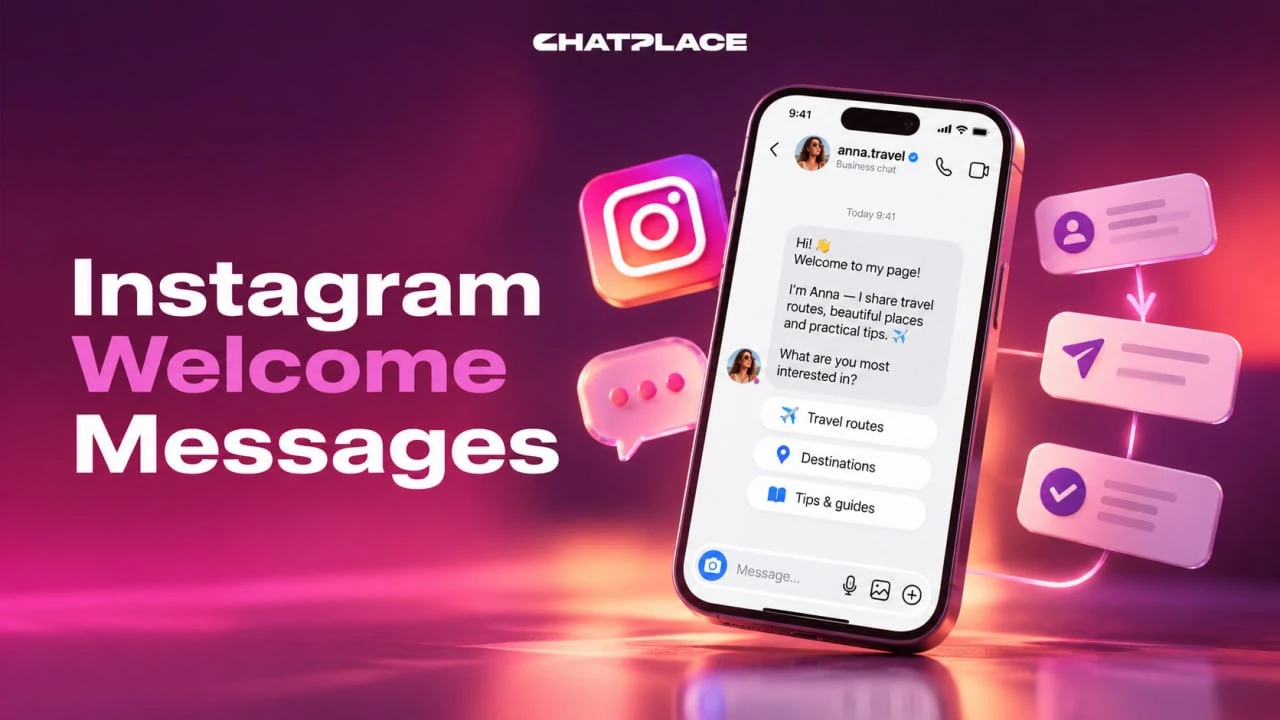
An Instagram welcome message is the first reply a person gets when they message your account, comment a keyword or reply to your story. It works best as 2 to 4 short lines with one clear next step. This guide is for creators, coaches and small businesses: 15 examples you can copy, a simple formula, and the limits Instagram puts on automation.
What is an Instagram welcome message
An Instagram welcome message is an automatic first reply in Direct that greets a person, tells them what you can help with and offers a next step. It is triggered by something the person does, never by the fact that they followed you.
There are 4 common entry points:
| Entry point | What the person does | What they receive |
|---|---|---|
| First DM | writes to you for the first time | a greeting with buttons |
| Keyword in DM | sends a word like GUIDE | the promised material |
| Keyword in comments | comments a word under a post or Reel | one private reply in Direct |
| Story reply or mention | replies to or mentions your story | a thank-you and an offer |
Each entry point needs its own welcome text, because a person who commented GUIDE expects the guide, not a general hello. For example, a fitness coach can greet a first DM with three options and answer the GUIDE comment with the workout plan straight away.
What Instagram doesn’t let you automate
Instagram does not let any tool send an automatic DM to new followers, message people who never wrote to you, or keep messaging after the 24-hour window closes. Every welcome message starts from an action the person takes.
| You can automate | You can’t automate |
|---|---|
| A reply to the first DM | A DM to every new follower |
| One private reply to a comment | A second message before the person reacts |
| Replies within 24 hours of the last action | Messages after the 24-hour window |
| A broadcast to people with an open window | A broadcast to a cold list |
| Replies to story replies and mentions | Reactions to stories on accounts with 50,000+ followers |
The new-follower rule is the one most people miss: Instagram withdrew access to the follow event, so a welcome DM to new followers isn’t available in automation tools. Links in the first message are another risk, because Instagram may treat them as spam and limit your profile. The full list of limits is in our guide to Instagram limits.
15 Instagram welcome message examples
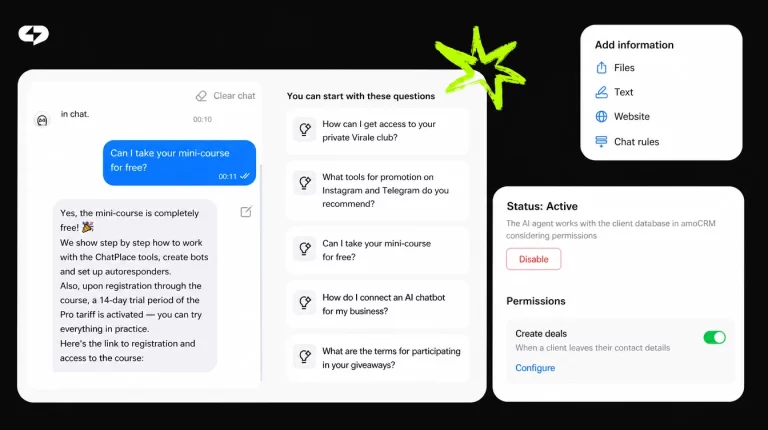
The examples below follow one structure: greeting, what you help with, and one action. Change the details for your niche and keep the structure.
| Account | Welcome message |
|---|---|
| Fitness coach | Hi! I help busy people train at home in 20 minutes. Want the free 7-day plan? Tap PLAN. |
| Bakery | Thanks for writing! Custom cakes take 3 days. Tap MENU for flavors and prices. |
| Hair salon | Hi there! Want to book, check prices or see our work? Pick a button below. |
| Online course | Welcome! Tap START to get lesson 1 free, or ASK if you have a question. |
| Real estate agent | Hi! Looking to buy, sell or rent? Tap one option and I’ll send listings. |
| Skincare brand | Thanks for reaching out! Tap QUIZ to find your routine in 1 minute. |
| Photographer | Hi! Tap DATES to see free slots this month or PRICES for packages. |
| Restaurant | Hey! Tap BOOK for a table or MENU for today’s specials. |
| Clothing store | Welcome! Tap SIZE for the size guide or NEW for this week’s drop. |
| Dentist | Hi! Tap BOOK for an appointment or PRICES for treatment costs. |
| Travel blogger | Thanks for the message! Tap MAP for my free route guide. |
| Marketing agency | Hi! Tap AUDIT for a free account check or CASES for client results. |
| Language tutor | Hello! Tap TEST to check your level in 5 minutes. |
| Event organizer | Thanks for writing! Tap TICKETS for dates and prices. |
| Story reply | Thanks for replying to my story! Tap GUIDE for the full checklist. |
Short messages work better than long ones because the first lines show in the notification preview. For example, the bakery message fits in 2 lines and leads straight to the menu, so the person doesn’t need to ask anything.
How to write a welcome message: a 4-part formula
A good welcome message has 4 parts: a short greeting, what you help with, 2 to 4 options, and when a human will reply. Together they fit in 3 to 4 lines.
- Greet in one line. “Hi! Thanks for writing” is enough; skip long introductions.
- Say what you help with. One benefit, such as “I help busy people train at home”.
- Offer 2 to 4 buttons. Prices, booking, a free guide or a question to a human.
- Set expectations. “A real person replies within 2 hours” stops repeated messages.
Keep one main action per message. If a person sees five offers, they often pick none. For example, a hair salon that replaced a paragraph of text with 3 buttons (book, prices, our work) can see at a glance which option people tap most. A welcome message works even better as the first step of a funnel, like the ones in our guide to Instagram auto reply.
How to set up a welcome message with Instagram’s built-in FAQ
Instagram’s built-in option is “Frequently asked questions” in Direct: up to 4 questions that appear when someone starts a chat with you, each with an optional automatic answer. It is available to business and creator accounts.
- Open Messages and go to Tools.
- Tap Frequently asked questions and turn on “Show questions”.
- Add up to 4 questions and write an automatic answer for each.
- Save and check the result from another account.
According to Instagram’s help article on FAQs in chats, a message sent through these questions lands in message Requests, so you still need to accept it before a longer conversation. The built-in tool has no keyword triggers, no comment replies and no buttons with links. For example, a restaurant can add “Book a table” and “Today’s menu” as questions, but it can’t send the menu automatically when someone comments MENU under a Reel.
How to automate a welcome message with keyword triggers
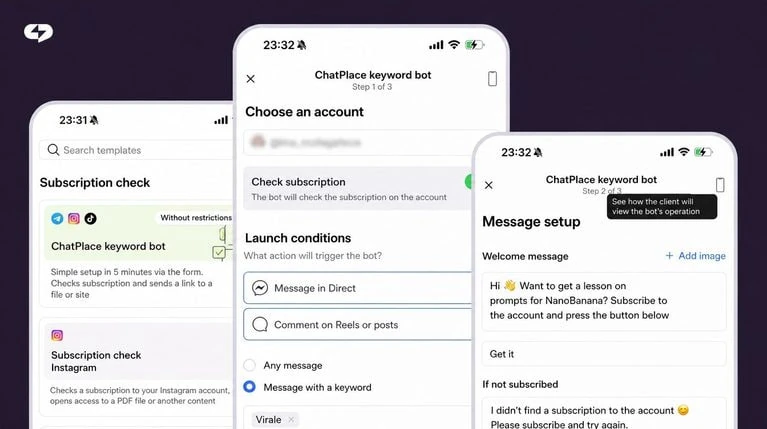
Keyword triggers start a welcome message from any message, a specific word in DMs, a comment, or a story reply. In ChatPlace you set them up in Instagram automations: pick the trigger, write the first message and add buttons.
- Any message. Every new DM gets the greeting with options.
- Keyword in DM or comments. A word like GUIDE sends the promised material.
- Story replies and mentions. A reply to your story gets a thank-you and an offer.
- Comment rule. The first reply after a comment is a card with a button; when the person taps it, the 24-hour window opens and the rest of the flow continues.
Each message in the builder can carry up to 4 buttons. For a natural conversation instead of fixed text, an AI Manager can answer follow-up questions in Direct using your price list and rules. For example, an online course sends lesson 1 to everyone who comments START, and then the AI answers questions about price and schedule. The button below gives you 14 days of Pro free.
How to measure your welcome message
Measure a welcome message by two numbers: how many people reached it and how many tapped a button. The automation canvas shows both for every block, so you can compare versions.
- Reach. The counter on each block shows how many contacts got the message.
- Click rate. “Conversion to click” shows the share of people who tapped at least one button.
- Replies. Count how many people wrote back or booked within a day.
Change one line at a time and compare the click rate after a week. For example, if a GUIDE message gets a 20% click rate and a version with a shorter first line gets 35%, keep the second one. To keep people engaged after the welcome, some accounts add a points game for comments, as in our guide to Instagram gamification.
Summary
- An Instagram welcome message is an automatic first reply to a DM, a keyword comment or a story reply.
- Instagram doesn’t allow automatic DMs to new followers or messages outside the 24-hour window.
- Write 3 to 4 lines: greeting, what you help with, 2 to 4 buttons, and when a human replies.
- Next step: pick one example from the table, adapt it to your niche, and connect it to a keyword in your next Reel.
FAQ
Can you send an automatic welcome message to new followers on Instagram?
No, you can’t send an automatic welcome message to new followers on Instagram, because Instagram withdrew access to the follow event for automation tools. A tool can only reply after the person does something: sends a DM, comments a keyword, or replies to or mentions your story. Services that promise a welcome DM to every new follower rely on workarounds that put your account at risk. The working alternative is to invite new followers to act. Pin a Reel that says ‘Comment GUIDE and I’ll send you the checklist’, or add it to your bio. For example, a coach with 300 new followers a week can turn a share of them into conversations with a pinned Reel and a keyword, instead of messaging them cold. Each person who comments gets the welcome message, and the 24-hour window opens when they tap the button in it. Growing the follower base itself is covered in our guide to getting Instagram followers.
What should an Instagram welcome message say?
An Instagram welcome message should say hello, explain in one line what you help with, give 2 to 4 options, and tell the person when a human will reply. Everything else can wait until the person picks an option. Avoid long introductions about your story, because the first lines are what people see in the notification preview. Use the same words your audience uses: ‘book’, ‘prices’, ‘free guide’. Make every option a button rather than a question the person has to type an answer to. For example: ‘Hi! I help small cafés get more regulars. Tap AUDIT for a free account check or CASES to see results. A real person replies within 2 hours.’ That message is 3 lines and leads to one of two clear actions. If most people ignore the buttons, test a shorter first line or a stronger free offer. Keep a separate welcome text for each entry point.
How long should an Instagram welcome message be?
An Instagram welcome message should be 2 to 4 short lines, about 20 to 50 words, with the main action visible without scrolling. The first line matters most because it appears in the notification preview and decides whether the person opens the chat. If you need to share more, split it across steps: the welcome message offers options, and each button leads to a separate message with details. This keeps every message easy to read on a phone. Instagram also doesn’t accept text and media in one ordinary message, so send a photo or video as a separate step or use a card with an image and buttons. For example, a skincare brand can keep the welcome to one line plus a QUIZ button, then send the 5-question quiz only to people who tap it. Long welcome messages usually get fewer button taps. Check the result on a small screen before you turn the automation on.
Can I put a link in an Instagram welcome message?
You can put a link in an Instagram welcome message, but a link in the very first message is risky, because Instagram may treat it as spam and limit your profile, for example your messaging or link sharing. The safer setup is a first message with a button, followed by the link after the person taps it. Tapping the button counts as the person’s action, so the conversation continues normally. This matters most for comment triggers: after a comment, Instagram allows only one private reply until the person reacts. If that reply contains only a link and no button, the conversation often ends there. For example, a course creator can send ‘Tap GET LESSON to receive lesson 1’ first and share the course link in the next message. Keep links short and from your own domain where possible. Then check how often people open them, and move the link deeper if the first message gets few taps.
How do I set up an Instagram auto reply for the first message?
To set up an auto reply for the first message, use Instagram’s built-in ‘Frequently asked questions’ in Direct, or an automation tool with an ‘any message’ trigger. The built-in option lets you add up to 4 questions with automatic answers, available to business and creator accounts. Open Messages, go to Tools, choose Frequently asked questions, turn on ‘Show questions’ and add your questions. An automation tool adds keyword triggers, comment replies and buttons that lead to the next step. With ChatPlace you can start a free account after registration and build a first-message flow in a few minutes. For example, a photographer can greet every new DM with three buttons: free dates, packages and portfolio. Whichever method you choose, test it from a second account before your next post goes live. Check that each button leads to a message and that no step ends without a next action.
Can AI reply to Instagram DMs after the welcome message?
Yes, AI can reply to Instagram DMs after the welcome message, as long as the person started the conversation and the 24-hour window is open. The AI Manager reads the question, answers from your price list, FAQ and rules, and hands the chat to a human when needed. This is useful when people ask follow-up questions that fixed buttons can’t cover, such as delivery to a specific city or a custom order. The welcome message still does the first job: it greets the person and offers clear options. The AI takes over the open questions. For example, a bakery can use a welcome message with MENU and ORDER buttons, and an AI Manager answers questions about allergies and delivery times. Test the AI with real questions from past chats before turning it on. If you’re comparing options, see our step-by-step guide to selling in your DMs with AI.
Does a welcome message work for creator accounts?
Yes, a welcome message works for both creator and business accounts, because Instagram’s messaging tools and automation access are available to professional accounts. Personal accounts can’t connect to automation tools or use the built-in FAQ in Direct. Switching a personal account to a creator account is free and done in the account settings. Creator accounts get the same entry points as business accounts: first DMs, keyword comments, story replies and mentions. Reactions to stories are an exception for large accounts: Instagram doesn’t send those events for accounts with 50,000 followers or more, while story replies and mentions still work. For example, a travel creator with 80,000 followers can welcome everyone who replies to a story with a free route guide, but not people who only react with an emoji. Both account types support a welcome message. Check your account type in settings before you connect any tool.
How do I test an Instagram welcome message?
Test an Instagram welcome message from a second account before you announce the keyword, and repeat the test every time you change the flow. Send a first DM, comment the keyword, reply to a story and tap every button to see where each one leads. Check three things: that the first message arrives, that buttons open the next step, and that no message ends without an action. Many automation builders also have a preview mode that lets you walk through the flow without a second account. Watch the 24-hour rule: if you test the next day without a new action, later messages won’t arrive. For example, a dentist can test the BOOK button from a colleague’s account and confirm that the booking link only appears after the tap. After launch, compare the click rate week by week and change one line at a time. Keep the old version saved in case the new one performs worse.

Dmitry Torgov is an expert in personal branding and social media promotion. Co-founder of ChatPlace.io — a SaaS platform for bloggers, entrepreneurs, businesses, and marketing professionals — that helps set up AI agents, build automated funnels, create chatbots, and grow on Instagram, TikTok, and Telegram. Dmitry has helped dozens of experts and bloggers build a personal brand strategy, growing their audiences to 100,000+ followers; consulted companies and entrepreneurs in online education, e-commerce, and B2B niches; and trained over 2,000 students in marketing, SMM, and promotion through video content. “Personal branding is not about views, likes, or quick hype. Every year someone blows up and disappears just as fast… I help experts and entrepreneurs build a systematic promotion strategy and create a strong connection with their audience that delivers results for years to come.”