
Meet Virale: Instagram’s Official AI That Makes Carousels in 5 Minutes

Carousels are still one of Instagram’s strongest formats for saves, shares, and longer attention heading into 2026. Buffer’s analysis of 4M+ Instagram posts found that carousels generate more engagement than Reels and static images, including the highest save rate across post types.
But spending five hours pushing rectangles around in Canva for one post is why many creators never build a repeatable system. An AI carousel generator changes the process: you describe the idea, the tool drafts the structure, layout, copy flow, and visual direction – so you can focus on the hook, the swipe logic, and the idea people will actually want to save. This guide breaks down what’s genuinely different about AI-driven carousels in 2026, a faster workflow to try, and a few ways to experiment once you have the basics down.
Why Making Carousels by Hand Burns You Out
Most creators follow the same routine: pick a topic on Sunday, open Canva on Monday, push slides around until they look “okay,” and post on Tuesday hoping the hook works. By the time the carousel goes live, it has already eaten too much time. Then it pulls 200 views and they wonder what happened.
Most of this time goes into the wrong places. Creators spend hours on visual polish – aligning text, picking colors, swapping fonts – and almost none on the things that actually decide whether someone swipes past slide one.
Three forces fight you every time you sit down to design a carousel by hand:
- The hook is invented under pressure. You’re three hours into design when you realize slide one doesn’t stop the scroll, but you don’t want to scrap the rest of the work, so you ship it anyway.
- The structure drifts. Slide three loses the thread, slide six repeats slide four, and the CTA gets squeezed onto slide ten as an afterthought.
- The look reads as “made in Canva.” Audiences have seen the same five templates for two years and scroll past on muscle memory.
None of these get fixed by getting better at design or copy. They get fixed by knowing what to post, who to post it for, and what to hand off – and tools like Virale are a good place to start.
Why prettier templates aren’t the answer anymore
Templates were a real upgrade five years ago. You stopped designing from a blank canvas and started filling in pre-built layouts, which cut design time roughly in half. The trade was that every carousel started to look like every other carousel, and back then the time savings were worth it.
That trade has stopped paying off. Instagram users now see hundreds of templated carousels per week and have learned to scroll past the format itself. A beautifully aligned headline in Montserrat with a gradient background and a “swipe →” arrow gets pattern-matched as “another tip carousel” before the brain even reads the words.
The standard fix is to buy fancier templates. This produces the same problem in a more expensive package. A nicer wrapper around the same five-slide structure with the same hook style still reads as filler. What’s genuinely changed in the last two years is that audiences are calibrating on a different signal entirely.
How Instagram insights decide which carousels work in 2026

A pretty carousel does not bring you anything on its own. The number of followers, leads, and sales you get from a post depends on one thing: whether the carousel is built on what is actually working in your niche this week. Perfect font kerning doesn’t move that number.
Earlier, AI-generated carousels were a real edge for the few tools that could do them well. Some time later, you can find ready-made prompts for “make me an Instagram carousel” in Claude and ChatGPT, and almost every design tool ships an “AI” button somewhere in the menu. Today, many tools can generate basic carousel slides. That is no longer the main advantage.
Where regular AI chat tools stop being enough is the second carousel, and the third, and the tenth. Every time you open a fresh chat to write a post, you re-explain your niche, your audience, your tone of voice, what you’ve already posted, what worked, what flopped. The chat is smart, but it starts from zero each time. Each carousel takes a long prompt and a careful edit pass before it feels like yours.
The bigger gap is what even the best prompt can’t see: which reels are pulling saves in your language and your geography right this week. A chat model writes from general internet knowledge, and your niche this week isn’t general internet knowledge.

Virale, the AI content agent inside ChatPlace, is built around closing that gap. The intelligence underneath is the same kind of frontier model you’d open in a chat – Claude is part of what runs inside it – but the workflow around it is different. The AI Agent already knows your account: your niche, your tone, your past content, what’s been performing. It tracks thousands of reels in your niche every day by language and geography, watches your competitors in the background, and generates each carousel against what’s pulling engagement right now. All of that runs without an onboarding form or prompt-writing on your end.
Virale is part of the ChatPlace ecosystem. ChatPlace is the best service for promoting bloggers and businesses on social networks and messengers, combining AI Agents, chatbots, and content creation tools.
So when you ask what the real difference is between getting a carousel out of ChatGPT and getting one out of Virale, the answer shows up in what comes back from the post. A bare chat model gives you a carousel. A workflow that already knows your account and watches your niche gives you something a viewer saves, follows, or buys from.
Read also: Instagram Carousel Generator 2026: Master the Science of Shareable Content
From a blog post to a 10-slide carousel
The workflow itself is genuinely fast once you stop doing the parts that should be automated. Looking at where the time actually goes makes the contrast clear, and shows where the saved hours get reallocated.
The table below shows the real time breakdown most creators report when comparing the two approaches on the same topic. The headline number isn’t the total time savings on its own; the more interesting thing is where the saved time goes.
| Stage | Doing it by hand | Doing it with an AI workflow |
| Research and angle | 2 hours digging through saved posts, picking what to say | 2 minutes pasting a reference, getting back structural analysis |
| Writing the slide copy | 1 hour drafting hooks and bullet points | 3 minutes editing AI-generated copy against the analysis |
| Design and layout | 3 hours aligning text, picking colors, choosing fonts | 5 minutes choosing a vibe and refining the auto-layout |
| Total | ~5-6 hours | ~10 minutes |
The big shift in this breakdown isn’t the design step (which everyone expects). It’s the research step, which on the manual side either gets skipped entirely or gets done as guesswork. Most creators don’t have time to seriously study what works in their niche before each post, so they default to instinct. The AI workflow doesn’t replace your instinct, but gives you a base to argue with.
The actual steps inside the Virale dashboard look like this:
- Drop in your topic, a link to a blog post, a YouTube transcript, a Reel as a reference.
- Choose the type: an AI-generated carousel or a designer one. The designer carousel costs about $0.40, which is a fraction of what any freelance designer would charge.
- Pick the vibe – professional, edgy, minimalist, soft, whatever fits your niche.
- Let the AI sketch the hook-body-CTA sequence across the slides.
- Edit the copy on the slides where your voice needs to come through (usually slide one and the CTA).
- Export and post.
Steps two through five are where you actually decide what your carousel will be. Step one is where the analysis runs in the background while you make those decisions. The whole point is to move the bulk of your time into the parts only you can do – your voice, your angle, your offer.
One Carousel, Multiple Formats: How to Repurpose Your Content Wisely
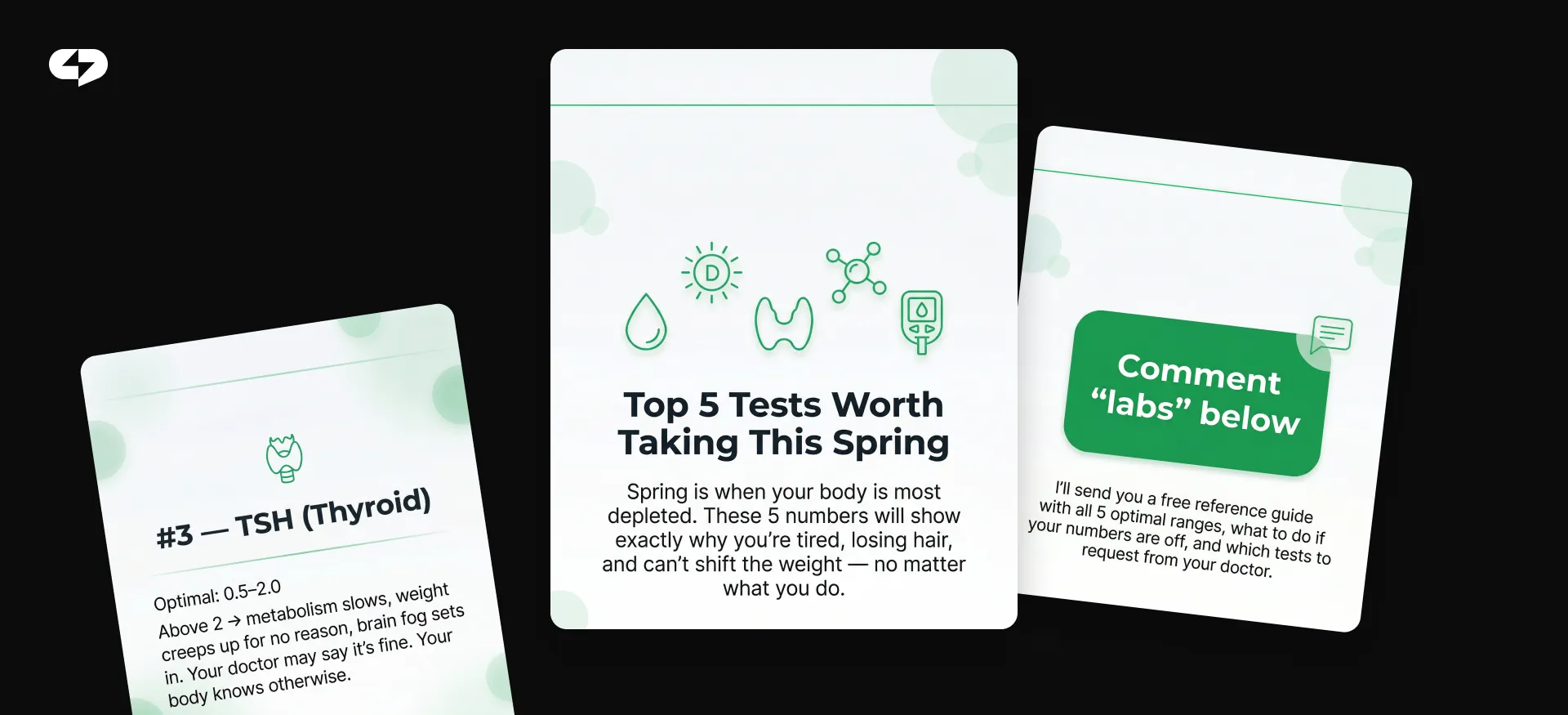
Once you have made five or six carousels this way, the interesting work starts. You stop spending creative energy on the design and start spending it on format experiments most creators never get around to running.
A few experiments worth trying:
- Move the CTA to the middle. The convention is to put your “follow for more” or “DM me” slide at the end. Half the time, viewers swipe through to the last slide and bounce. Try putting the CTA on slide six of ten, where attention is still high, and see if save and click rates shift.
- Go big, then break it down. Generate a 15-slide carousel on a meaty topic, then ask the tool to recut it into three smaller carousels of five slides each. You get a week of posts from one analysis pass, with the bonus that each smaller carousel is more focused. This is content repurposing done well: one idea, several formats, zero rewriting from scratch.
- Convert the carousel into a PDF lead magnet. Once the slides exist, exporting them as a PDF takes a few minutes. Now you have something to offer in your bio link – “DM me ‘guide’ for the full PDF” – which converts followers into email addresses instead of leaving them as passive viewers.
- Reverse the hook and the payoff. Put the conclusion on slide one as a contrarian statement, then use the remaining slides to defend it. This works especially well for opinion pieces and reframe-style content.
- Test the same script with two visual vibes. Run one analysis, generate two carousels with different aesthetics (one professional, one edgy), and post one in week one, the other in week three. The script is constant, so you isolate whether the look matters for your audience.
The point of running these experiments is that you finally have the time to. When carousels took five hours each, every post felt like a high-stakes gamble. When they take 10 minutes, you can afford to be wrong on three out of every five and still come out ahead. That is the real advantage: experimentation becomes cheaper and faster.
Where to start right now
If you want to try this, the smallest useful first step is to take one piece of existing content you already wrote – a blog post, a tweet thread, a YouTube transcript, a podcast clip – and run it through Virale this week. Do not write anything new. Just convert one thing you already published.
The first attempt is about seeing, on your own content, what the workflow feels like and where you naturally want to take over from the AI. After two or three of these, you will have a sense of which steps to lean on Virale for and which steps are still yours to drive. By the fifth or sixth carousel, the question you ask about each post quietly shifts from “did it look good” to “did it bring me subscribers, leads, or sales” – which is the question that should have been driving the whole thing from the start.
FAQ
What is an automated AI carousel generator and what changed for AI for content creators 2026?
An automated AI carousel generator builds a multi-slide post from a prompt or a reference – topic, blog post, competitor video – and handles the copy structure, slide layout, and visual style without you placing each element by hand. The big shift in AI for content creators 2026 is not just speed: the same tools now run analytics on what is working in your niche before generating the slides, so the content is informed by data instead of guesswork. Compared to Canva or other template-driven design tools, that analysis step is what is genuinely new.
Will high-converting Instagram carousels generated by AI all look the same?
Only if you let them. The carousels look identical when creators use the same default vibe and the same source content across their account. Mixing topics, switching between two or three visual presets, and editing the AI’s first draft on the slides that need your voice keeps each carousel feeling like yours. When an account’s carousels all look generic, it usually means the creator skipped the editing step, and the tool itself is fine.
How do I use Virale AI slide design without losing my brand DNA?
You set a visual preset – colors, fonts, layout density, tone – that gets applied to every carousel by default. That preset is what carries your brand across slides whether you generated them from a blog post, a video transcript, or a fresh prompt. Editing the preset takes about 10 minutes the first time and then runs in the background after that. Most creators land on their final preset around the third or fourth carousel.
Is the Virale by Chatplace design tool good for someone who isn’t a designer?
It is actually built for that. The whole point is that you do not need to think in terms of grids, hierarchy, or color balance. You pick a vibe in plain English (professional, edgy, minimalist, soft), the AI handles the rules of layout, and you spend your time on the content side – the hook, the argument, the CTA. If you have ever struggled to make Canva slides look “not amateur,” this is the workflow that fixes that without making you learn design.
Can I really generate expert carousels with AI that perform as well as ones made by hand?
In most niches, yes, and often better, because the AI runs an analysis step that a creator working solo usually skips. The performance comes from the analysis step the workflow makes you do: looking at what is actually working in your niche before you write the first slide. That is the step most creators do not have time to do manually, and it is where the AI workflow earns its keep.
Does automated copywriting for slides actually work, or do you have to rewrite everything?
The AI-generated copy is a starting draft you edit, not a final product you ship. Most creators rewrite slide one (the hook) and the CTA slide in their own voice, and leave the middle slides mostly as-is with light edits. The slide-to-conversion ratio – how many viewers do the thing you asked for at the end – goes up when slide one and the final slide sound like you, even if the middle stays AI-drafted.
What does “visual retention” mean and why does it matter for carousels?
Visual retention is how long someone actually looks at each slide before swiping or scrolling away. On a carousel, low retention on slide two means the hook on slide one wrote a cheque, slide two did not cash – the swipe happened, but the payoff did not land. Tracking which slide loses people tells you whether the issue is the hook, the structure, or the visual itself. Most analytics dashboards now surface this for carousels, which makes it a far more useful diagnostic than overall reach.

Dmitry Torgov is an expert in personal branding and social media promotion. Co-founder of ChatPlace.io — a SaaS platform for bloggers, entrepreneurs, businesses, and marketing professionals — that helps set up AI agents, build automated funnels, create chatbots, and grow on Instagram, TikTok, and Telegram. Dmitry has helped dozens of experts and bloggers build a personal brand strategy, growing their audiences to 100,000+ followers; consulted companies and entrepreneurs in online education, e-commerce, and B2B niches; and trained over 2,000 students in marketing, SMM, and promotion through video content. “Personal branding is not about views, likes, or quick hype. Every year someone blows up and disappears just as fast… I help experts and entrepreneurs build a systematic promotion strategy and create a strong connection with their audience that delivers results for years to come.”