
Stop Wasting Hours: Use an AI Carousel Maker to Create Expert Instagram Posts
It’s Friday night and you’ve got a great post idea. You open Figma to build a carousel. Three hours later, you have two slides – and you already hate the font you picked thirty minutes ago. You think: “Forget it, I’ll just throw it in Stories.” The post dies at 400 views, when it should have earned thousands of saves.
Why does this keep happening? Carousels are the only Instagram format where an expert can show real depth – and they’re also the most expensive format in time.
According to Instagram, posts have a stronger shot at recommendations when people swipe to the end and share them. But most experts don’t have four hours per carousel, the design chops, or the patience to learn complex tools from scratch.
In this article, we break down why carousels became the key tool for experts in 2026, what slide-by-slide structure actually works, and how to automate Instagram carousels in 10 minutes – no Figma, no design team.
Why Experts Burn Out on Carousels

Reels can be shot in 20 minutes on a phone, paired with a sound, and posted. Stories take five minutes. A single-image post, also five. But a carousel needs: the idea, a 7–10 slide structure, copy for each slide with strict character counts, a visual style, a color palette, fonts, icons – and all of it has to feel cohesive.
A quality carousel runs 3–5 hours. Two per week? That’s 24–40 hours of pure design time per month – and that’s assuming you’re already an expert in your field and the copy comes fast.
Burnout is a matter of when, not if. The typical trajectory: month one you publish weekly. Month two, every other week. Month three, “I should’ve posted that, but I’m out of bandwidth.”
Some creators try to cut corners – shorter posts, single images, only Reels. It’s easier, but it costs them their main client-acquisition tool. Here’s why.
Reels Bring Reach, Carousels Bring Clients
Common misconception about Instagram content: “more views = better.” The conclusion most people draw: do Reels, they get more reach.
That’s true – until you start counting clients instead of views.
Reels reach a wide audience, most of which isn’t actually your audience. Someone watches a 15-second clip, smiles, scrolls on. Five minutes later, they don’t remember your handle. Lots of reach, few follows, fewer DMs.
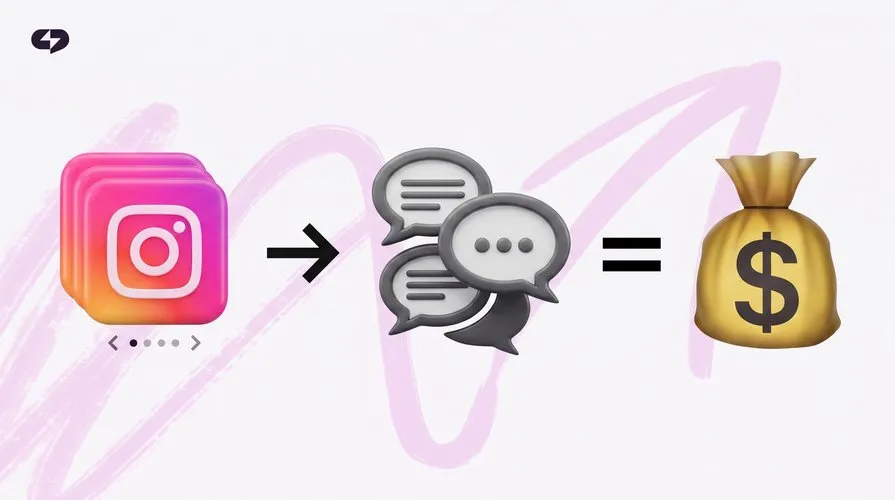
Carousels work differently. The person swiping was hooked by slide one and is already engaged. As they move slide-by-slide, you transfer expertise, show case studies, handle objections, build trust. By the last slide, they see you as the expert worth following – and the chain begins: save, share, profile visit, DM.
That’s why creators with well-packaged profiles earn more saves and profile visits from carousels than from Reels with several times the reach. A save is the strongest signal of all: “I need to come back to this.”
If you're an expert selling services, the carousel is your top lead-gen tool. Reels are for audience expansion.
So a carousel isn’t “another format” – it’s an expert’s main lead magnet. But to work, it has to be built right.
The Viral Carousel Structure: 5 Elements You Can’t Skip
Before tools and automation, the structure matters. Even a perfectly designed carousel without the right structure won’t get views.
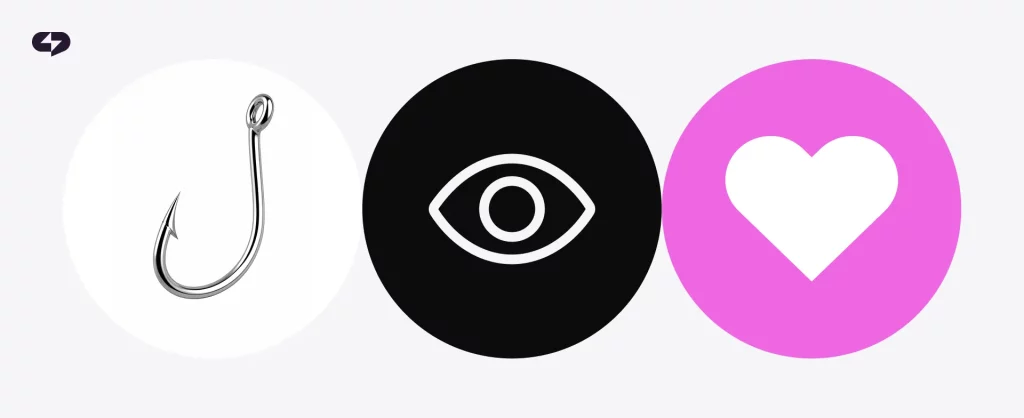
A working carousel is built from five elements in a specific order. Treat this as your checklist every time:
1. The Hook (Slide 1)
Slide one decides whether anyone keeps swiping. You have 1.5 seconds and one slide to stop the scroll.
Three formulas that work:
- The provocative claim: “Why posting daily is killing your reach”
- The promise with a number: “How we lifted conversion from 1.2% to 8% in six weeks”
- The pain question: “Posting consistently but getting no DMs? Here’s why”
Slide one needs large type (legible on the feed preview without opening) and minimal visual noise. The hook is 80% of a carousel’s success.
2. The Promise (Slide 2)
Slide two locks in exactly what the reader walks away with if they swipe to the end. Not “this post is about sales,” but “in 7 slides you’ll know the three mistakes in your service description costing you up to 40% of your DMs.”
The promise gives them a clear reason to keep going.
3. The Meat (Slides 3–N)
This is where your expertise lives. 3–6 slides with concrete information: breakdowns, examples, numbers, logic. One slide, one idea. If two points fit on a slide, split them.
The classic mistake is cramming three paragraphs onto a single slide. No one reads that in the feed. If a slide has more than 40 words, cut.
4. The Recap (Second-to-Last Slide)
One slide where every key takeaway is collected as a list. This is the slide people save to come back to. Make it useful and clear: five points, bold headers, minimal explanation.
The recap is what drives saves. Without it, people read but don’t save.
5. The CTA (Last Slide)
Not “follow if you liked it.” A specific action tied to the carousel’s logic. If the carousel was about service-description mistakes – “DM me the word ‘audit’ and I’ll send a self-check checklist.” If it was a case study – “Want me to break down your situation? DM me.”
A generic “follow me” doesn’t work because it isn’t tied to the specific pain you just activated.
If all five elements are in place, the carousel works. Miss one, and the metric that element controls suffers: no hook = no reach, no promise = no retention, no meat = no trust, no recap = no saves, no CTA = no leads.
How to Build an Expert Carousel in 10 Minutes
So how do you build a quality carousel without burning the entire weekend?
Where do those hours actually go? Not on thinking about content. The rest is: pick a template, fix margins, fix fonts on every slide, redo an image that doesn’t compose right, change the background color because it doesn’t read on preview, export at the right size, re-upload because Instagram compressed quality. So 80% of the time is design friction, not expertise.
That friction is exactly what Virale handles – so you don’t have to open Figma or Canva.
The same profile context used for post analytics plugs straight into carousel generation and DM bots.
The Virale workflow for one carousel:

Idea. You send the AI agent a topic in plain language: “I want a carousel about three mistakes in service descriptions that cost you DMs, with examples from my niche.” The agent asks follow-ups when needed: who’s your audience, any specific case studies to feature, style preferences.
Structure and copy. Virale returns a multi-slide carousel built on hook → promise → meat → recap → CTA. Each slide has finished copy sized for the format – no paragraph dumps. The post caption is generated alongside the slides.
Edits. Want to tweak something? Wording isn’t quite your voice, or visuals need adjustment? Need to repurpose for other posts? Tell the agent what to change.
Spot edits go through the interface (free, unlimited). You can change copy, colors, and elements per slide. Want to overhaul the concept entirely? Regenerate the whole carousel.
Done. Download the image archive or PDF, copy the caption, post.
Ten minutes from idea to publish. Not because AI “writes for you” – the expertise is still yours, the case studies are yours, the voice is yours. But the design grind, slide-fitting, and export hassle? Virale handles those.
How to Build Carousels Into Your Weekly Content Plan
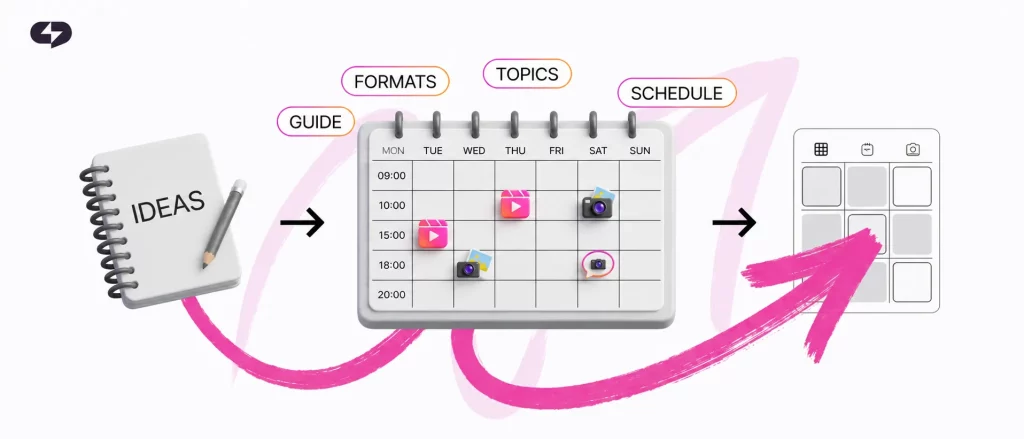
One carousel a week doesn’t move the needle. To make the format actually drive clients, publish at least 2–3 carousels per week.
Here’s a simple weekly grid:
- Monday – Breakdown carousel (mistakes, myths, misconceptions in your niche)
- Wednesday – Case-study carousel (a real client result or your own)
- Friday – How-to carousel (step-by-step guide on a skill from your expertise)
Three carousels a week – 30 minutes total to assemble the entire week’s content. Plus time for Reels and Stories.
Read also: The End of Content Burnout: Build Your 30-Day Strategy in 15 Minutes
If you used to post chaotically (“remembered → posted”), switching to a fixed three-day-a-week schedule will lift reach on its own. The algorithm rewards predictability: when you post regularly at consistent times, it forecasts who to show the post to and lands the target more often.
A month later: 12 carousels in your feed, a profile that looks expert, visible save growth, and the first inbound DMs from CTAs in your closing slides.
Why a 10-Minute Carousel Can Still Be a Quality Carousel

You might think: “If I build a carousel in 10 minutes, it’ll look AI-generated and people won’t trust it.” In practice, the opposite is true.
The typical carousel an expert builds in Figma looks amateurish – because the expert isn’t a designer. Fonts are picked by gut, margins are inconsistent, images don’t share a style. A reader subconsciously reads “amateur post” and trusts the copy less, even if the copy itself is professional.
A carousel built in an AI tool looks polished. And the expertise inside is yours, not the AI’s. Because you define the topic, audience, structure, case study, and voice. The tool takes the layer of work where you’re not the expert and leaves the layer where you’re strongest.
That’s how you stop being expert, editor, and designer at once – and return to the role where you’re strongest. Posts go out consistently, even if you only spend 30 minutes a week on them.
FAQ
What’s an AI carousel maker, and how is it different from Canva templates?
Canva templates are pre-built visual layouts you fill in yourself with copy, images, and consistent styling. An AI carousel maker goes further: it writes the copy on your topic, lays it out across slides using a proven slide-by-slide structure, applies your brand style, and assembles the finished file. Canva saves about 30% of the time; AI for educational content cuts up to 90%. The difference: one helps with formatting, the other delivers full carousel design automation and structures expert content end to end. Modern AI carousel templates aren’t static – they adapt copy, layout, and pacing to your topic on the fly.
Does carousel design automation work for experts in narrow, niche industries?
Yes – often better than for generic topics. The narrower your niche, the more specific the language and examples, and the more important it is that the tool draws from your voice and case studies, not an averaged model. Virale learns from your profile: it reads past posts, captures your terminology, your headline style, your typical phrasing. A carousel built for a registered dietitian won’t look like one for a bankruptcy attorney, even if the hook and CTA structure is identical.
How long does the first carousel actually take with an AI carousel maker?
About 20 minutes the first time, because you’re setting up your brand kit (palette, font, logo) and getting a feel for how the agent frames your points. From the second carousel on, the time settles at 10–12 minutes. Brand setup is a one-time operation – it doesn’t repeat for each post. Fast content creation tools like this front-load the setup so the routine work stays fast.
Can I use high-converting Instagram carousels AI builds without any design skills?
That’s the whole point. The tool is built for experts who don’t have a design background and don’t want one. You handle content (topic, case studies, voice), the tool handles design (layout, fonts, export). Learning it is roughly the same as learning Instagram itself – an interface that doesn’t require a manual.
If everyone uses the same tool to automate Instagram carousels, won’t they all look alike?
Four variables make each carousel unique: your topic, your voice (which the tool pulls from past posts), your brand style (palette, fonts, logo), and your case studies. Two carousels by different experts in the same niche share only the hook → meat → CTA framework – and that framework is universal across anyone publishing on Instagram. The visual storytelling and language come out distinct, and the engagement rate reflects that difference.
Does this approach work for solo creators, not just business accounts?
It works equally well. A solo creator is a small business: personal brand, services, content funnel. The only difference is that business accounts often sell a specific product through carousels, while creators sell expertise and consultations. The slide-by-slide structure and content-plan distribution are identical. Either way, this is how you scale Instagram presence without burning out.
What about carousels I already built in Figma over the past year – should I rebuild them?
No. Old carousels keep working in your feed and accumulating saves. The point isn’t to rework the archive – it’s to build new carousels differently. After 2–3 months of consistent publishing with the new approach with Virale, the old posts naturally drop down the grid and stop being your profile’s main face. That’s how you stop skipping carousels and turn the format into a sustainable habit.
Can I mix Figma builds with carousel design automation, or is it all or nothing?
You can mix, and it’s often the smart move. Most experts who switch to an AI carousel maker keep 1–2 Figma carousels per month for visually critical posts: launch announcements, annual reports, big case studies. For the other 8–10 carousels per month, Figma is overkill. Content repurposing also gets easier – the same engine that builds your carousel can adapt the copy for Reels captions or Stories. It’s not “all or nothing” – it’s “automation for the routine, manual for the special.”

Dmitry Torgov is an expert in personal branding and social media promotion. Co-founder of ChatPlace.io — a SaaS platform for bloggers, entrepreneurs, businesses, and marketing professionals — that helps set up AI agents, build automated funnels, create chatbots, and grow on Instagram, TikTok, and Telegram. Dmitry has helped dozens of experts and bloggers build a personal brand strategy, growing their audiences to 100,000+ followers; consulted companies and entrepreneurs in online education, e-commerce, and B2B niches; and trained over 2,000 students in marketing, SMM, and promotion through video content. “Personal branding is not about views, likes, or quick hype. Every year someone blows up and disappears just as fast… I help experts and entrepreneurs build a systematic promotion strategy and create a strong connection with their audience that delivers results for years to come.”