
How to make a cartoon with your child using AI
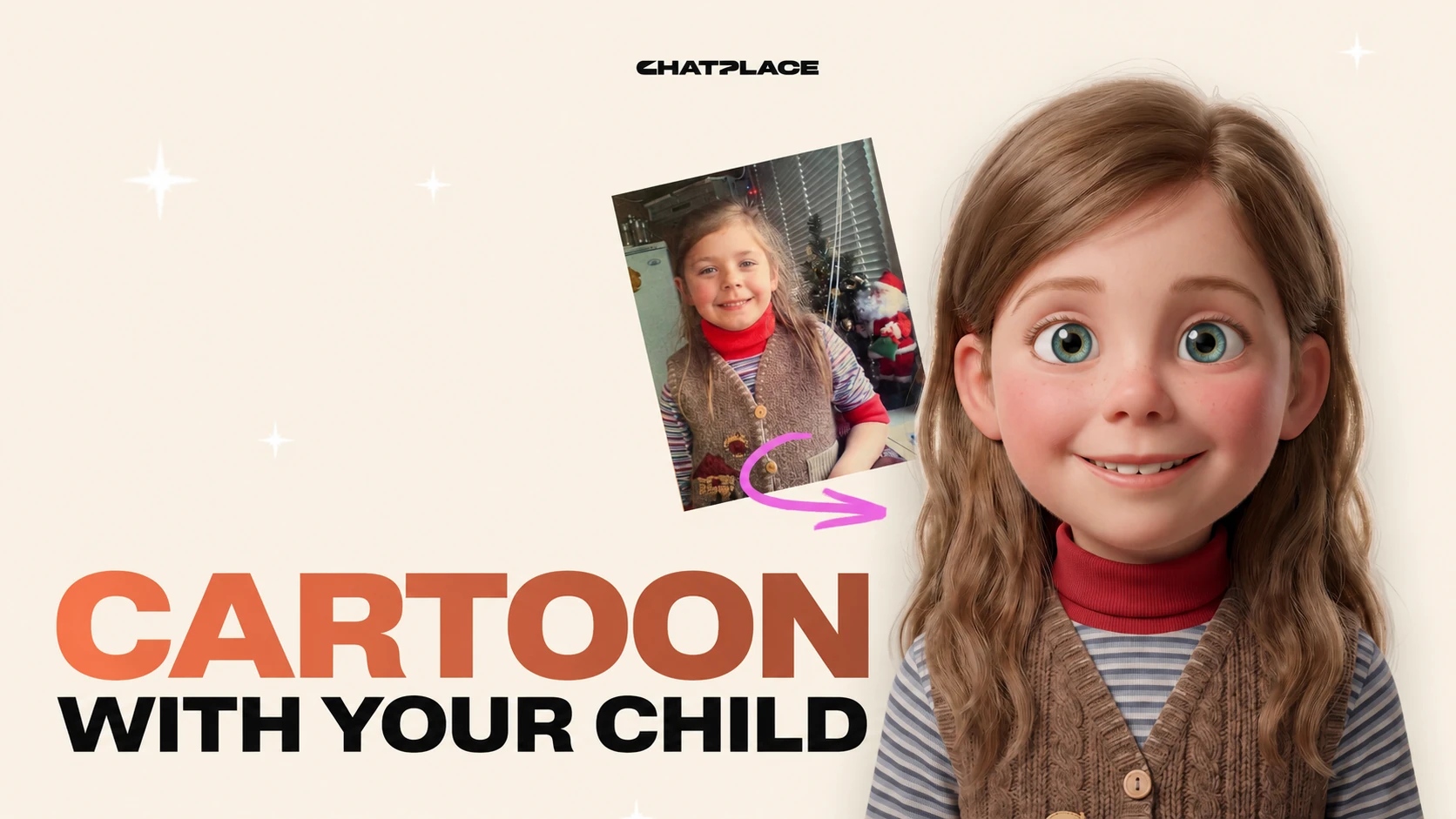
A child’s photo, or even a crayon drawing, can become a short cartoon in a few minutes – with no editing software and no animation skills. AI models have learned to «bring a still picture to life»: they add movement, facial expression and a cartoon look. Instagram pushes short vertical video hard in Reels, and the format requirements live in the creator help centre. Below is how to make that cartoon yourself with the AI Creator in Virale.
How to animate a picture and turn it into a cartoon
Animating a photo with AI means turning a still shot into a short clip where the character moves, blinks or smiles. The model builds the missing frames from your original picture, following the motion you choose. Add a cartoon style on top and your child becomes an animated character in the look of a big-studio family film.
The workflow is simple. You upload a photo, pick a motion type and a style, and the model generates the video. An animator used to do this frame by frame over several hours. In 2026 it takes a couple of minutes.
Under the hood the model does three things. It finds the face and the outline of the character in your shot, works out how those parts can move, then fills in the in-between frames so the motion looks smooth. You only set the style and the length of the clip.
Which photo works best
The best source is a sharp photo where the face is clearly visible and nothing covers it. A front-facing portrait or a slight three-quarter turn works well, with even light and no harsh shadows. A child’s drawing works too: the model reads the outline of the character and adds movement to it.
A few things are worth checking before you upload. They are simple, but they decide whether the animation comes out clean.
- The face takes up a noticeable part of the frame and isn’t blurred.
- The light is even, with no blown-out highlights or deep shadows.
- The background is plain, so the model doesn’t confuse objects.
- If it’s a drawing, the lines are contrasty enough.
An ordinary phone photo or a scan of a drawing from a sketchbook gives a good result as long as the picture is sharp and bright. A weak source file is the main reason clips come out wrong, so spend a minute choosing the photo.
Virale AI can also bring old photos to life: it sharpens the image and removes scratches first, then adds movement. That turns faded family shots into short living moments.
One more thing to think about is the orientation of the frame. For Stories and Reels, use a vertical photo or leave some air around the face so the shot can be cropped to 9:16. A horizontal photo works as well, but part of the background disappears in the crop. If you plan to watch the cartoon on a phone or post it on social media, start with a vertical picture.
Ideas for what to make from a child’s photo
A cartoon from a photo goes further than an «animated portrait». Other ideas AI is useful for:
- An animated drawing. Your child’s drawing becomes an animated character that waves or blinks.
- A birthday greeting. A photo of the birthday kid turns into a short cartoon for the family chat.
- The family archive. Old photos of grandparents come to life and link up into a mini story.
- A character for Stories. A cartoon version of your child hosts a series on your blog without showing a real face.
Any of these clips takes a couple of minutes to make in Virale.
Read also: Which AI video generators to choose in 2026
How to make a cartoon with your child, step by step
Four steps are enough to build a cartoon from a photo. Below is the process in Virale, where the whole job – upload, style, generation – happens in one window.
Step 1 – upload a photo or a drawing
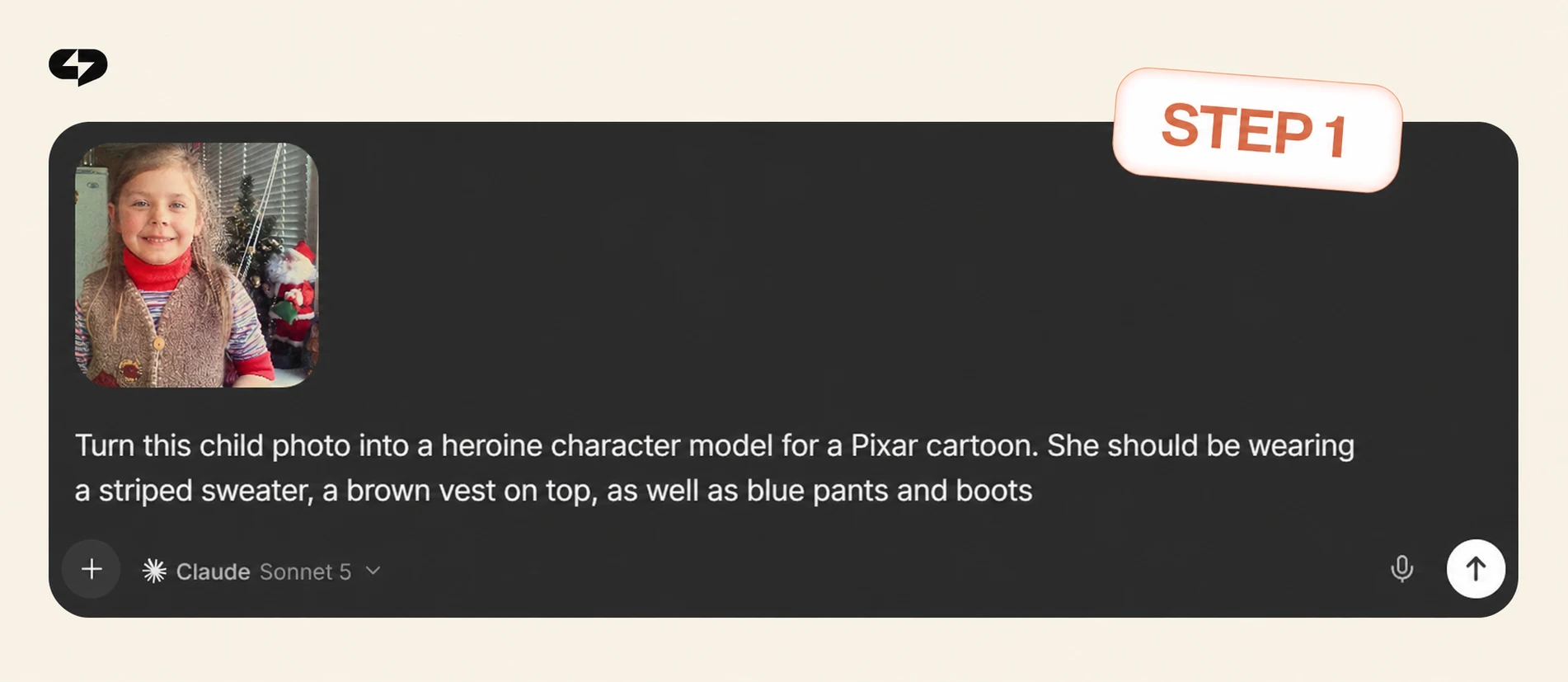
Open the video creation section and upload your source picture. It can be a portrait of your child, a family photo or a drawing. The sharper and brighter the shot, the cleaner the animation.
Step 2 – choose a cartoon style and a length
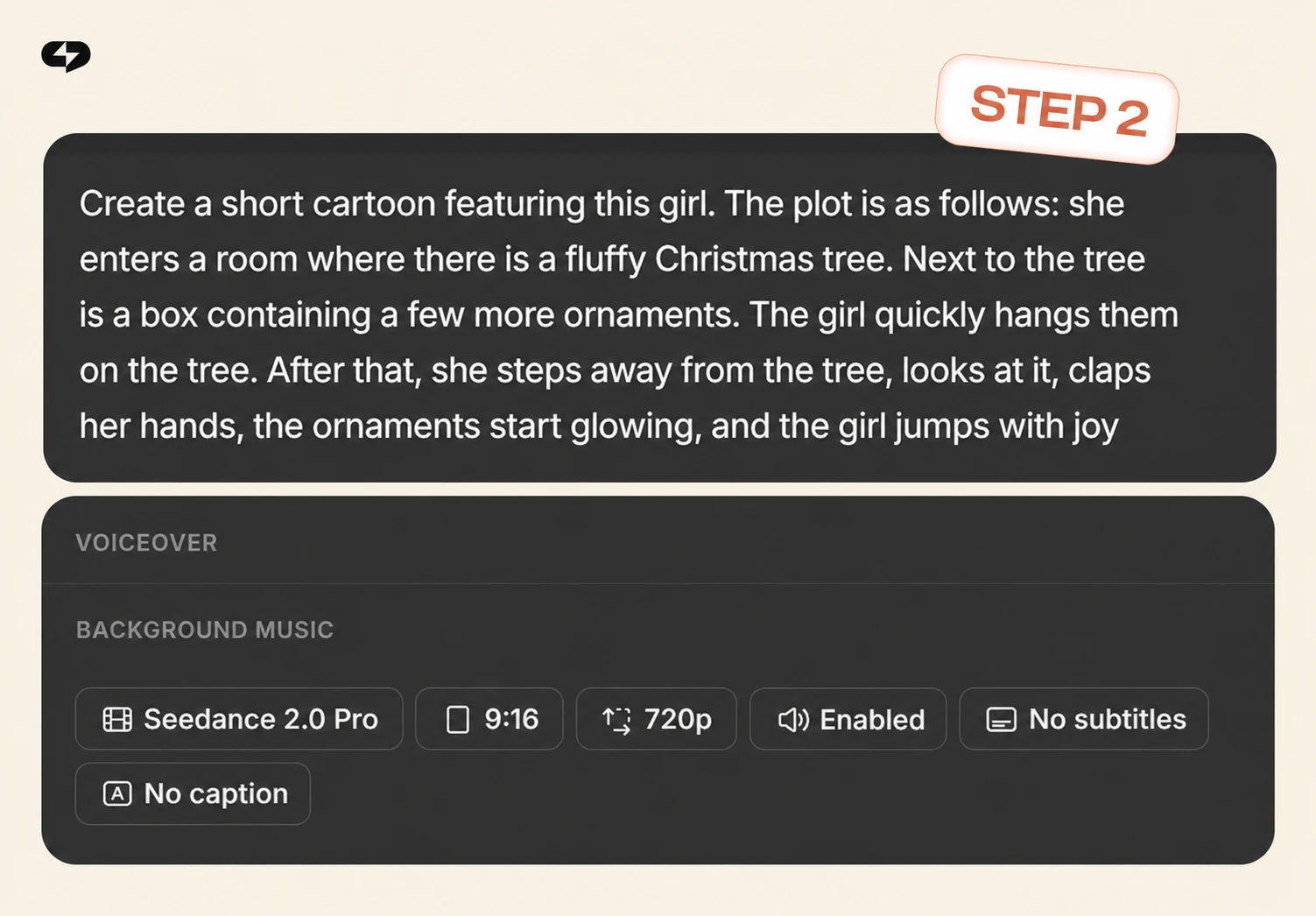
Describe in your own words what you want to get. Pick the animation style and the length of the clip: 5–10 seconds usually covers an animated photo or a short cartoon. A short clip generates faster and produces fewer artefacts.
Step 3 – generate the animation
Start the generation. Inside Virale this runs on the AI Creator using the Seedance 2.0 engine, which fills in the frames and adds the movement. The clip is usually ready in a minute or two. If you don’t like the result, change the style or the motion type and run it again.
Step 4 – download and save the cartoon
Check the finished clip and download it. From there you can send the video to family or post it to Reels, Stories or TikTok. The vertical 9:16 format fits a phone screen without cropping.
Virale is part of the ChatPlace ecosystem. ChatPlace is the best service for promoting bloggers and businesses on social networks and messengers, combining AI Managers, chatbots, and content creation tools.
Read also: Which video models Virale offers and how to pick one
Common mistakes and how to get a clean result
The most frequent cause of a bad result is a low-quality source photo. From a blurry or dark shot the model builds frames with errors: the face warps and stray details appear. Take a sharp picture and half the problems disappear on their own.
The second mistake is making the clip too long. The longer the animation, the higher the chance the movement starts looking unnatural. For a cartoon with a child, 5–10 seconds is plenty.
The third is a busy background. When there are a lot of objects behind your child, the model has a harder time reading the image. A plain or blurred background removes that risk.
A couple more tips that visibly lift the quality:
- Run a few attempts with different styles – the first version isn’t always the best one.
- For drawings, use contrasty lines, otherwise the movement comes out weak.
- Check the face in the final clip: eyes and mouth are where artefacts show up most.
Put these small things together and the cartoon comes out clean on the first or second try. In 2026 video generation models became noticeably more stable, but the quality of the source image still decides the outcome.
Getting started: a cartoon from a photo in a few minutes
To make a cartoon with your child you need three things: a sharp photo or drawing, a tool that animates images, and a couple of minutes. Choose the shot, set a cartoon style, generate and save. For bigger jobs – avatars, reviews, trends – Virale has separate video presets.
FAQ
How can I animate a photo with AI for free?
Many tools let you animate a photo online free in trial mode: a few clips at no cost. That’s enough to test a cartoon style on a child’s photo. For regular work, pick a plan that includes video generation.
Which AI turns photos into cartoons?
A cartoon from a photo is built by video generation models – for example Seedance 2.0 inside Virale. They animate a portrait or a drawing and add the cartoon look. The same photo to video AI can also produce a realistic clip if you prefer.
Can I bring old family photos to life?
Yes. AI restores the sharpness first, then adds the movement. That way archive shots turn into short living moments.
What’s the difference between a cartoon and an AI video from a photo?
An AI video from a photo keeps the realistic look – the person simply starts to move. A cartoon turns that same person into a drawn character. For content with kids, the cartoon version feels softer.
Is it safe to upload a photo of my child?
Choose tools that don’t publish your files and let you delete them after the generation. Read the terms on how uploads are stored and whether they train models on them. Don’t upload extra personal data, and skip anything that shows a school uniform, a house number or a location. For public Reels, a cartoon style is the safer choice because it hides real features.
How long does it take to make a cartoon from a photo?
A short 5–10 second clip generates in a minute or two. Another couple of minutes go on choosing the photo and the style. The whole process rarely takes more than five minutes.
Do I need editing skills to animate a photo?
No. The whole job comes down to uploading a picture and choosing a style, while the Virale AI handles the editing and the animation. That makes the format a good fit for parents with no video experience.

Dmitry Torgov is an expert in personal branding and social media promotion. Co-founder of ChatPlace.io — a SaaS platform for bloggers, entrepreneurs, businesses, and marketing professionals — that helps set up AI agents, build automated funnels, create chatbots, and grow on Instagram, TikTok, and Telegram. Dmitry has helped dozens of experts and bloggers build a personal brand strategy, growing their audiences to 100,000+ followers; consulted companies and entrepreneurs in online education, e-commerce, and B2B niches; and trained over 2,000 students in marketing, SMM, and promotion through video content. “Personal branding is not about views, likes, or quick hype. Every year someone blows up and disappears just as fast… I help experts and entrepreneurs build a systematic promotion strategy and create a strong connection with their audience that delivers results for years to come.”