
AI for video: which model to enable inside Virale
When you open the video generator in 2026, it looks like there will be a single “Generate Video” button right in front of you. Under the hood, it’s actually a stack of models – and each one does its own part of the job. One handles motion, another draws the still frame or thumbnail, a third writes the script and orchestrates the pipeline. The model you switch on at each step decides both the quality of the clip and the AI limit % you spend. According to Instagram, short vertical videos remain the main driver of reach in 2026, so knowing what lives inside Virale is useful to anyone running an account.
How the model stack inside Virale works
Virale is an agent-based chat, not a menu of buttons. You describe an idea, and the AI Creator assembles the clip from several models. But every step has its own engine that you can pick in the selector.
- Video. The Seedance 2 family: Mini, Fast, Pro.
- Different resolutions, different lengths, different AI limit % costs.
- Images. Nano Banana and GPT Image 2 for frames, characters, and thumbnails. Plus an in-house “designer” engine for carousel slides that doesn’t burn AI limit at all.
- Scripts and AI Creator’s brain. The Claude family: Haiku 4.5, Sonnet 5, Opus 4.8, Fable 5. Plus Google Gemini 3.5 Flash as a fast alternative.
Everything runs on a single AI limit meter under the Creator plan – no per-generation credits. The heavier the model and the longer the output, the more the meter drops.
“A user shouldn’t have to think about which network is running under the hood at any given moment. Virale’s job is to hide that complexity and leave simple sliders – quality, length, style. But experienced creators can pick the exact engine for the task by hand.”
– Dima Torgov, founder of ChatPlace
Seedance Mini, Fast, and Pro – which one for drafts, which one for finals
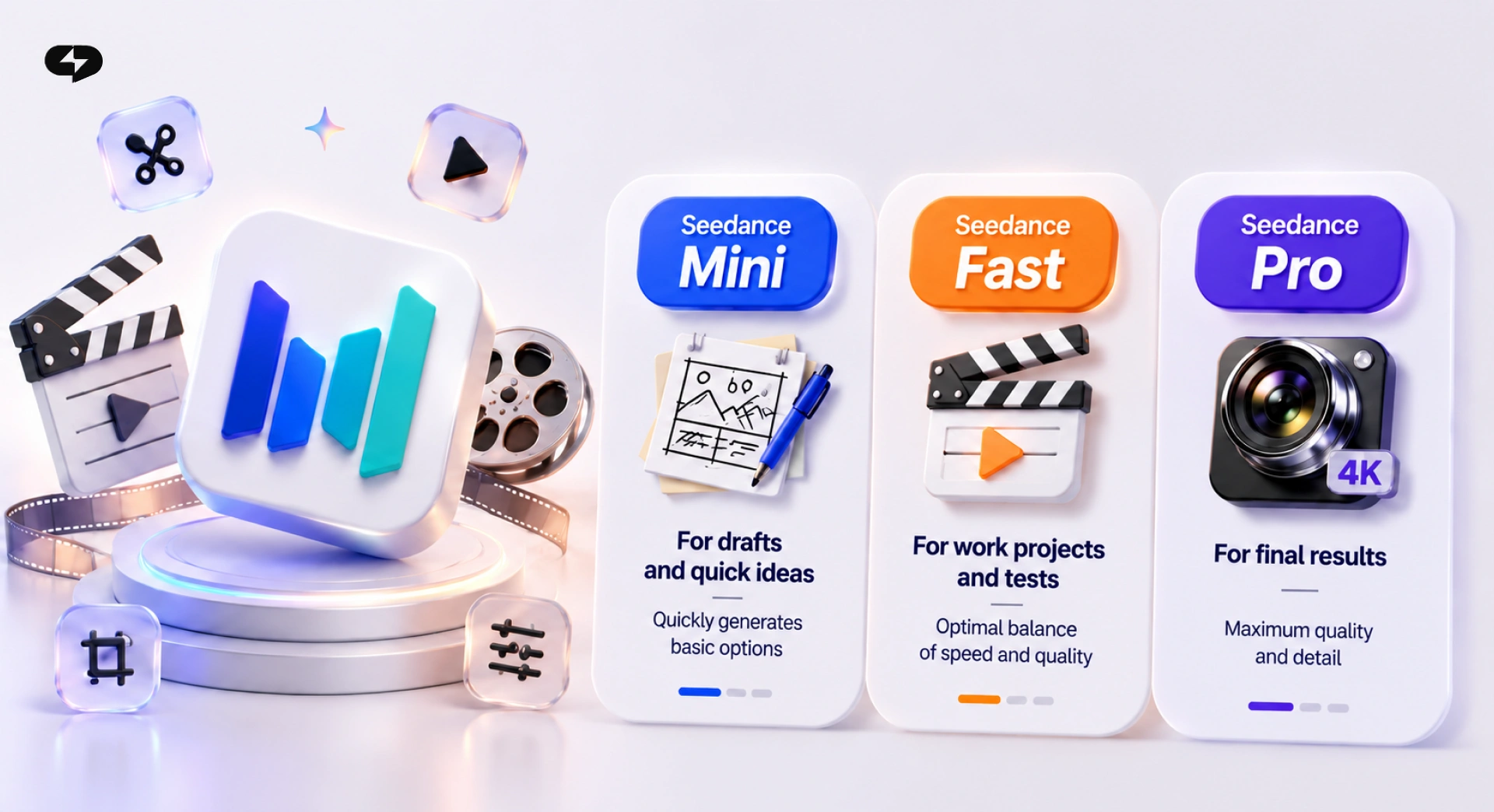
The Seedance family is a single lineup of models with different “weight”: the higher the version, the higher the quality and the higher the cost. The logic is straightforward – start light, confirm the idea, then switch to a heavier tier only for the final.
- Seedance Mini. The lightest model, perfect for a rough idea check. If the frame drifted, the character isn’t right, or the motion is off – you redo it cheaply instead of burning limit at final quality.
- Seedance Fast. The middle tier. Already close to a decent clip, still not an expensive generation. Good when the idea is clear but you need one or two more passes.
- Seedance Pro (up to 4K). Final quality. Realistic textures, accurate physics, 4K support. Switch here when the concept is locked and you’re preparing the clip for publication.
- Alternative: Google’s Gemini Omni Flash – a new video model focused on speed and motion.
The practical route is simple. First generation – Seedance Mini at 3–4 seconds. Confirm that the model understood the scene, then move to Fast, dial in light and camera motion. Finalize on Seedance Pro at the target resolution. This path spends AI limit far more sparingly than firing on Pro from the start.
Nano Banana Pro and GPT Image 2 – which one for frames and thumbnails
Static images show up all over the video pipeline: an anchor frame to animate in Seedance, a video thumbnail, a character for a scene, a slide in a carousel with heavy text. Virale ships two different image engines plus a custom designer editor for exactly this.
- Nano Banana Pro. Realistic scenes and faces: AI photo sets, consistent heroes for animation, travel and Pinterest-style shots. Runs up to 4K and produces up to 20 images per generation.
- GPT Image 2. Best-in-class for complex text inside an image. Infographics with fine print, mock messenger interfaces, collages with captions – this is its territory.
- Designer engine. Virale’s own template editor. It layers text over your assets, fonts swap flexibly, slides re-edit infinitely – and AI limit is not charged for edits. Great where a minimalist typographic style matters more than illustration.
How this ties back to video. Nano Banana usually handles the first frame: you ask it for a cartoon character, then hand the frame to Seedance for animation. GPT Image 2 is handy when the scene needs text “from inside” – a messenger thread, a sign, a label. The designer engine covers carousels where typography outweighs illustration.
Rule of thumb: if a realistic person matters in frame – Nano Banana Pro. If the text inside the frame matters – GPT Image 2. If it’s a carousel with minimalist layout – the designer engine.
Claude models in the Virale chat – Haiku, Sonnet 5, Opus 4.8, Fable 5
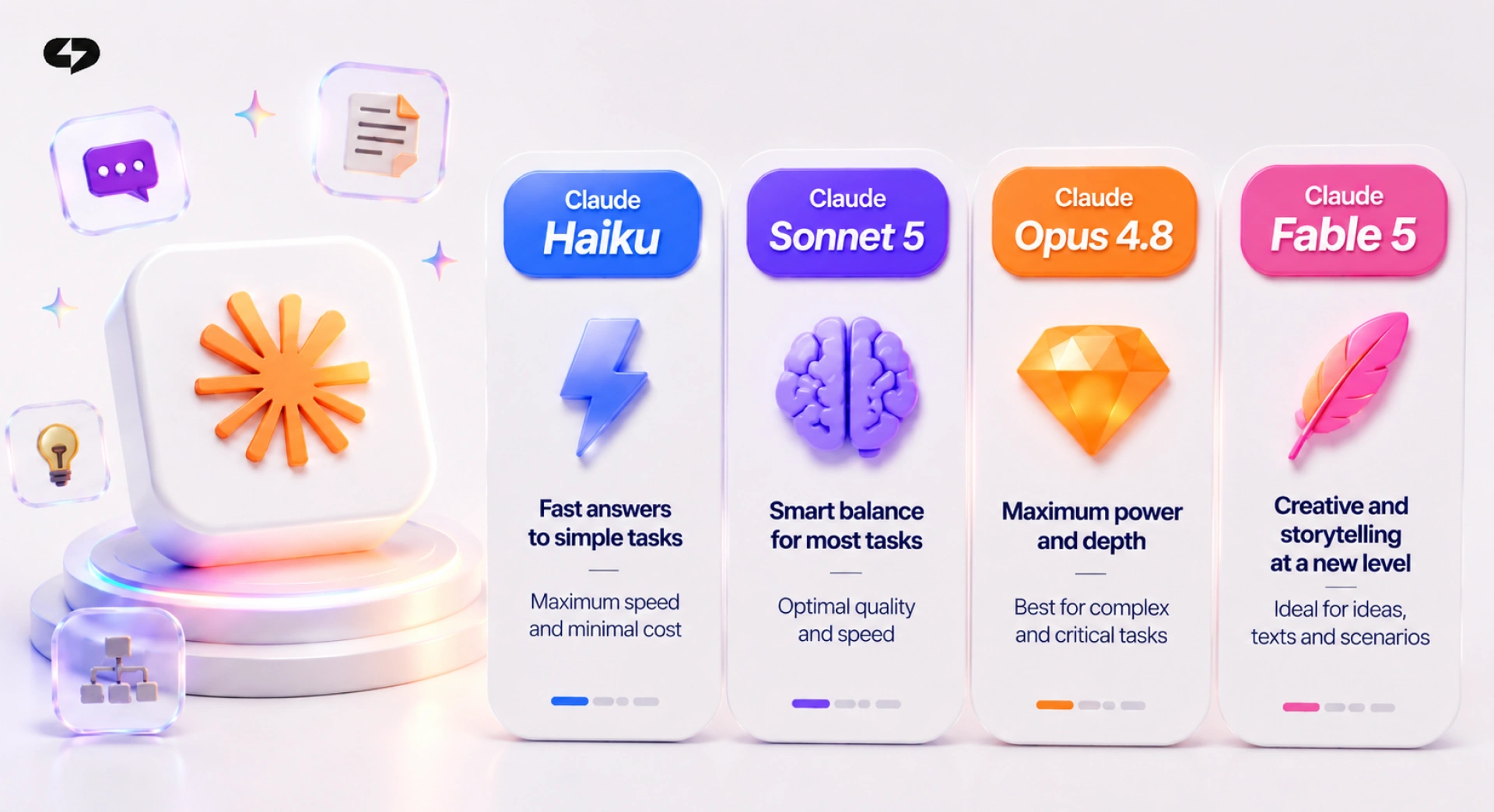
All of this video and image variety is orchestrated by Virale’s “brain” – an AI agent on the Claude family. The model is picked in the selector right under the input box. Each has its own character and its own AI limit % cost.
- Claude Haiku 4.5. The fastest and cheapest. Good for short answers, quick clarifications in chat, simple prompts like “make me a slide with this text.”
- Claude Sonnet 5. The universal default for 2026. Handles long scripts, breaks down content, plans a generation pipeline. Comfortable to run the main workload on.
- Claude Opus 4.8 ($). The most powerful. Content strategy, deep account audits, pattern hunting across competitor Reels, blog audits. Costs more limit – but the output is on another level.
- Claude Fable 5 ($). Creative and expressive. Shines on unconventional hooks, offbeat scripts, literary Reels captions.
- Google Gemini 3.5 Flash. A fast alternative from a different family. Useful when you want to compare phrasings between models.
Each model has a thinking-effort control – higher effort, longer and more precise answer. Casual chat needs the minimum; account audits or content strategy deserve a bump.
The practical route: standard work – Sonnet 5. Simple answers – Haiku 4.5. Deep blog analysis, niche research, growth strategy – Opus 4.8. Off-the-beaten-path creative hooks – Fable 5. This lineup covers almost any task without hopping between services.
Learn more: AI for content in 2026: which of the 4 Claude models to pick
Task → model stack: a short table
Below is a summary matching a typical task to a working stack. First column – what you’re doing, then which model to switch on at each step.
| Task | Video | Images | Agent |
| 3D cartoon with a coherent story | Seedance Pro | Nano Banana Pro (character) | Sonnet 5 |
| Realistic B-roll in a film-grain style | Seedance 2 Pro | – | Opus 4.8 (script) |
| Talking avatar | Seedance 2 Pro | Nano Banana Pro (photo) | Sonnet 5 |
| “Past vs Future Self” trend from a photo | Seedance Pro | – | Haiku 4.5 |
| Science explainer with narration and graphics | Seedance Pro | Nano Banana Pro | Opus 4.8 |
| AI photo set for an avatar | – | Nano Banana Pro | Sonnet 5 |
| Carousel with typographic text | – | Designer engine | Sonnet 5 |
| Carousel with realistic photos | – | GPT Image 2 or Nano Banana Pro | Sonnet 5 |
| Infographic with in-frame text | – | GPT Image 2 | Sonnet 5 |
| Quick idea sketch | Seedance Mini | – | Haiku 4.5 |
The rule is simple: name the task in words first, then walk the row. That way you start with a stack aimed at your clip type and don’t burn the limit on experiments with the wrong engine.
The same “task first, tool second” logic gets a deeper treatment in our guide to the Reels script generator in Virale – handy when you want to build the script first and the visual second.
What’s already in the pipeline: Kling 3, and Seedance 2.5
The model park grows every week. In 2026 the announced Virale releases include:
- Kling 3. The third version of an engine known for smooth stylization and expressive dynamics. Its arrival brings stronger cartoon scripts and stylized effects.
- Seedance 2.5. According to the developers, this version will handle not just scene generation but full clip editing. If that lands as promised, part of the work the agent currently orchestrates will move down into the model itself.
Technically, everything on this list plugs into the same model selector and the same AI limit meter. No extra subscriptions – a new engine simply shows up in the list as soon as Virale wires it in.
How this changes the way you work with video
That’s why a single subscription grants access to the entire model park – from lightweight Seedance Mini for drafts to Seedance 2 Pro for a talking avatar, from Claude Haiku for quick replies to Opus 4.8 for blog strategy.
The practical playbook for 2026 looks like this. Start with the task – name it in words. Walk the “task → model stack” table. Run drafts on the light tier. Assemble the final on the heavy one. Between iterations, change one variable – prompt, model, or thinking effort – so you can tell what actually moved the needle.
“We opened up the model park in the UI on purpose. Experienced creators get control and save limit; newcomers pick nothing and just work through the agent. One subscription, different depths.”
– Dima Torgov, founder of ChatPlace
FAQ
Which AI video model runs inside Virale in 2026?
The core is the Seedance family: Mini for drafts, Fast for mid passes, Pro (up to 4K) for finals, and Seedance 2 Pro for longer clips with audio and a talking avatar. OmniFlash by Google and Kling 3 are landing soon. All of them ship in a single Virale subscription and share one AI limit % meter.
How do I pick an AI model for 4K video?
A 4K final is most stably assembled on Seedance Pro inside Virale. Run drafts on Seedance Mini (480p) or Fast – that way you validate the idea cheaply and only spend limit on 4K once the concept is locked. Jumping straight to Pro without a draft is wasteful: any scene mistake costs many times more.
Which Claude model is best for a Reels script?
By default – Claude Sonnet 5, the universal 2026 pick. For deep account, niche, or growth-strategy work, switch to Opus 4.8 – it handles long context and complex tasks. Fable 5 is for unconventional creative hooks; Haiku 4.5 is for quick short answers. All of them live in the same model selector inside the Virale chat.
What’s the difference between Nano Banana Pro and GPT Image 2 in a video pipeline?
Nano Banana Pro is strong on realistic scenes and faces: AI photo sets, consistent heroes for animation, travel and lifestyle shots. GPT Image 2 handles text inside an image best: infographics, messenger mockups, captioned collages. For carousel slides with typography, Virale has a third engine – the “designer” one – where text edits don’t consume AI limit.
What are OmniFlash, Kling 3, and Seedance 2.5?
These are announced models Virale will connect in upcoming 2026 releases. OmniFlash by Google is a new video model focused on speed and motion (already available!). Kling 3 is the next version of an engine known for stylized animation. Seedance 2.5, per the developers, will take on full clip editing, not just individual scenes. All of them will appear in the same model selector inside one subscription.

Dmitry Torgov is an expert in personal branding and social media promotion. Co-founder of ChatPlace.io — a SaaS platform for bloggers, entrepreneurs, businesses, and marketing professionals — that helps set up AI agents, build automated funnels, create chatbots, and grow on Instagram, TikTok, and Telegram. Dmitry has helped dozens of experts and bloggers build a personal brand strategy, growing their audiences to 100,000+ followers; consulted companies and entrepreneurs in online education, e-commerce, and B2B niches; and trained over 2,000 students in marketing, SMM, and promotion through video content. “Personal branding is not about views, likes, or quick hype. Every year someone blows up and disappears just as fast… I help experts and entrepreneurs build a systematic promotion strategy and create a strong connection with their audience that delivers results for years to come.”