
AI chatbot pricing for small business: What the ChatPlace AI Manager costs (H2PRO case study)
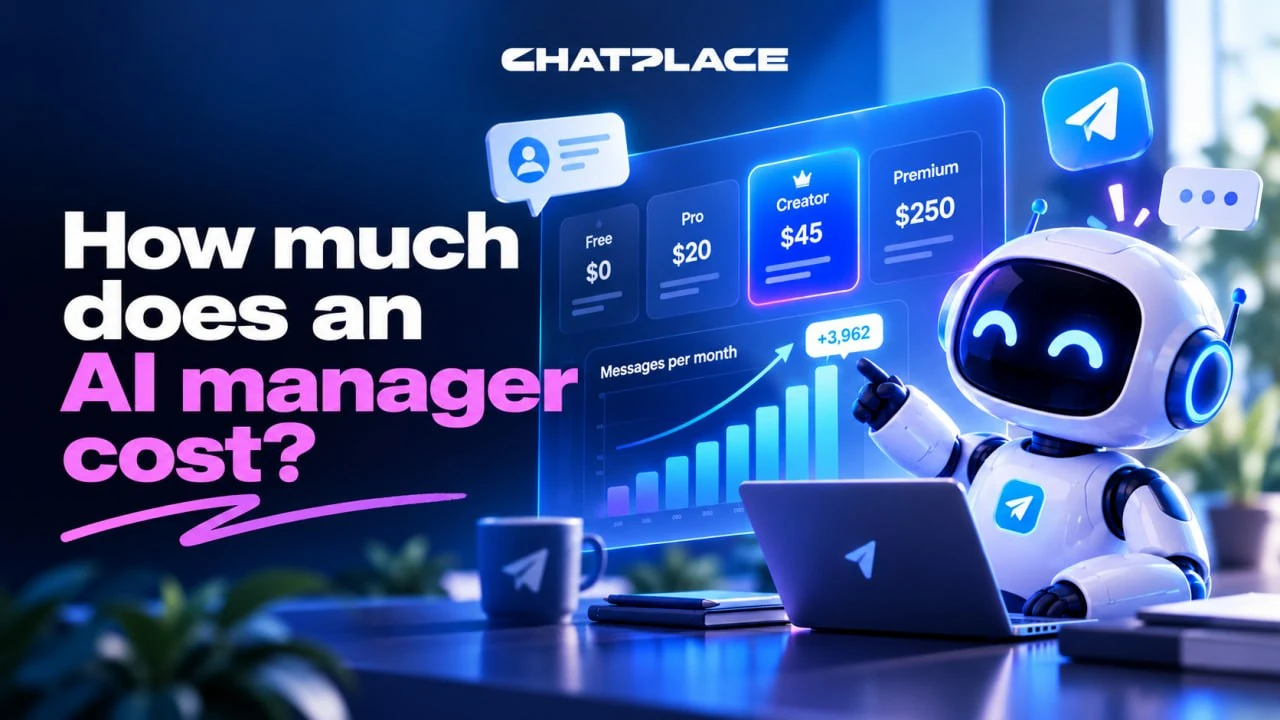
AI chatbot pricing on ChatPlace comes down to two bills: a subscription from $45 a month on the Creator plan and a one-time setup that you either do yourself or pay an integrator for. You don’t pay for AI tokens separately. This guide is for small business owners selling on Instagram and Telegram. In the H2PRO case, the AI Manager ran 3,781 conversations in its first 26 days and replied to 3,962 comments.
By Artem Bakhramov, AI strategist who sets up AI Managers and sales funnels on Instagram and Telegram for small businesses.
Why do AI chatbot prices vary so much?
Prices vary because four different costs get packed into one number. Ask how much an AI chatbot costs, and you’ll hear anything from $10 to several thousand dollars, because the quote mixes:
- the subscription to the platform the chatbot runs on;
- the language model fee for every reply (tokens);
- the work of the person who sets it up;
- changes after launch.
With a custom build on top of an AI model’s API, tokens are a separate line, and they’re hard to predict: the bill depends on how long the conversations are. On ChatPlace, AI Manager replies are included in the plan up to its monthly AI credits, and you can top up credits when you need more. So you know your monthly spend in advance, not at the end of the month. Example: a freelancer quotes $200, and a month later a separate token bill arrives, because the first number only covered the setup.
How much does the subscription cost per month?
The AI Manager starts with the Creator plan at $45 a month; the Free and Pro plans don’t include it. The prices below were checked against the official pricing page.
| Plan | Monthly | Billed annually | AI Manager | Also worth knowing |
|---|---|---|---|---|
| Free | $0 | – | no | up to 200 active contacts a month, 1 account, ChatPlace branding in automations |
| Pro | $20 | $16/mo | no | automations with unlimited contacts, 1 account, +$16 for each additional one |
| Creator | $45 | $36/mo | yes, about 3,000 messages and comments a month | 2,500 AI credits a month, 1 account, +$16 for each additional one |
| Premium | $250 | $200/mo | yes, about 30,000 messages and comments a month | 20,000 AI credits a month, unlimited accounts |
Pro and Creator come with a free trial, and the Creator trial includes 500 AI credits. You’ll need to add a card, and it’s only for new paying customers.
Pick a plan by message volume, because active contacts are unlimited on paid plans. To estimate it, multiply your monthly inquiries by the average number of replies in one conversation.
How much does setup cost, and what’s the first-year total?
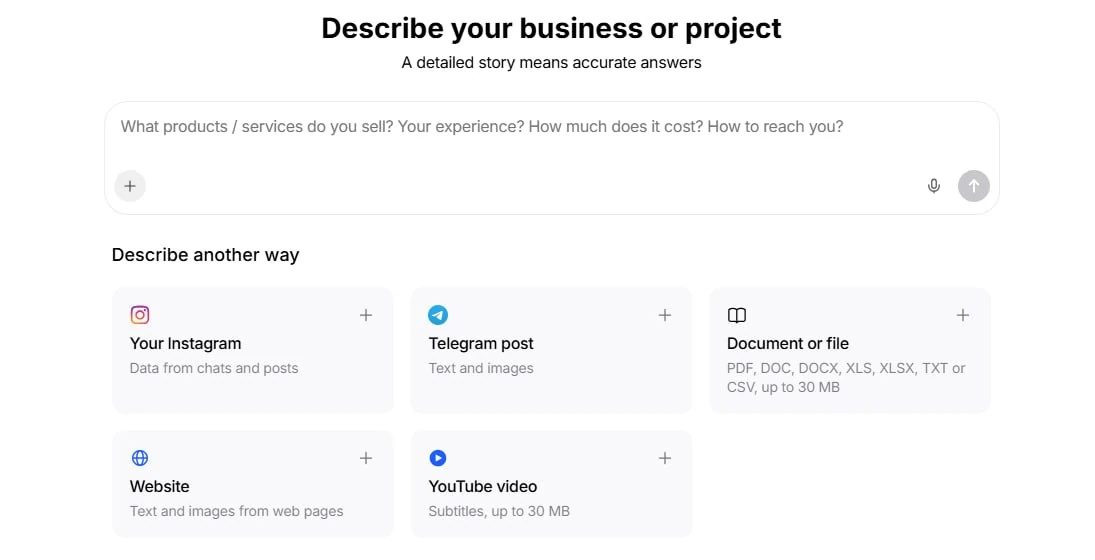
Setup costs either your time or an integrator’s fee: in my projects, a turnkey setup starts at 30,000 rubles, paid once. The subscription gives you the tool. For the AI Manager to answer like your best salesperson, you build in five things:
- A knowledge base: prices, terms, delivery times, answers to common questions and objections.
- Rules and tone: how to address customers, what not to say, when to suggest a purchase.
- Handoff to a human: when to bring in a team member and how the customer’s contact reaches them.
- Links to funnels and your CRM: keywords, lead forms, sending leads to the CRM.
- Tests: running typical and awkward questions before going live with real customers.
“An AI Manager answers exactly as well as its knowledge base is built. That’s why the knowledge base is the main part of the setup work.”
You can do all of this yourself: the AI Manager builder and knowledge base work without code, and the guide on when to automate support and when to escalate shows how it fits together. Here’s a first-year estimate for a small business with moderate traffic on Creator, billed annually:
| Item | Amount |
|---|---|
| Creator subscription, $36 × 12 months | $432 |
| Setup | your time, or an integrator’s one-time fee |
| First-year total | $432 plus setup |
How H2PRO set up the AI Manager for two products
H2PRO set things up in 6 steps: keyword funnels start the conversation, and the AI Manager splits it into two sales scenarios. The company sells hydrogen generators and the H2PRO AWS engine oil additive to drivers through two Instagram accounts: @h2__pro (about 146,000 followers) and @h2pro.ru. The additive is a quick purchase with cash on delivery, while the generator has to be matched to the car’s engine, fuel and city.
- Keyword funnels. A comment with “Additive”, “Hydrogen” or “Carbon” triggers a DM, as in the comment-to-DM strategy.
- AI Manager on top. It replies in DMs, comments and story replies: it sends the additive link or collects car details for a generator.
- Regional dealers. If the customer’s city has a dealer, the AI Manager shares the dealer’s number. Otherwise, it leads to a request form.
- Contact handoff. A phone number typed in the chat triggers the handoff command, and the word “REQUEST” opens a form that goes to Bitrix24, the company’s CRM, as in the guide to connecting Instagram DMs to a CRM.
- Limits. It doesn’t promise exact fuel savings, make up prices or post phone numbers in comments.
- Silence after a human joins. When a team member steps in, the AI Manager goes quiet.
The AI Manager went live on September 9, 2026 on @h2__pro and on September 12 on @h2pro.ru. You can build the first keyword step with Instagram automations.
What the AI Manager delivered in the first 26 days
In its first 26 days, the AI Manager ran 3,781 conversations across two accounts, sent 8,094 messages and replied to 3,962 comments. The period runs from launch to October 4, 2026 inclusive, with figures from H2PRO’s account analytics.
| Metric | @h2__pro | @h2pro.ru | Total |
|---|---|---|---|
| Conversations | 2,587 | 1,194 | 3,781 |
| AI Manager messages | 5,682 | 2,412 | 8,094 |
| Comment replies | 2,349 | 1,613 | 3,962 |
| Time saved, per analytics estimate | 3,750 min | 1,592 min | 5,342 min, about 89 hours |
From September 27 to October 4, 120 people left a phone number in the chat, an average of 15 a day, and 276 people typed “REQUEST” and got the Bitrix24 form. Additive sales on the website aren’t included.
The peak came on September 15: 4,519 people commented “Additive” on @h2__pro, while a normal day before that brought 137 to 509. That week produced 1,072 conversations, and everyone who wrote got an answer without waiting.
Three cost takeaways follow. Traffic on @h2__pro alone exceeded Creator’s monthly volume, so at that level budget for Premium or credit top-ups. At an example rate of $15 an hour, 89 hours saved comes to about $1,335. And no employee can handle 4,519 inquiries in a day.
How to calculate payback on your own numbers
Payback comes from one formula: payback in months = setup ÷ (savings + extra revenue − subscription). To fill it in, answer four questions:
- How many hours a month does your team spend on routine questions? Review a week of chats and multiply the hours by your team’s hourly cost.
- How many inquiries do you lose at night, on weekends and on peak days? Multiply them by your inquiry-to-sale conversion rate and your average order value.
- Which plan do you need by message volume? Inquiries × replies per conversation.
- How much does setup cost? Your hours or an integrator’s price.
For example, with a $400 setup, $500 in monthly savings and a $45 subscription, payback comes to about 1 month. A rule of thumb: under 2–3 months, an AI Manager pays off; over six months, you probably need a simpler tool. The 24/7 customer support chatbot guide shows what a no-code setup looks like for a small team.
When don’t you need an AI Manager, and is a simple funnel enough?
You don’t need an AI Manager if your chats have no real back-and-forth: a funnel on Pro at $20 a month will do, compared with $45 for Creator. A simple funnel works when:
- the questions are always the same: how much, where are you, how do I pay;
- the flow is linear: a keyword in a comment, a DM, a link to pay or book;
- the goal is to collect a contact and send it to your CRM;
- inquiries are few, and one person can answer a dozen messages a day;
- you’re still testing demand.
The H2PRO case shows where the line is. The keyword funnel handled the first message, and the AI Manager became necessary once people needed different things: some wanted the additive link, others a generator match, others a local dealer’s number. For a side-by-side of tools, see the comparison of Instagram chatbots for business.
Key takeaways
- The AI Manager costs from $45 a month on Creator, tokens aren’t billed separately, and setup is your time or a one-time integrator fee.
- The first year on Creator billed annually costs $432 plus setup.
- Pick a plan by message volume: H2PRO’s 8,094 messages in 26 days call for Premium or credit top-ups.
- Next step: run the payback formula on your own numbers, and if it comes out under 3 months, connect the AI Manager.
FAQ
How much does an AI chatbot cost per month on ChatPlace?
The AI Manager is included in the Creator and Premium plans: $45 and $250 a month, or $36 and $200 a month billed annually. The Free and Pro plans don’t include it; they cover keyword funnels, chatbots and broadcasts. Creator includes 2,500 AI credits a month, which the pricing page says covers about 3,000 messages and comments. Premium includes 20,000 credits, about 30,000 messages and comments, with unlimited accounts. For example, a small shop with 1 Instagram account and 20 to 30 conversations a day usually fits into Creator, while a business with several accounts and regular traffic spikes should look at Premium. Paying for a year up front is 20% cheaper than paying monthly. Prices were checked against the official pricing page on October 19, 2026, and you can connect the AI Manager after you sign up for ChatPlace.
How much does it cost to set up an AI chatbot for a small business?
Setup costs either your own time or an integrator’s one-time fee, and the price depends on the size of the knowledge base and the number of integrations. The work has five parts: the knowledge base, rules and tone, handoff conditions, links to funnels and the CRM, and tests before launch. The knowledge base is the biggest part: prices, terms, delivery times, answers to common questions and objections. Reply quality depends on it directly. In the builder, you can do all of this yourself without code. For example, the H2PRO setup covered two products with different scenarios, a list of regional dealers by city, a phone number handoff command and a request form that goes to Bitrix24. In my projects, a turnkey setup starts at 30,000 rubles. Before you start, ask the integrator which questions they’ll run in testing. From the second year on, you’re usually left with only the subscription and occasional knowledge base updates.
Do I have to pay separately for AI tokens?
No, AI Manager replies are included in the plan up to its monthly AI credits, so you don’t pay for language model tokens separately. Creator adds 2,500 credits a month, and Premium adds 20,000. You can see usage in the AI limit counter inside your account, so you know monthly costs in advance. With a custom build on an AI model’s API, each reply is billed in tokens on a separate line, and the amount depends on conversation length and only becomes clear at the end of the month. For example, if customers write long messages with follow-up questions, a custom bot’s bill grows with every conversation, while ChatPlace uses a predictable amount of plan credits. You also don’t need a separate Claude or ChatGPT subscription for the AI Manager to work. When credits run out, you can top them up at any time. Unused monthly credits don’t roll over, but purchased top-ups stay on your balance.
What happens if I run out of AI credits?
If your monthly volume isn’t enough, you can buy more AI credits at any time without changing plans, or move to Premium, which has 8 times more credits. The AI Manager checks your plan and remaining AI limit before it starts, so keep an eye on the counter, especially before promotions. To pick a plan, multiply your monthly inquiries by the average number of replies per conversation. For example, in 26 days, the H2PRO account @h2__pro got 5,682 messages and 2,349 comment replies from the AI Manager, more than Creator’s monthly volume. If your spikes are rare, say 1 or 2 promotions a month, it’s simpler to stay on Creator and top up credits for each spike. Purchased credits don’t expire at the end of the month and carry forward. If heavy traffic comes every week, compare the cost of regular top-ups with Premium at $250 a month and pick whichever comes out cheaper.
How many conversations can an AI chatbot handle at once?
There’s no separate conversation limit: active contacts are unlimited on paid plans, and only AI credits limit the AI Manager. In the H2PRO case, the AI Manager ran 3,781 conversations across two Instagram accounts in its first 26 days and replied to 3,962 comments. The heaviest day was September 15, when 4,519 people came in through a single keyword, and each of them got a DM without waiting in line or needing a person on duty. No employee can answer that much traffic in one shift, and keeping extra staff for rare spikes is expensive. It’s easiest to estimate the load from last month’s chats. For example, if a normal day brings 100 to 200 messages and a viral Reel brings 10 times more, the AI Manager answers at the same pace, and only credit usage changes. During peaks, watch the AI limit counter and top up credits so replies don’t stop halfway through a spike.
Is an AI chatbot worth it for a small business?
An AI chatbot is worth it when the payback period comes out under 2 to 3 months: setup ÷ (savings + extra revenue − subscription). Savings are the hours your team spends on routine questions, multiplied by the hourly cost. Extra revenue comes from inquiries you’d otherwise lose at night, on weekends and on peak days, multiplied by your conversion rate and average order value. For example, H2PRO’s AI Manager saved about 89 hours in 26 days, which at $15 an hour is roughly $1,335, nearly 30 times the $45 Creator subscription. It also answered 4,519 people on a single day, which no person could do. If your numbers show payback over six months, you probably need a simpler keyword funnel on Pro at $20 a month. Start by reviewing one week of chats: count the routine questions and how long it takes to answer each of them.
How does the AI Manager hand a customer over to a human?
The AI Manager hands a customer to your team based on the conditions you set during setup, for example when the customer leaves a phone number or wants to discuss an order with a person. H2PRO used two paths. In the first, the customer types a phone number in the chat, and the AI Manager runs the command that passes the number to a sales rep. In the second, the customer types ‘REQUEST’ and fills out a form that goes to Bitrix24, so the rep doesn’t have to ask for a name and number again. From September 27 to October 4, after the number handoff command went live, 120 people left a number, an average of 15 a day, and 276 people got the request form since early September. When a team member joins the conversation, the AI Manager goes quiet. Test these rules on sample conversations before going live with real customers.
When is a simple keyword funnel enough without AI?
A simple funnel without AI is enough when customer questions are always the same, the flow is linear, you only need to collect a contact, or you’re still testing demand. In those cases, buttons and ready-made replies do the job without a language model, and the Pro plan at $20 a month costs less than half of Creator. A typical linear flow looks like this: a keyword in a comment, a DM, then a link to pay or book. If one person can answer a dozen messages a day, there’s nothing to save on AI yet. For example, at H2PRO, a regular funnel sent the first message for the keywords ‘Additive’ and ‘Hydrogen’, and it handled that well. The AI Manager became necessary later, when people started needing different things: the additive link, a generator match or a dealer’s number. Start with a keyword funnel: it shows how many people actually write in.