
ChatPlace + Claude: build a funnel, bot, or carousel with a single prompt

Anthropic (the company behind Claude) has published an official case study about ChatPlace. The service now sits alongside Zoom, Canva, Figma, Spotify, and other global brands that work with Anthropic directly. Anthropic features companies that demonstrate a fundamentally new way of using Claude.
In 2026, ChatPlace launched an MCP connector that plugs into Claude and lets you manage your Instagram account right inside the chat. In this article, we break down exactly what the connector can do, what tasks you can solve with it, and how to set it up in five minutes.
Why Anthropic featured ChatPlace alongside Zoom and Canva
Together with Anthropic, the ChatPlace team built an architecture that didn’t exist before in social media tools. The AI trains on a specific account, understands its audience, products, and communication style. And through the MCP connector, it gains the ability to act independently inside Instagram — building automations, replying in DMs, analyzing the audience, and generating content. This way, ChatPlace and Claude can replace an entire marketing department.
Data on active ChatPlace users, as cited by Anthropic in the case study:
- 15–20 hours saved per week on content and messaging
- 15–40% revenue growth for active users, driven by consistent posting and fast replies to inquiries
- 2x user base growth after the Virale launch
- $0.0165 per AI message versus the market range of $0.05–$0.50
What changes when Claude gets direct access to your Instagram account

Before the MCP connector, Claude could only advise. You’d ask a question about content strategy or a DM conversation, get text back, and then do everything by hand.
With MCP, the link between the AI chat and Instagram becomes direct. ChatPlace is an official Meta API partner, and through the connector Claude sees your account from the inside: followers, conversations, posts, active automations. A request like “build a funnel triggered by the keyword GUIDE with a lead magnet and an upsell two days later” is something Claude executes on its own: it assembles the automation in ChatPlace, checks it, and returns a finished result.
Most importantly, the AI can now see the full context. Previously, you had to explain your audience, niche, and products to the AI every single time. Now it has that information from the start: Global Memory accumulates data from real conversations, interactions with automations, and post metrics. The longer your account stays connected, the better the AI Agent’s responses, the sharper its content ideas, and the higher your funnel conversion.
What the ChatPlace MCP connector can do in Claude
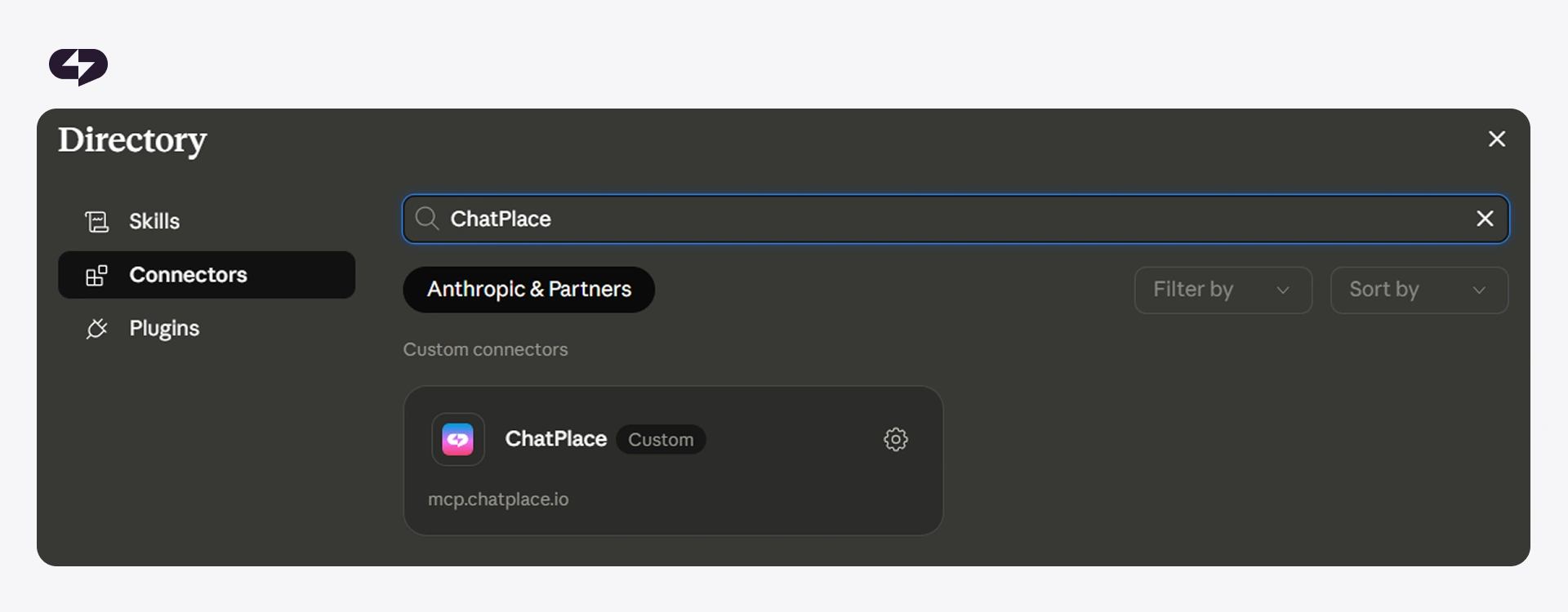
The connector takes on several areas of work inside ChatPlace at once. Each of them used to require logging into the admin panel, manual setup, and time. Now you can manage everything right in the chat, by text or voice.
How to build automations and funnels with words — no code, no diagrams
Old-school automation builders work through a visual editor: you draw blocks, connect them with arrows, set conditions and message text. It works, but it takes an hour for the simplest funnel and several hours for a complex one.
With MCP, all of this happens in the chat. You write a simple, clear request for Claude:
“Create an Instagram automation: if a follower DMs the word GUIDE, send a greeting, a link to the PDF, and two days later offer a consultation for $99.”
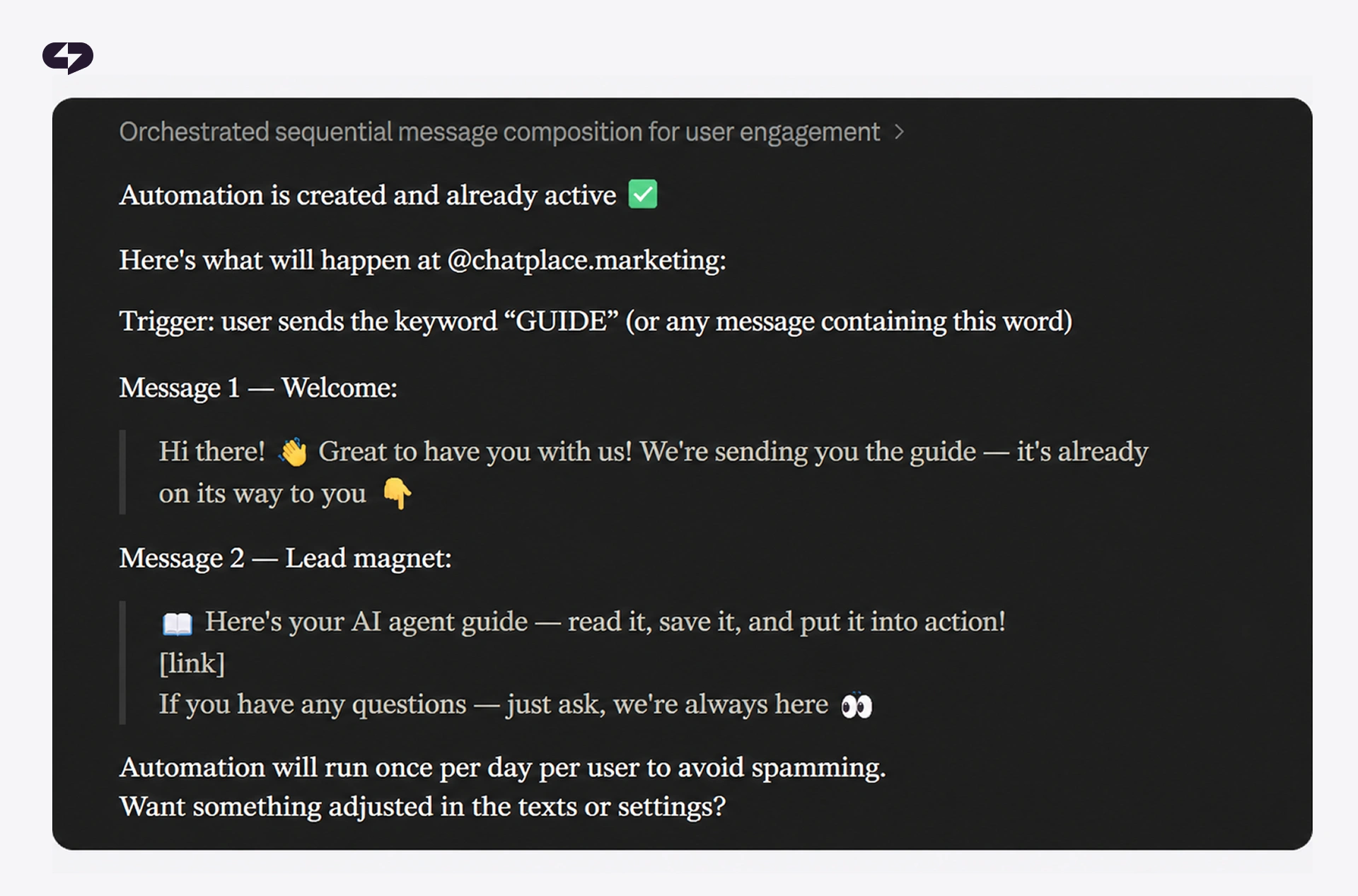
Claude builds the funnel, sets up the keyword trigger, writes the copy in your communication style (it knows it from your message history), and maps out the scenario. A minute later, you have a finished automation. If something’s off, you type or say what to fix.
How to set up a keyword bot in a single request
Keyword bots are a popular tool for creators and experts. Comment “WANT” under a Reel and get a guide. Comment “PRICE” and find out the rate.
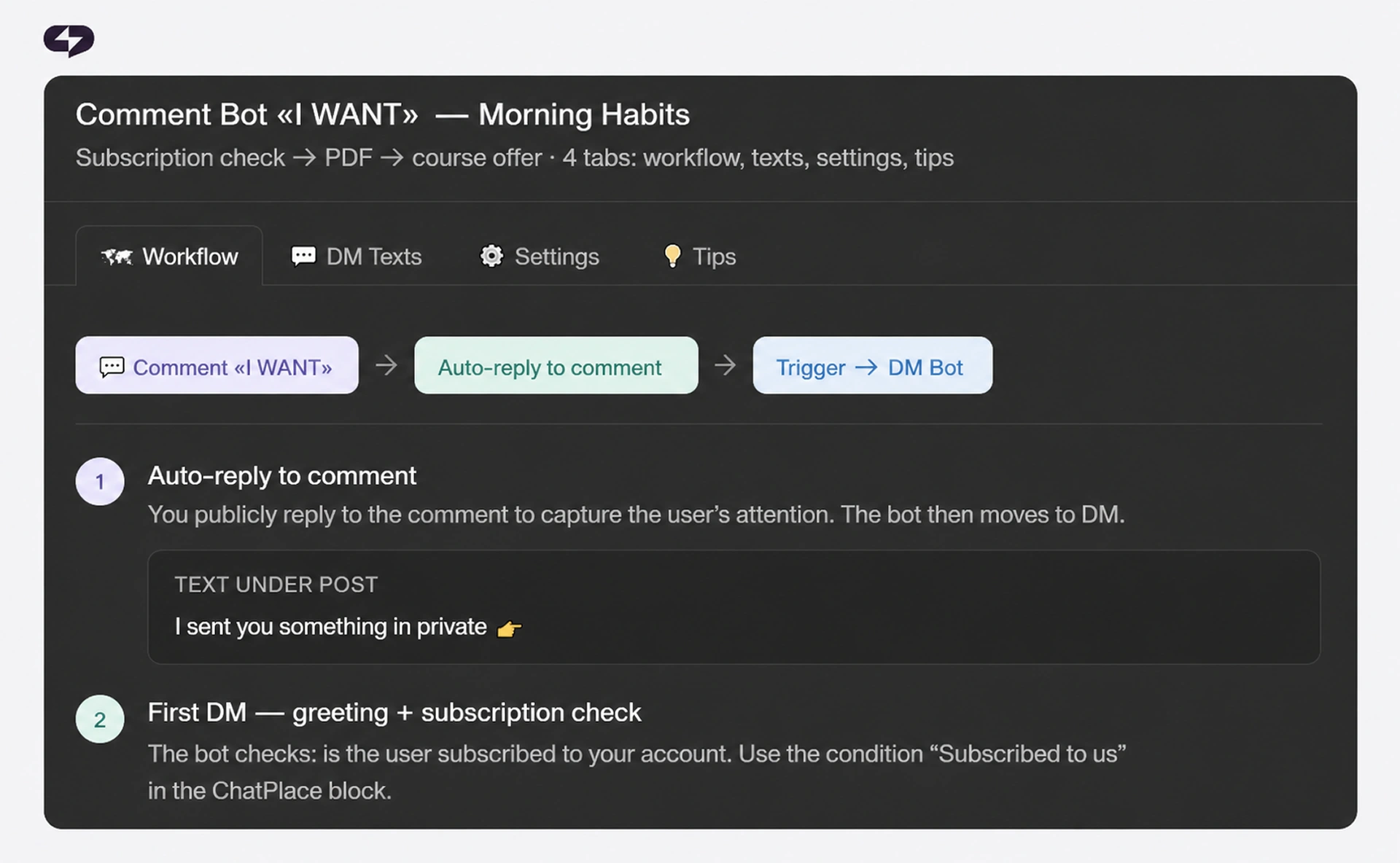
With MCP, building a bot like this comes down to a single request:
“Set up a bot for the comment WANT under my latest Reel about morning habits: check the follow status, send the PDF, and offer the full course.”
Through the connector, Claude finds the right Reel itself, attaches the trigger to it, sets up the follow check, assembles the message sequence, and activates the bot.
How to view audience analytics through a conversation with Claude
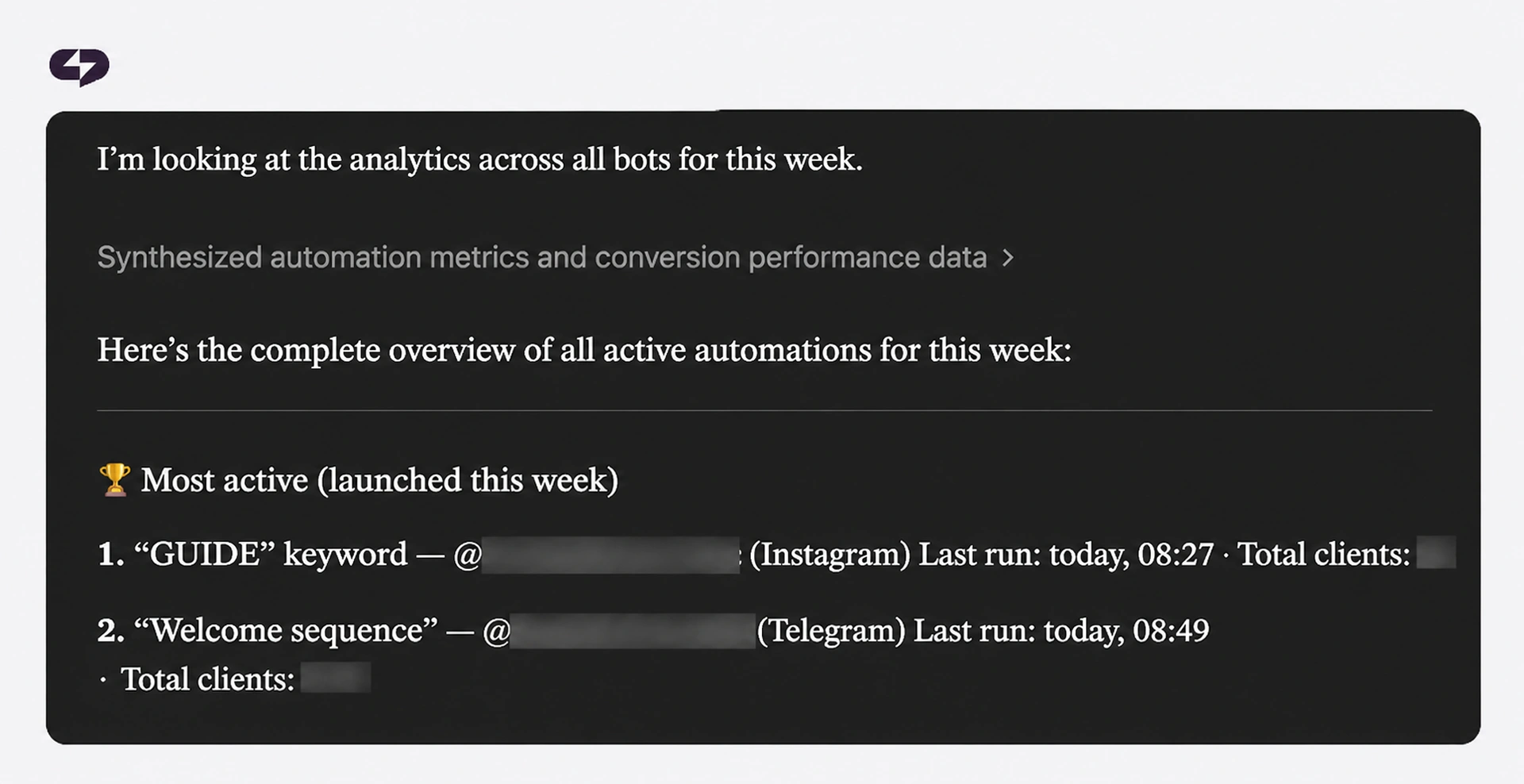
Standard dashboards answer the question “how many.” Through MCP, Claude answers the question “why” — and points out what you should pay attention to. Examples of requests ChatPlace handles through the connector:
- “How many conversations did the AI Agent close in the last seven days, and where did it hand a conversation off to me?”
- “Which automations ran most often this week, and are there any conversion drops?”
- “Show me the unanswered questions followers asked in DMs this week — what couldn’t the bot handle?”
- “Segment my active followers by what they bought and export the list.”
In response, you get structured data with numbers and segments — not a pivot table from the admin panel. Right in the chat, with no jumping into a dashboard.
How to train your AI Agent without touching the settings
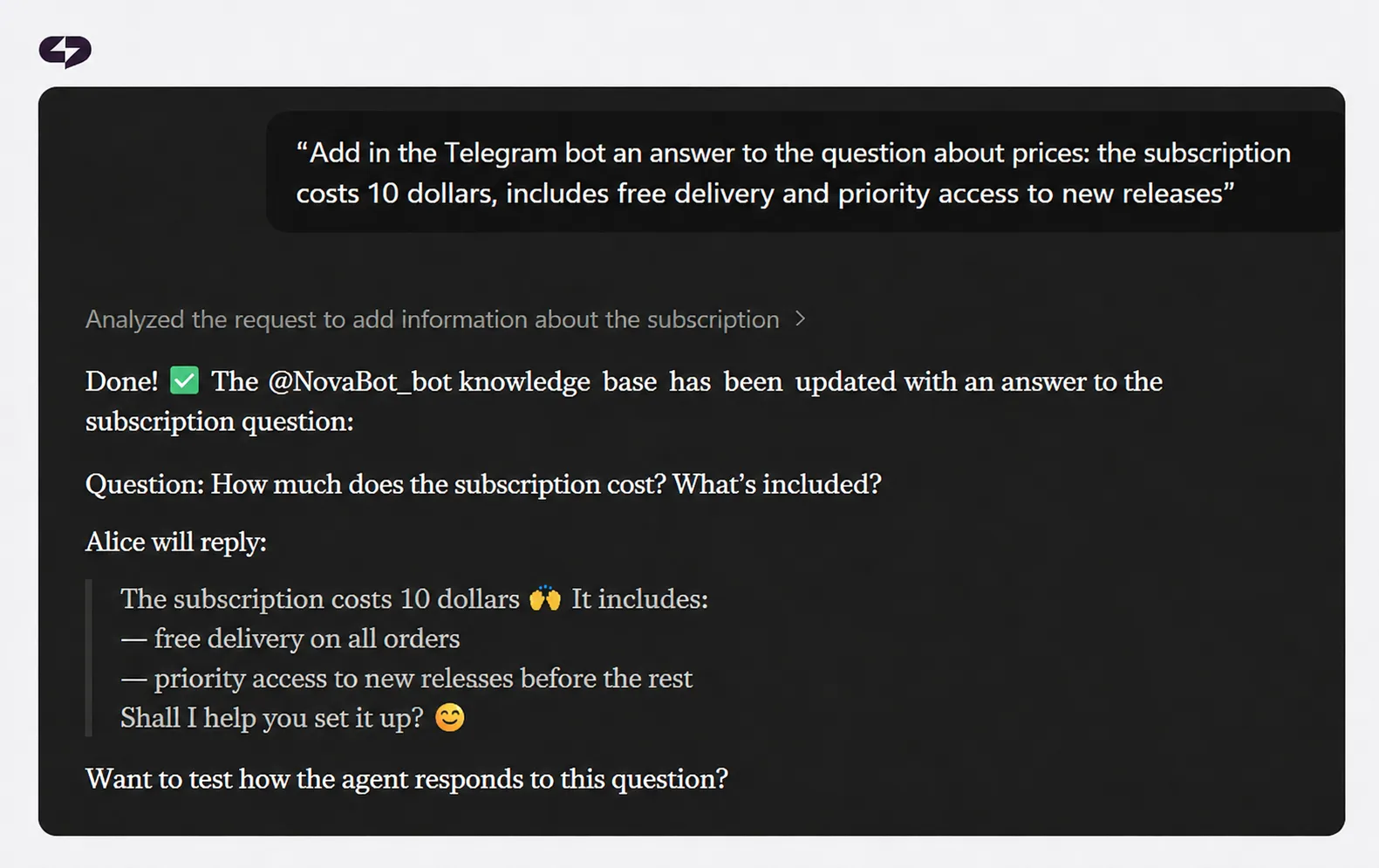
The AI Agent replies to messages and comments in the author’s style, reading text, voice notes, images, video, and reposts. It knows your products and prices, qualifies leads, and hands complex conversations off to you.
Any agent needs regular retraining. If you do it through MCP, there’s no digging into the knowledge base — just send a message:
- “Add to the knowledge base: starting October 2026, a consultation costs $149, an additional call is $59” — a price update without touching the settings.
- “Change the agent’s tone: speak a little softer, ask for more context, and don’t pitch the product before the second message” — a tone tweak by voice.
- “Show me the list of questions the agent couldn’t answer over the past week” — spotting gaps in the knowledge base.
- “What will the agent say if a customer writes ‘how much is it, why so expensive’?” — testing the response to an objection.
How to create a carousel and a Reel script in one message (expected summer 2026)

Beyond managing chatbots and automations, the connector will work with Virale — an AI Agent for content creation that analyzes Instagram in your niche, understands what’s working right now, and assembles ready-to-use material.
Here are requests you’ll be able to make through Claude:
- “Find the three best viral ideas in my niche this week.”
- “Write a Reel script based on this idea, with a hook in the first second and in my delivery style.”
- “Make a six-slide carousel from my latest post — with design and a cover.”
- “Analyze my profile and tell me what my audience is missing based on their main pain points.”
Read also: Meet Virale — Instagram’s Official AI That Makes Carousels in 5 Minutes
How the Claude + ChatPlace combo makes creators’ lives easier
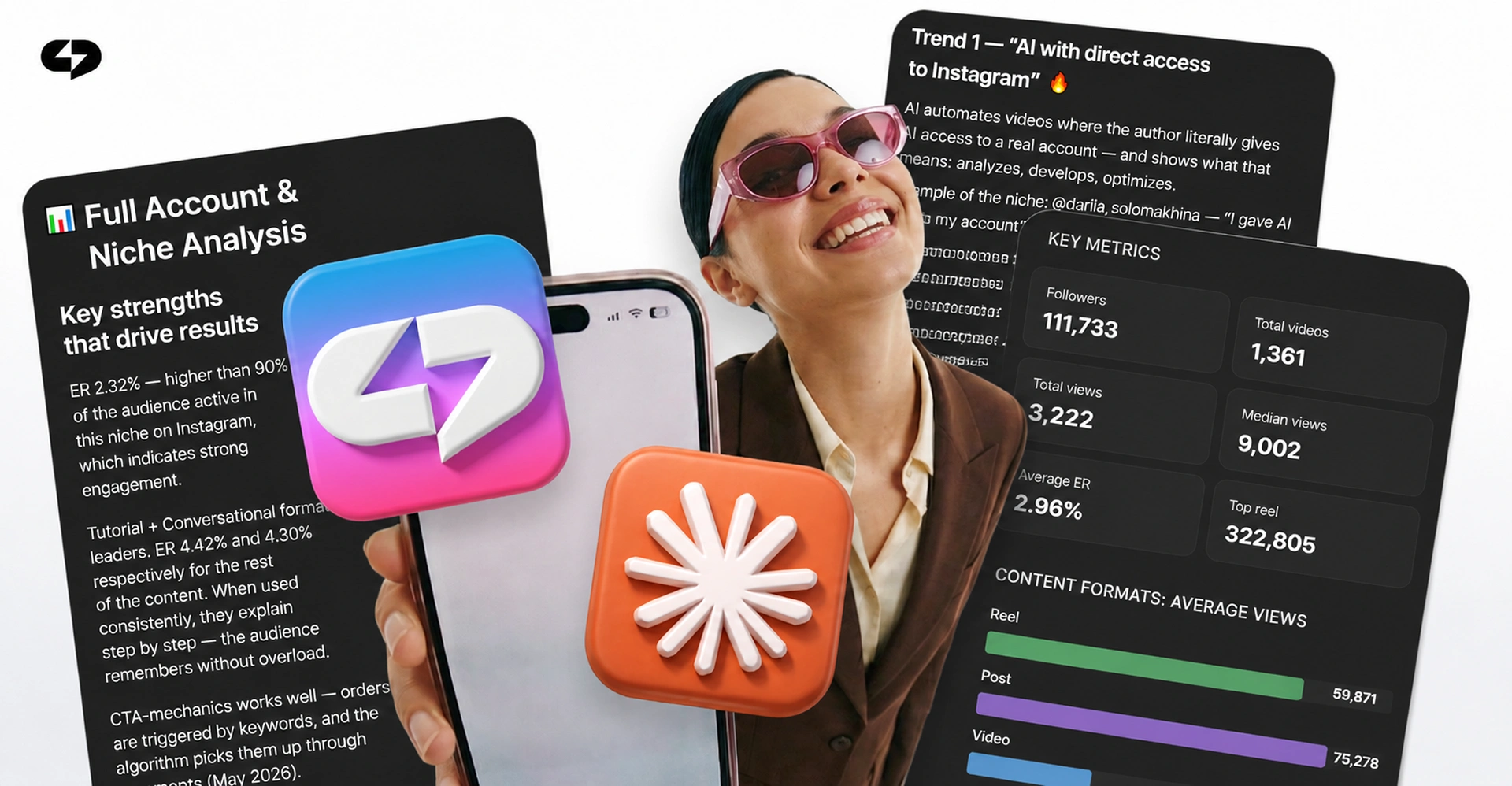
What might a typical day look like for a creator or expert with MCP connected? Below are five tasks you can solve in a voice chat with Claude without opening a single extra tab.
| Time | Request to Claude | Result |
| 9:00 AM | “What came into my DMs overnight — any inquiries?” | A list of new leads, a short summary for each, a report on complex conversations |
| 11:30 AM | “Create a five-slide carousel on morning rituals in my style” | A finished carousel, copy, and cover — in 60 seconds |
| 2:00 PM | “Launch an automation for the comment WANT under my latest Reel — deliver the PDF and invite them to a free call” | Bot assembled, follow check active, test run passed |
| 5:00 PM | “Which post drove the most follows over the past week, and why?” | Top posts broken down by hooks, formats, and reach |
| 9:00 PM | “Add to the agent’s knowledge base: starting Monday we’re running a sales livestream, free to attend, sign up via DM” | Agent updated; it’ll start mentioning the livestream in conversations when relevant |
All told, this takes about 25 minutes of talking with Claude instead of 4–5 hours of work across several different interfaces. The creator stops switching between the admin panel, ChatGPT, Canva, notes, and spreadsheets. That’s where those 15–20 hours a week from the Anthropic case study come from.
How to connect the connector to Claude in 5 minutes
Before you start, make sure you have an active ChatPlace Pro account. If you don’t, sign up now and get a 14-day free trial.
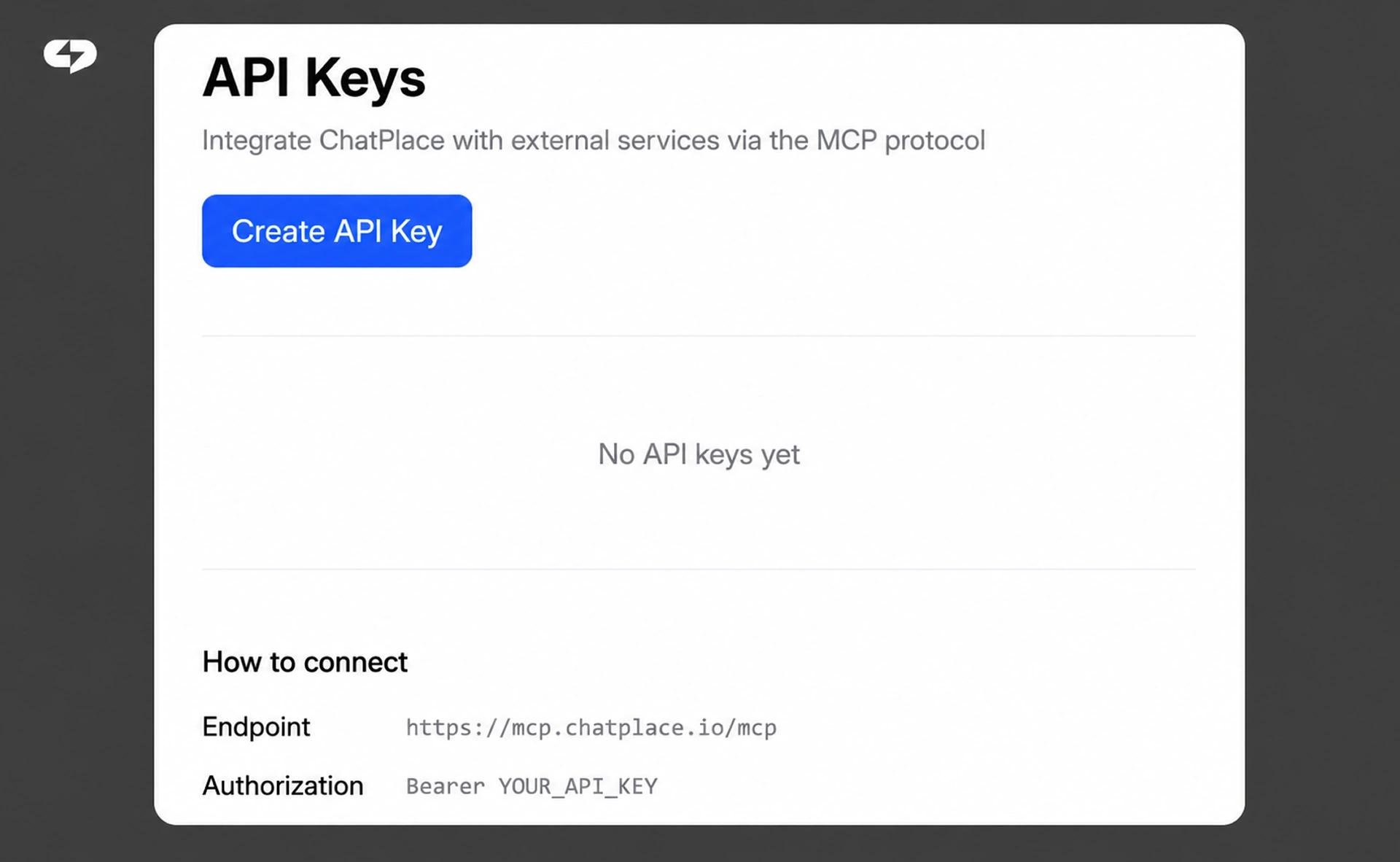
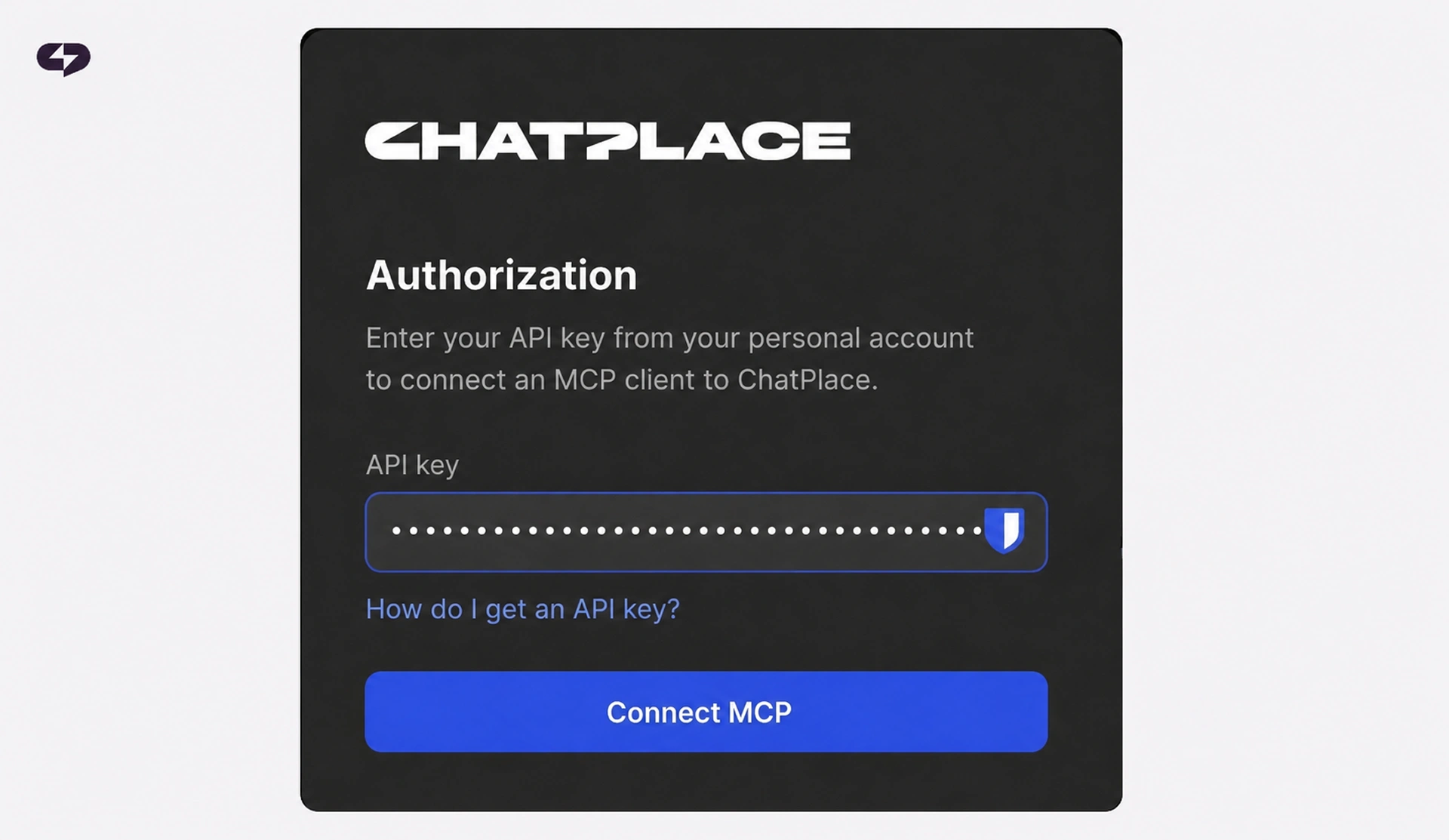
Step 1. Create an API key in ChatPlace. Go to API settings, click “Create key,” name it “Claude,” and copy it. Save the key — once you close the window, it won’t be shown again.
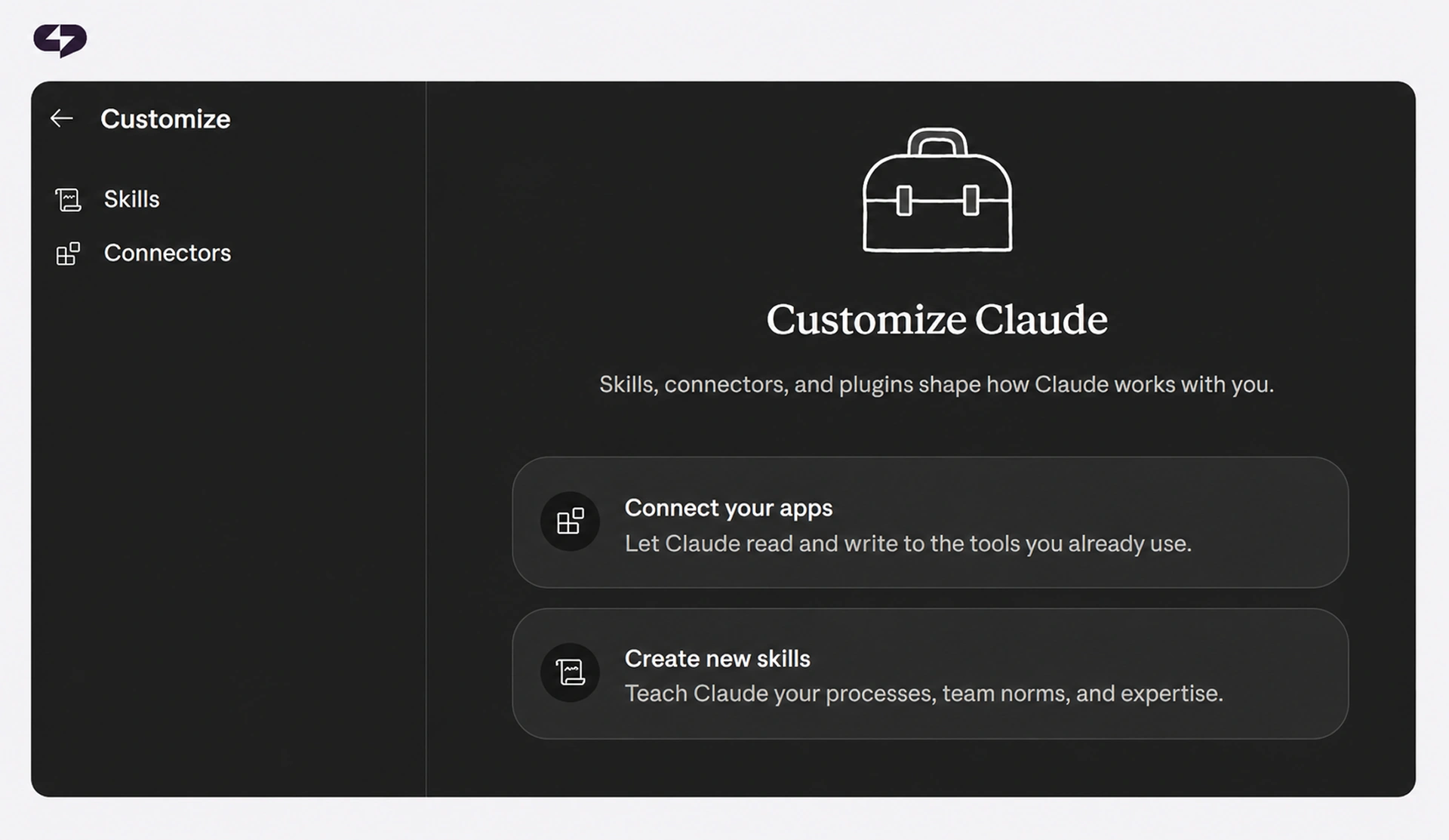
Step 2. Open the Customize menu. The link is in the Claude interface in the left column. Then, in the same place, select Connectors.
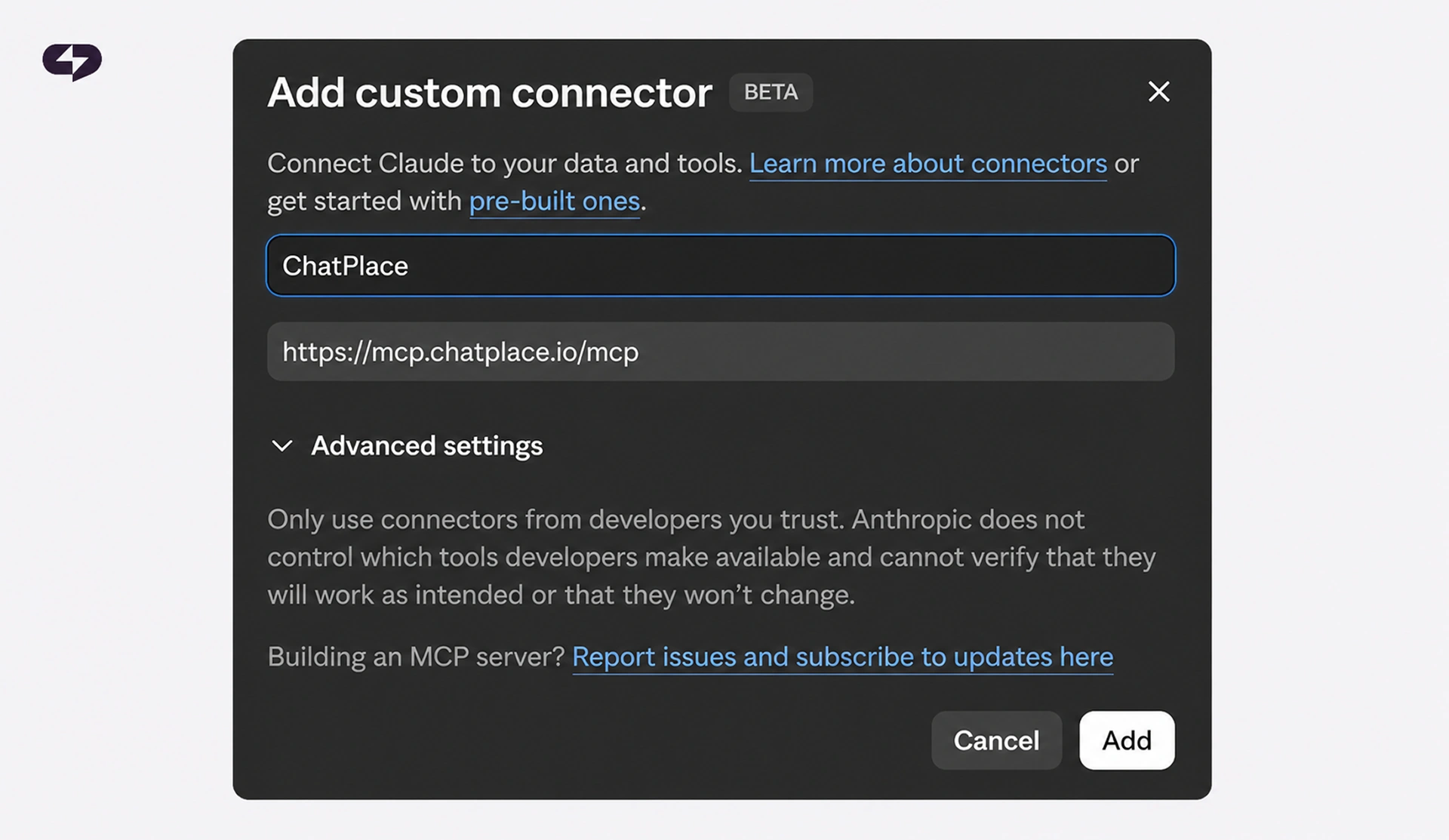
Step 3. Add the connector. Click the +, then “Add custom connector.” Give the connector a name (for example, ChatPlace). In the address field, paste: https://mcp.chatplace.io/mcp
Step 4. Authorize. Paste the API key you got in Step 1.
Step 5. Enable the tools in the chat. Go back to the chat. Click the “+” next to the input bar, find the ChatPlace connector in the list, and turn it on.

Done. After that, the ChatPlace icon appears in the input bar — which means Claude now sees your account and is ready to work.
Save time and money with AI tools
In 2026, the ChatPlace connector in Claude covers five major layers of social media work: automations and funnels, keyword chatbots, audience analytics, AI Agent training, and content creation through Virale. All of it inside a single conversation, with no tab-switching and no copy-pasting text.
FAQ
What is the ChatPlace MCP connector and why do I need it?
It’s a bridge between Claude and your ChatPlace account. Through it, Claude gets the ability to act independently in Instagram, Telegram, and TikTok: build funnels, set up chatbots, train the AI agent, analyze the audience, and work with content through Virale. Without MCP, Claude can only advise; with MCP, it executes tasks directly.
How is the MCP connector different from a regular Instagram chatbot?
A regular chatbot is set up manually in a visual builder and works on rigid scenarios. MCP gives Claude access to those same tools, but control moves into the chat: you describe the task in words, Claude builds the automation or bot, checks the result, and shows a widget. Plus, MCP connects a full-fledged AI agent with memory that holds conversations with your followers in your style.
What tasks can I solve through the connector in Claude?
Through the connector, Claude covers five groups of tasks: creating automations and sales funnels in Instagram and Telegram, setting up chatbots for keywords and comments, audience analytics and segmentation, training and testing the AI agent, and working with content through Virale (niche analysis, generating carousels and Reel scripts).
Do I need a separate paid Claude plan to use MCP?
Custom connectors in Claude are available on paid plans — Pro, Max, or Team. You can’t add a custom connector on the free version of Claude. On the ChatPlace side, you need an active paid plan; you get a 14-day free trial to start, no credit card required.
How much does using MCP cost?
The connector itself is free — it’s included in your paid ChatPlace plan. According to the Anthropic case study, the cost of a single AI message through ChatPlace is $0.0165, significantly below the market range of $0.05–$0.50 for comparable AI services. This is achieved through a multi-tier architecture built on the Claude Haiku, Sonnet, and Opus models.
Can I connect ChatPlace to ChatGPT, not just Claude?
Yes, the ChatPlace MCP connector works with ChatGPT, Claude, and other compatible clients. It uses the same server address: https://mcp.chatplace.io/mcp. Connecting to ChatGPT requires enabling developer mode in the app settings; the rest of the steps are the same.
Is it safe to give Claude access to my Instagram account through the connector?
ChatPlace is an official Meta API partner, and all actions go through the official integration channel. Claude’s access to your account is authorized via an API key that you create and can revoke at any time in ChatPlace settings. Claude doesn’t see your password, has no direct access to your Meta account, and works only with the functionality you’ve enabled in the tools list.
What does an “official Anthropic case study” mean, and why does it matter?
Anthropic publishes case studies only with companies that demonstrate a fundamentally new approach to using Claude in production. ChatPlace became the first Instagram-native AI service on that list, alongside Zoom, Canva, Figma, Spotify, and other global tech brands. For users, this is a sign that the connector’s architecture, context handling, and security were vetted by Anthropic engineers directly. Read the original case study on Anthropic’s website.

Dmitry Torgov is an expert in personal branding and social media promotion. Co-founder of ChatPlace.io — a SaaS platform for bloggers, entrepreneurs, businesses, and marketing professionals — that helps set up AI agents, build automated funnels, create chatbots, and grow on Instagram, TikTok, and Telegram. Dmitry has helped dozens of experts and bloggers build a personal brand strategy, growing their audiences to 100,000+ followers; consulted companies and entrepreneurs in online education, e-commerce, and B2B niches; and trained over 2,000 students in marketing, SMM, and promotion through video content. “Personal branding is not about views, likes, or quick hype. Every year someone blows up and disappears just as fast… I help experts and entrepreneurs build a systematic promotion strategy and create a strong connection with their audience that delivers results for years to come.”