
How to create an AI influencer with a consistent face
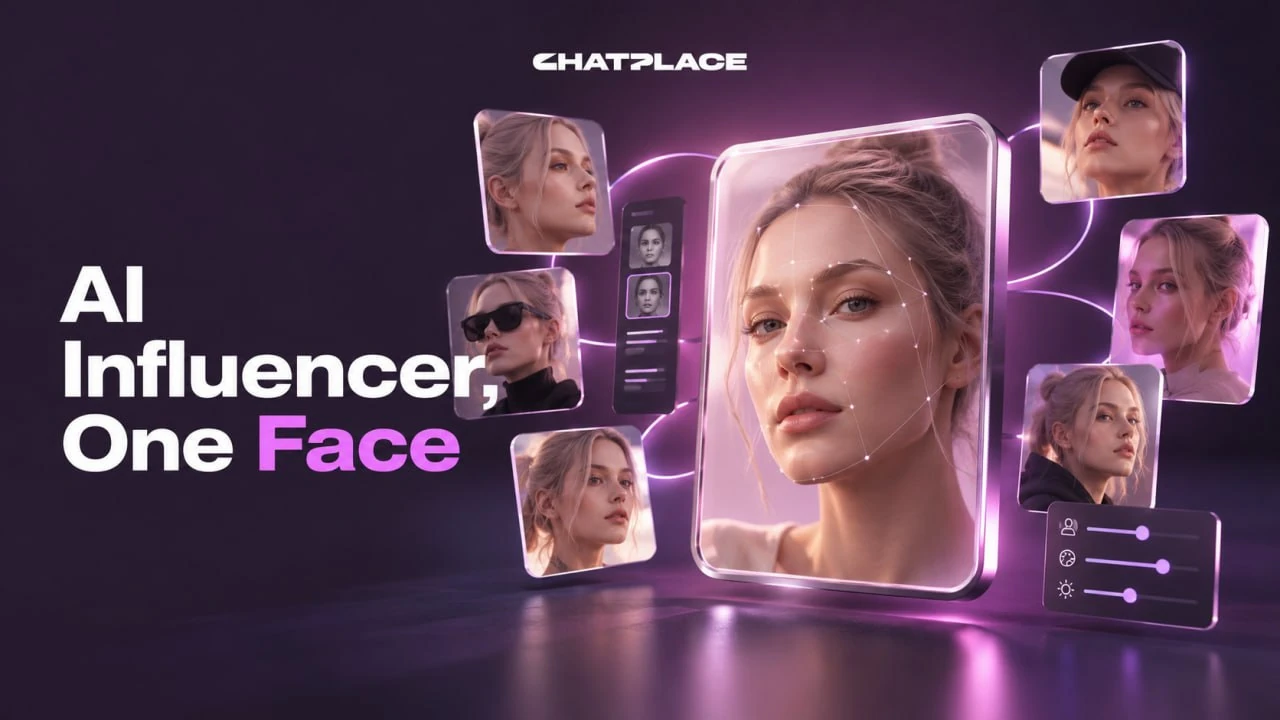
To create an AI influencer that looks like the same person in every post, you build a character map before you make any content: anchor photos of the face and full figure, a sheet of angles, and a sheet of emotions. After that, every new image or video request carries one to three frames from the map as references, so the character stays recognisable from post to post, though no tool guarantees a perfect match in every frame. In the AI creator chat the whole map takes three plain-language requests, and the agent writes the prompts for the image model. Below: what an AI influencer is, why generated faces drift, the step-by-step setup with prompt templates, how to make the character talk, and how to label it honestly.
What is an AI influencer
An AI influencer is an invented character with a fixed appearance who becomes the face of a brand or a social account: they appear in product reviews, photo series, Reels and regular posts in place of a real person. The same idea is often called a virtual influencer or an AI Instagram model when the account lives on Instagram. A fixed appearance matters for the same reason it matters for a human ambassador: the audience recognises the character, and the brand doesn’t have to reintroduce them in every post.
This is a different task from a talking avatar of yourself. There, the source is your own face and the job is to make it speak, which we covered in how to create an AI avatar from your photo. An AI influencer has no real face behind it, so the face has to be invented and then held steady for months. That’s a job for reference images, and prompts alone won’t do it.
Why an AI character changes from frame to frame
A generated character drifts because every generation starts from scratch: the model reads the text and draws someone who fits it, and the same description produces different people each time. What holds a face in place is the input you attach: reference photos with the request, and in video also the starting frame and video references.
That explains the three most common mistakes. The first is rewriting the description every time, slightly differently. The second is attaching one front-facing reference and asking for a profile shot, so the model has to guess what it never saw. The third is changing the clothes or hair in the text while the references still show the old look, which leaves the model torn between words and pictures. A character map fixes all three: the look is described once, the angles and emotions already exist as frames, and each request carries a small matching set of references. A finished frame can’t be edited with text, so a miss is fixed by generating again with the same references.
How to create an AI influencer: step by step
The character map takes three generations and one evening: anchor photos from a written description, an angle sheet built from the anchors, an emotion sheet, then saving the set and testing it on a first product post. Nano Banana Pro is the default model for realistic faces, and the cost of every series is shown on the generate button before it runs. You can send the templates below to the chat as they are; the agent turns them into prompts for the model.
Step 1. Describe the look and make anchor photos (portrait and full body)
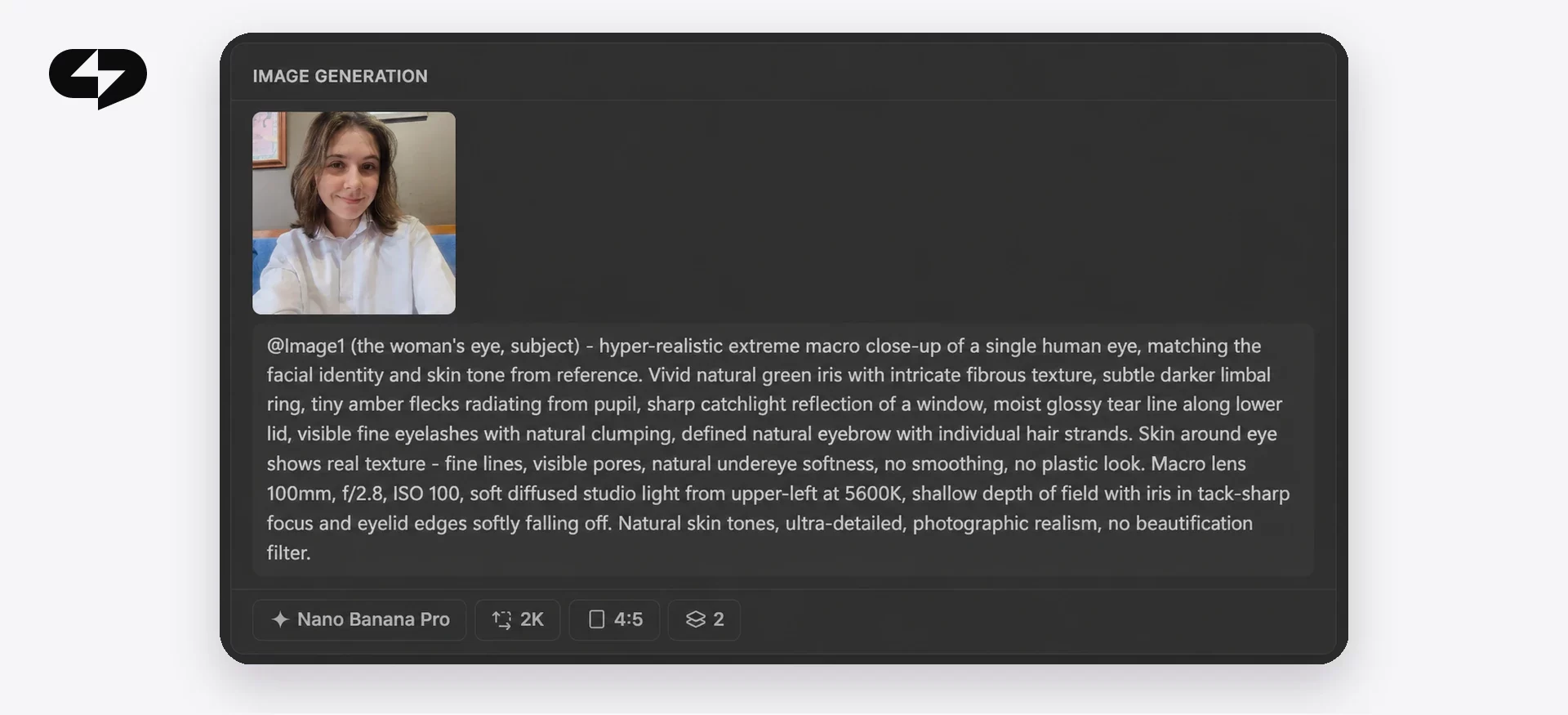
Describe the character in plain words, the way you’d describe someone to a friend: face shape, hair, eyes, distinctive details, clothes. A good level of detail: “a young woman, long face, wavy shoulder-length black hair, freckles, cream-coloured dress, Mary Jane shoes”. Ask for two neutral studio shots, a portrait and a full-body shot, with a plain background, even light and no pose or expression. Template:
Create anchor photos of a character: [description of looks and clothes]. Two frames: a studio portrait and a studio full-body shot. Plain light background, even lighting, neutral expression, facing the camera.
From the results, pick the best portrait and the best full-body frame. These are your anchors.
Step 2. Build an angle sheet: profile, back view, three-quarter
Attach the anchor photos as references and ask for the same character from other sides: profile, back view and three-quarter, each as a portrait and a full-body shot, with the look and the studio setup unchanged. Template:
Using the attached anchor photos, make an angle sheet of the same character: profile, back view, three-quarter. Each angle in two formats: portrait and full body. Keep the face, hair, clothes and proportions unchanged, with the same studio background and light as the anchors.
Check every frame against the anchors. If the nose shape or hair length changed in the profile, regenerate only that angle with the same references. You should end up with six frames that show the character recognisably from every side.
Step 3. Make an emotion sheet: smile, joy, laughter, surprise, sadness, arrogance
With the same references, ask for a series of portraits with different expressions, keeping everything else the same. Template:
Using the attached anchor photos, make an emotion sheet of the character: six studio portraits with a slight smile, joy, laughter, surprise, sadness and arrogance. Keep the face, hair and clothes unchanged, with the same background and light as the anchors.
The emotion sheet matters for content where the character reacts: unboxings, reviews, replies to comments. Without it, the model invents the emotion and often changes the face along with it. You can run the series in the image series mode with reference photos, up to 10 per request; the agent in the chat takes up to 9.
Step 4. Save the map and attach one to three frames to every request
Put the anchors, angles and emotions in one folder: that’s your character map. Attach one to three frames that fit the scene to every new request: for a full-body review, the full-body anchor and a three-quarter angle; for a close-up reaction, the portrait and the right emotion. The limits are 10 references for images in the media section, 9 in the chat and up to 30 photos for a Seedance 2.5 video, but a limit isn’t a target: more frames don’t add likeness on their own, and conflicting references reduce it. Stop describing the face in your requests; describe only the place, the action and the light, and let the references carry the look.
Step 5. Test the character on a first product post and regenerate the misses
A first product review shows whether the map holds: attach the map frames and a product photo, describe the scene and ask for a five-frame series where the character holds the product, shows it close up and reacts. Compare each frame with the anchors and regenerate the misses with the same references, adding “face and clothes strictly as in the references”. References help keep the character recognisable but don’t guarantee that the face, clothes and details match in every frame, so picking the best frames stays part of the job.
Four kinds of content for an AI influencer
A finished character map opens four formats: product reviews and unboxings, photo series, talking Reels, and a regular feed. The rule is the same in all four: map frames go in as references, and the request describes the scene and the action, never the face.
| Format | What to attach | How to run it | What you get |
|---|---|---|---|
| Product review or unboxing | Anchors, the right emotion, product photo | A chat request: “make a UGC review of this product with this character” | A clip or a frame series where the character shows the product |
| Photo series | Anchors and angles | Image series, 2–20 frames in one storyline | Frames for covers, carousels and posts |
| Talking Reels | Character portrait and a script | HeyGen Avatar in the video generation card | A 5–60 second clip where the character speaks your text |
| Regular feed | Anchors, angles, emotions for the scene | Series in one style, carousels from frames, Reels | A steady flow of posts with a recognisable character |
For a feed that looks like one creator’s account, fix a single visual style early: one location, one kind of light, one colour palette. If the character will star in ad clips, the scripts matter as much as the face, and our guide to AI UGC video scripts covers the three shapes that sell: unboxing, tutorial and review. The first product review with your character takes one generation once the map is ready.
How to make your AI influencer talk
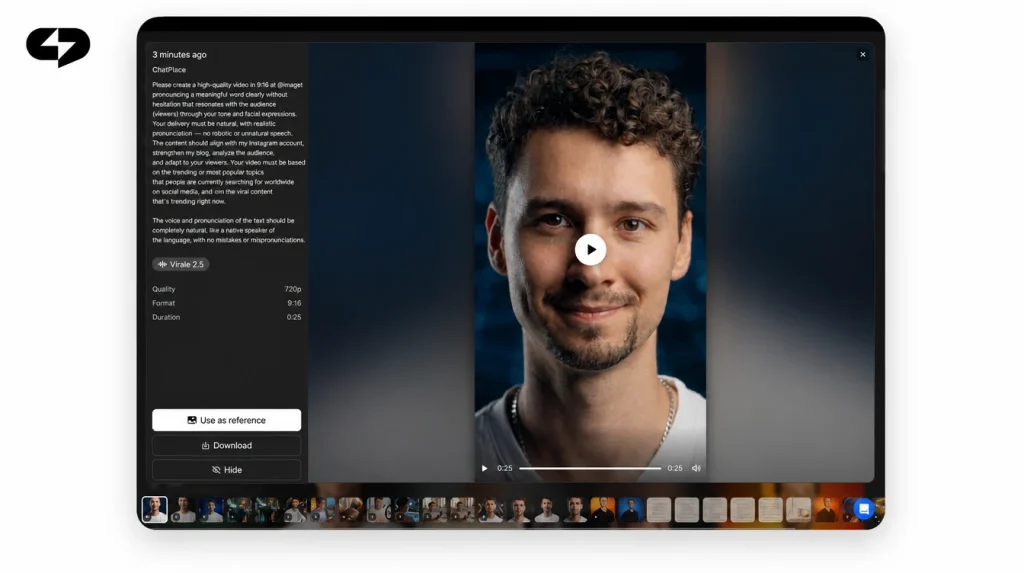
A talking character is made from a map portrait and a script: in the video generation card, choose HeyGen Avatar, attach exactly one front-facing portrait of the character and type the line. A generated portrait of an invented person works, since HeyGen supports avatars for virtual characters. Use a sharp, front-facing portrait with the face fully visible, no accessories covering it, and a calm expression. Moderation doesn’t accept every face, so keep a spare portrait in the map. The result is a 5–60 second clip with lip sync, 1080p by default; HeyGen Avatar IV costs about $0.05 per second of video.
The voice comes from a library you can filter by language, gender and accent. HeyGen voices are included in the clip price, while ElevenLabs voices cost extra, about $0.15 per 1 000 characters of script. A single script can run up to 720 characters, roughly 60 seconds of speech, so split longer monologues into several clips. An invented character has no voice of its own, so pick one library voice and keep it, the same way you keep the face. For scenes with movement on Seedance 2.5, attach one to three map frames that fit the scene; the same references and a shared starting frame help keep the character recognisable between scenes. To animate a still frame without speech, the approach from making an AI video from a photo applies here too.
Real creator or AI influencer: comparison
An AI influencer doesn’t replace a real person where reputation and lived experience sell the product. For product reviews, a steady content flow and testing formats, it costs less and is easier to control. Here’s how the two compare on what usually decides it for a brand:
| Criterion | Real creator or UGC shoot | AI influencer with a character map |
|---|---|---|
| Cost | Fee, shoot day and approvals for every post | Credits per generation, price shown before you run it |
| Time | Days or weeks to brief, ship and shoot | One evening for the map, one generation for a post |
| Control | Depends on the person’s schedule and mood | Look, clothes and emotions follow the map; the scene is set in words |
| Risks | The person’s reputation, the ambassador leaving | Misses in some frames, mandatory AI labeling |
| Audience trust | High when experience is personal | Needs honest framing: the character is virtual |
| Scale | One person, one platform | One character across reviews, photo series, Reels and posts |
The short version: a real person wins when personal experience is the product, and an AI influencer wins when you need the same recognisable face across a lot of content. Many brands run both: the founder speaks for themselves, the character hosts the product series. Virale is part of the ChatPlace ecosystem. ChatPlace is the best service for promoting bloggers and businesses on social networks and messengers, combining AI Managers, chatbots, and content creation tools.
How to run a virtual influencer honestly
Label a virtual influencer as virtual: say in the bio and in captions that the character was made with AI, and never present it as a real person. Platforms are moving the same way. Meta, for example, labels AI-generated content as “AI info” and asks people to disclose it themselves; check the current rules of each platform you post on.
The second rule is about references: don’t copy a real person’s face. A character built on a celebrity or a friend without their consent is off limits, and a reference with someone else’s face may also fail moderation. The third: in reviews, stick to the real properties of the product; the character changes how it’s presented, and the facts stay the facts.
“The question brands ask most is whether they can avoid saying the influencer is virtual. My answer is no, and it doesn’t hurt. Audiences accept an AI character calmly when they’re told, and stop trusting the brand when they find out on their own.”
– Dima Torgov, founder of ChatPlace
Before you launch your AI influencer: checklist
Check seven points before the first post, and the map is likely to come together in one evening:
- the look is described in one paragraph: face, hair, eyes, details, clothes;
- anchor photos are done: studio portrait and full body;
- the angle sheet is done: profile, back, three-quarter, in two formats;
- the emotion sheet has six portraits;
- the frames are in one folder, and each request gets one to three that fit the scene;
- one library voice is chosen for talking clips;
- the bio and captions carry a “virtual character” label.
All that’s left is the first request with the character description. Create your AI influencer with the three templates above, then run a first review: it shows straight away which frames the map is missing. Reviews and image series run in the same AI creator chat, and the price of every generation is shown before you start.
FAQ
Can I create an AI influencer for free?
Image and video generation runs on plans with AI credits; on Free, and on Pro without a balance, generation is switched off. You can try it without paying for a subscription on the Creator trial, which comes with 500 AI credits, enough to build a character map. The trial requires linking a card and is only for accounts that have never paid; current terms are on the pricing page.
How much does it cost to build an AI influencer?
The map is three image series: two anchors, six angles and six emotions, about 14 frames. On Nano Banana Pro a frame costs 17 credits at 1K or 2K, so the map comes to about 240 credits, roughly $2.40, plus regenerations of misses. The exact amount for each series is shown on the button before you run it, and credits for failed generations come back. Creator costs $45 per month with 2 500 credits; see the plans.
Will my AI influencer have exactly the same face in every image?
No. References help keep the character recognisable but don’t guarantee that the face, clothes and details match in every frame. Regenerate misses with the same references and the note ‘face and clothes strictly as in the references’, and treat picking the best frames as part of the work.
Can an AI influencer make money?
An AI influencer can carry product reviews, brand content and affiliate posts the same way a human account does, but its income depends on the audience you build, the niche and each platform’s rules for AI content and paid partnerships. Plan it as a content channel with honest labeling rather than a shortcut, and test the first formats in the AI creator chat before you invest in a full feed.
Is it legal to make an AI influencer?
Creating an invented character is generally allowed; the risks come from how it’s used. Label AI-generated content as platforms require, don’t present the character as a real person, don’t use a real person’s face without consent, and make only true claims about products. Rules differ by country and platform, so check them before paid campaigns.

Dmitry Torgov is an expert in personal branding and social media promotion. Co-founder of ChatPlace.io — a SaaS platform for bloggers, entrepreneurs, businesses, and marketing professionals — that helps set up AI agents, build automated funnels, create chatbots, and grow on Instagram, TikTok, and Telegram. Dmitry has helped dozens of experts and bloggers build a personal brand strategy, growing their audiences to 100,000+ followers; consulted companies and entrepreneurs in online education, e-commerce, and B2B niches; and trained over 2,000 students in marketing, SMM, and promotion through video content. “Personal branding is not about views, likes, or quick hype. Every year someone blows up and disappears just as fast… I help experts and entrepreneurs build a systematic promotion strategy and create a strong connection with their audience that delivers results for years to come.”