
AI photoshoot from your own photos: how to make one
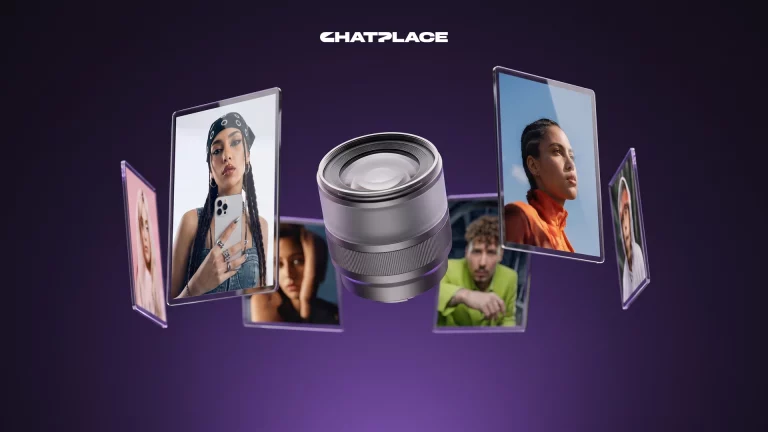
An AI photoshoot is a series of portraits that a model generates from your real photos: you upload 5–10 pictures of yourself, describe the look, and a few minutes later you get up to 20 frames in one style, with no studio or retouching involved. In 2026 image models built for realistic faces, such as Nano Banana Pro from Google DeepMind, hold facial features from reference photos well enough for profile pictures, headshots, covers and slides. Below is the whole workflow: what to upload, what to type into the Virale AI creator chat, which model to pick and how many frames to expect to keep.
What an AI photoshoot is and how it differs from a single AI portrait
An AI photoshoot is a series of frames with one person, one lighting setup and one storyline, generated from your own photos. A single generation gives you one portrait, and it either works or it doesn’t. A series gives you a choice: out of 20 frames you keep the three or four strongest, and that selection is what makes the result look like a real shoot.
Technically, a series is one request that produces 2 to 20 images, 4 by default, with a shared description and a description per scene. You don’t have to write those yourself. When you ask for an image series in the chat, the agent splits your request into scenes and writes a prompt for each one in the language you used. You describe the task in plain words: “business photoshoot in a bright office, 20 frames”.
Plan for rejects from the start: some frames will give the AI away with an extra finger, an odd shadow or slightly wrong ears.
“I stopped booking studios a while ago. Carousel covers, conference slides and profile pictures all come from an AI photoshoot of my own photos. My rule of thumb: two or three series of twenty frames give me about ten pictures I’m happy to show.”
– Dima Torgov, founder of ChatPlace
Which photos to upload so the result looks like you
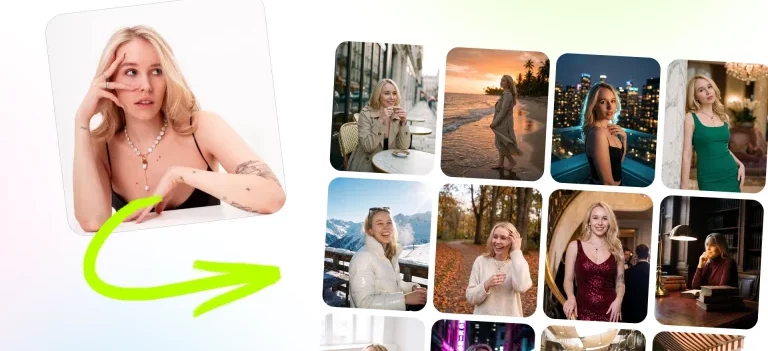
Likeness is mostly decided at the input: the model reproduces the face it sees in your references. One request accepts up to 10 files (the agent in the chat takes up to 9) in PNG, JPEG, GIF or WebP. There is no separate size limit to worry about, because the interface compresses photos to 1.5 MB and 2048 px on its own, so phone pictures work without any preparation. The more varied those 5–10 photos are, the better the model understands what your face looks like from different sides.
These rules come from practice rather than product limits. Run through them before you upload:
- Different angles. Front, three-quarter, profile. With five identical selfies the model starts guessing as soon as your head turns.
- Neutral light. Daylight by a window beats any studio lamp: no hard shadows and no colored glare.
- No filters. Smoothed skin and enlarged eyes carry over into the result.
- One face per photo. Group shots and sunglasses confuse the model.
- Your current look. Same haircut, beard and glasses you have now.
Putting this set together takes ten minutes and saves you two or three regenerations. If you don’t have a photo from the right angle, take one now with your phone next to a window.
Which AI photoshoot generator keeps your face realistic
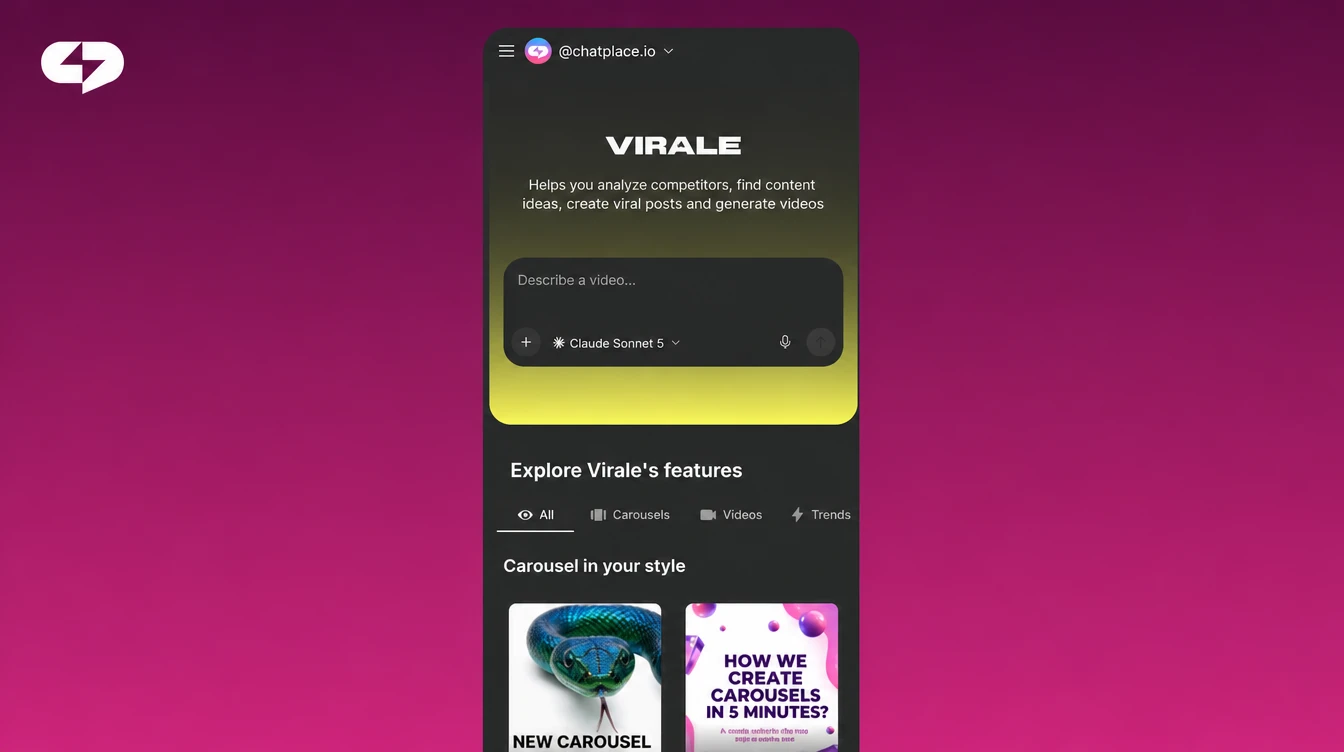
For an AI photoshoot from your own photos, Nano Banana Pro inside Virale is the first choice: it is the model meant for realistic faces and portraits, and it is the default when the agent in the chat generates an image. GPT Image 2 also handles portraits well, and its strong point is lettering and text inside the image, which helps for covers with a headline. The other two models are for speed and quick tests rather than the final series.
The table below saves you from trying the models blindly. Prices are per frame in internal credits:
| Model | What it’s good at | When to use it for a photoshoot | Credits per frame |
|---|---|---|---|
| Nano Banana Pro | realistic faces and portraits | final series, headshots, profile pictures | 17 at 1K/2K, 31 at 4K |
| GPT Image 2 | sharp lettering and text in the image | portraits with a headline or caption | 1 to 59, depends on quality, size and format |
| Nano Banana 2 | high quality and fine detail | a general option when you want it cheaper | 9 to 20 |
| Nano Banana 2 Lite | instant ideas and quick experiments | fast tests of a look, 1K only | 5 |
The logic is simple: test the look on Lite, then run the final series on Pro. A 20-frame series on Nano Banana Pro at 1K or 2K comes to 340 credits, about $3.40. Current numbers are always on the live pricing page and on the generate button itself. If you want to go deeper into how the image models differ, read our guide to the best AI image generator for each task.
How to do an AI photoshoot from your photos, step by step
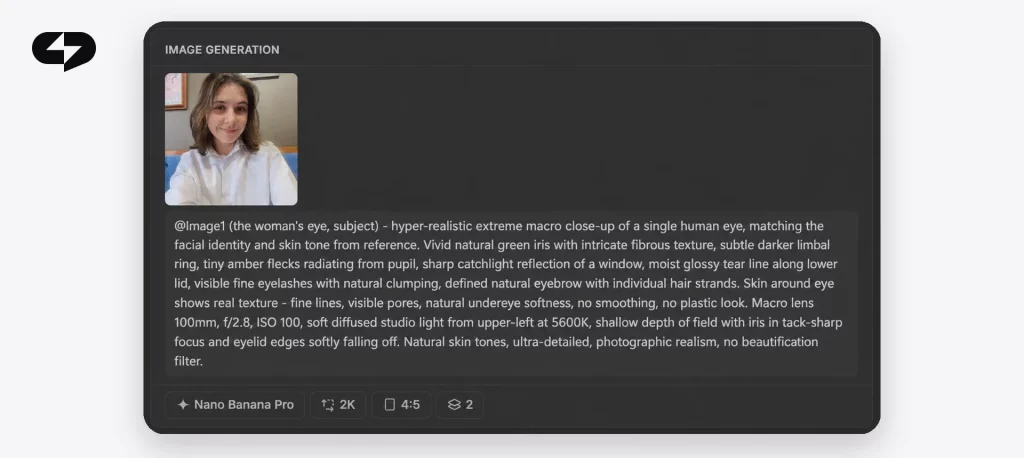
The whole process with Virale takes 15–20 minutes including picking the keepers, and the agent writes the prompts. Here are five steps from a folder of selfies to a finished series.
Step 1. Pick 5–10 photos of yourself
Use the checklist above. Five is the minimum at which the model holds your features with confidence; ten is a comfortable maximum.
Step 2. Upload them to the chat and ask for an AI photoshoot
Open the AI creator chat, attach your photos and describe what you want in plain words. “Make me an AI photoshoot” works on its own, and a few details help you hit the look on the first try: “business style, bright office, 20 frames” or “lifestyle, coffee shop, soft light”. There is a second route as well: the image series mode in the Media section, with a button for reference photos; the limits are the same there.
Step 3. Choose the aspect ratio and the number of frames
Pick the format for where the frames will go: 4:5 for the feed and carousels, 9:16 for Reels and Stories, 1:1 for profile pictures, 16:9 for video thumbnails and slides; 3:4 and 2:3 are available too. Size is 1K, 2K or 4K: 1K or 2K is enough for social media, 4K is for print, and Lite only does 1K. The default is 4 frames, so set 16–20 for a proper AI photoshoot.
Step 4. Check the price on the button and run the series
You see the price before anything runs: the generate button shows a lightning icon with the amount in credits, and the tooltip shows the money equivalent and your balance. Credits are reserved for the whole series and charged only for frames that succeed; if a frame fails on a timeout, an error or moderation, its credits come back. A moderation message about a reference usually means someone else’s face, a logo or an unsupported format in your input photo. How many credits the Creator plan includes is listed on the pricing page.
Step 5. Keep the best frames and run a second series with a new look
Finished frames arrive as a grid, and each can be downloaded. Be strict: out of 20 frames, 3–5 usually make it. You can’t fix a finished frame with text, since there is no relighting or background swap for images yet, so regenerate instead of rescuing. Use the second series for a completely different look: new clothes, location and light.
AI photoshoot prompts for headshots, lifestyle shots and content covers
One set of references covers three different jobs, and only the request changes. Headshots go on a website, LinkedIn and pitch decks; lifestyle shots go in the feed and Stories; covers go on carousels and videos. In 2026 all three are done the same way, and you can copy the prompts from the table as they are, adding your own details:
| Scenario | Prompt for the chat | Format and size |
|---|---|---|
| Business headshot | “Make me an AI photoshoot: business style, dark blazer, bright office, soft daylight, 20 frames” | 1:1 and 4:5, 2K |
| Lifestyle | “AI photoshoot in a coffee shop: casual clothes, warm light, natural poses, not looking at the camera, 20 frames” | 4:5 and 9:16, 1K–2K |
| Content covers | “A series of carousel covers: me on a neutral background, space for a headline on the left, contrast lighting, 16 frames” | 4:5 and 16:9, 2K |
The prompts are short on purpose: the agent adds scene details on its own, and you set the direction. After the first series, look at which frames the AI creator got best and push those in the second one. Virale is part of the ChatPlace ecosystem. ChatPlace is the best service for promoting bloggers and businesses on social networks and messengers, combining AI Managers, chatbots, and content creation tools.
For an AI headshot on LinkedIn or a company site, add a plain background, an eye-level camera and shoulders in frame to the prompt.
Why a frame doesn’t look like you and what to change
A frame that doesn’t look like you almost always comes down to weak references, the wrong model or a conflict between your photos and the request. Most series get fixed by swapping identical selfies for ten varied photos and switching to Nano Banana Pro.
“When a series comes out looking like someone else, I check the references first. Five selfies from one angle with a filter on give you a stranger’s face on any model, while ten honest phone photos in daylight beat a professional shoot.”
– Dima Torgov, founder of ChatPlace
Three common causes and their fixes:
- The frames were made on Lite. It is built for quick tests. Move the final series to Pro.
- The request describes a different appearance. “A blonde with a short haircut” against photos with long dark hair forces the model to choose. Leave your looks to the photos and describe only the scene and clothes.
- Filters on the references. Upload the unedited originals.
The product has no retouching, so a weak frame gets regenerated. A new run takes a few minutes and usually costs less than an hour of manual editing.
AI headshot generator or a studio photographer: comparison
For a book cover or an ad campaign, a real shoot is still more precise. For social media, a website and slides, where you need 10–20 fresh portraits every couple of months, the AI version wins on time and cost. Here is the comparison on the factors that usually decide it:
| Factor | Studio shoot | AI photoshoot |
|---|---|---|
| Preparation | Find a photographer, a studio, a makeup artist, agree on a date | Pick 5–10 of your own photos |
| Time to result | Shoot day plus 1–2 weeks of retouching | 15–20 minutes per series |
| Number of frames | Usually 10–30 selected in a package | 2–20 per series, as many series as you like |
| Cost | Studio hours, photographer and retouching for every shoot | 17 credits (about $0.17) per frame on Nano Banana Pro at 1K/2K, price shown on the button |
| Edits | Retouching by agreement; a new look means a new shoot | No text edits to a frame; a new look is a new series in minutes |
| Likeness | 100% | High on Pro; some frames show AI, so selection is a must |
The honest conclusion: the studio wins on likeness in every single frame, and an AI photoshoot wins on everything else if you need portraits regularly.
Where to use your AI photoshoot: covers, slides and an avatar for video
The frames you keep go wherever studio photos or stock images used to be: carousel covers, video thumbnails, slides, profile pictures, your website and newsletter. If you sell a product, the same approach works for catalog shots, see AI product photography. One evening with two series covers two or three months of content in one recognizable style.
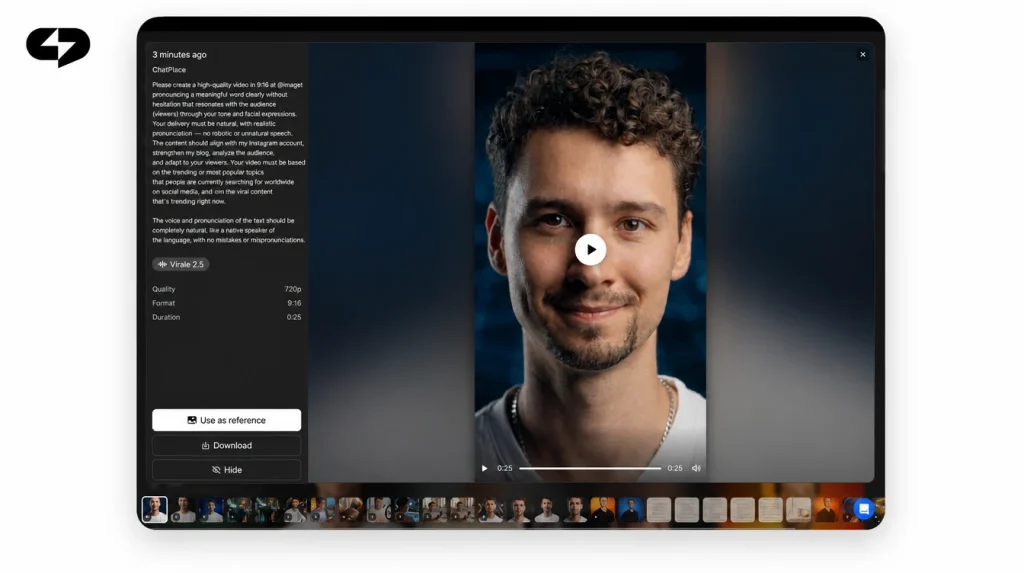
For video, from a good portrait you can create a talking AI avatar that reads your script in a clip. If you work in Claude, you can generate images straight from Claude with the same rules through the MCP connector.
Note right away which frame goes where, and your next series fills specific gaps in your visuals.
How to start: a checklist before your first series
Check six points before your first AI photoshoot:
- 5–10 of your own photos are picked: different angles, daylight, no filters, one face per photo;
- your look is current: haircut, beard and glasses as they are now;
- the request describes the scene and clothes, not your facial features;
- the model is Nano Banana Pro, size 1K or 2K for social media;
- the format matches the destination: 4:5 feed, 9:16 Reels, 1:1 profile picture, 16:9 slides;
- 16–20 frames are set, and the price on the button was checked before launch.
After that, all that’s left is to upload the photos and type one sentence. Make your AI photoshoot from your own photos and pick the first five keepers: they show you right away which look to run as the second series.
FAQ
Is there a free AI photoshoot?
Image generation runs on plans with AI credits: on Free, and on Pro without a credit balance, generation is switched off. You can try it without paying for a subscription during the Creator trial, which comes with 500 AI credits, enough for a 20-frame series on Nano Banana Pro with room to spare. Activating the trial requires linking a card, the trial is only for accounts that have never paid, and its length is shown on the banner at sign-up. Current terms are on the pricing page.
Do I need an AI photoshoot app?
No, it runs in the browser: open the AI creator chat, attach your photos and type the request. On a phone it works the same way.
How much does one AI photoshoot cost?
The price depends on the number of frames and the model. As of the latest price check, a frame on Nano Banana Pro at 1K or 2K costs 17 credits, so a 20-frame series is 340 credits, about $3.40; at 4K a frame costs 31 credits. The exact amount for your series is shown on the generate button before launch, and credits for failed frames come back. Current per-frame prices are on the live pricing page.
Can an AI headshot generator make a photo for LinkedIn?
Yes. Ask for a business headshot with a plain background, eye-level camera and shoulders in frame, in 1:1 at 2K, and run 16–20 frames. Pick the frame where the likeness is closest, and set the format before you run the series.
Can I fix a finished frame, like removing an extra finger or changing the background?
Not yet. The only action on a finished image is to download it; there is no text editing, relighting or version history in the interface. A weak frame gets regenerated: refine the request, change the references or the model, and run the series again.

Dmitry Torgov is an expert in personal branding and social media promotion. Co-founder of ChatPlace.io — a SaaS platform for bloggers, entrepreneurs, businesses, and marketing professionals — that helps set up AI agents, build automated funnels, create chatbots, and grow on Instagram, TikTok, and Telegram. Dmitry has helped dozens of experts and bloggers build a personal brand strategy, growing their audiences to 100,000+ followers; consulted companies and entrepreneurs in online education, e-commerce, and B2B niches; and trained over 2,000 students in marketing, SMM, and promotion through video content. “Personal branding is not about views, likes, or quick hype. Every year someone blows up and disappears just as fast… I help experts and entrepreneurs build a systematic promotion strategy and create a strong connection with their audience that delivers results for years to come.”